M A E D A Mini-Crawler Crane Section 5 – INSPECTION
9/2020 MC285CB-3 5-23
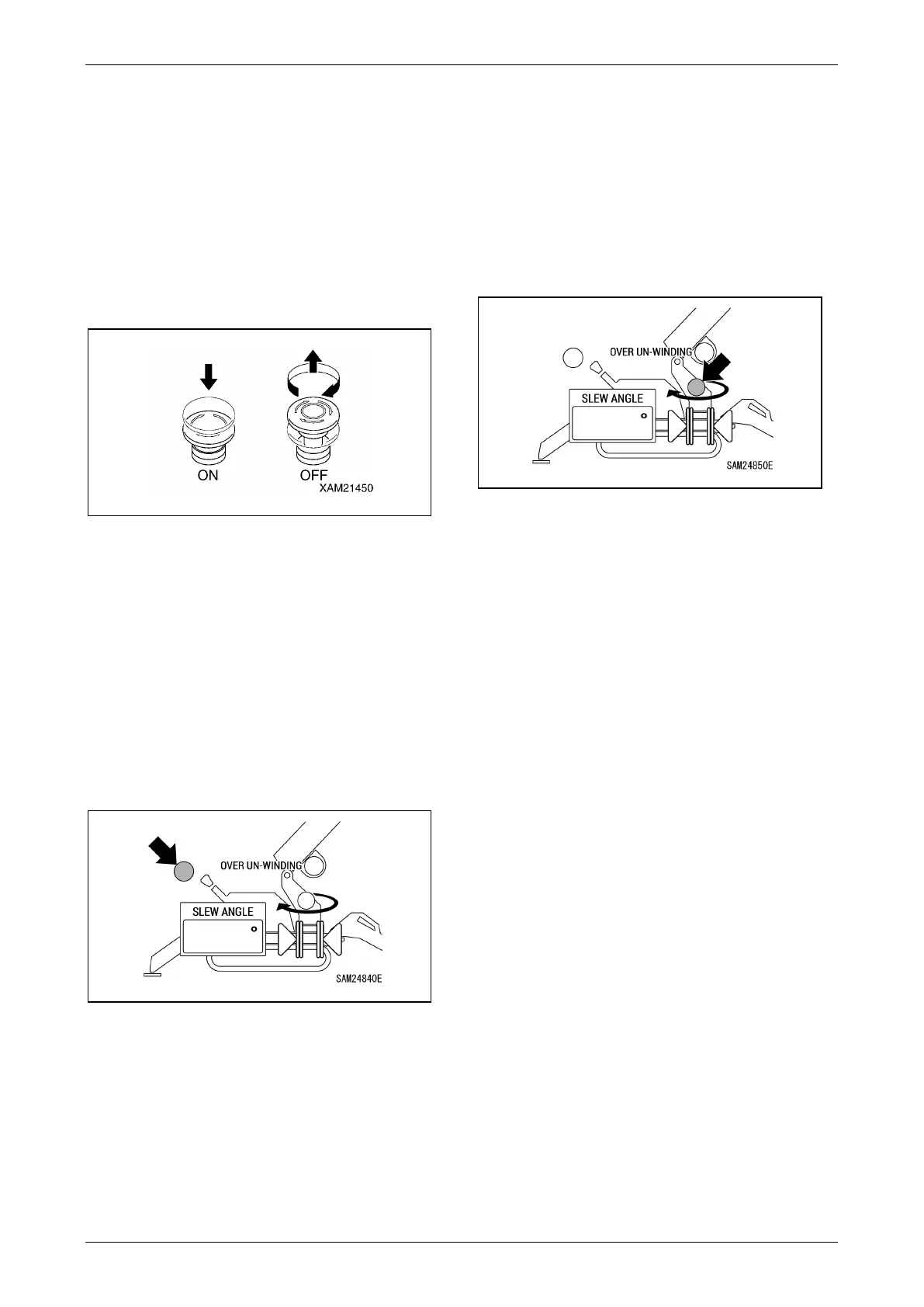
Check Emergency Stop Switch (EMO)
Push the Emergency Stop Switch (EMO) and
ensure that the machine stops.
If the machine does not stop, there may be an
error with the switch or a wire disconnected.
Contact us or our sales service agency.
NOTICE: When restarting the machine, return all
of the levers to their neutral positions, then set the
emergency stop switch to the “OFF” position. The
machine does not start when it is “ON”.
Fig. 5-31
Check Lever Detection Display
Operate crane lever very slightly, and check if the
load detection display on the monitor lights up in
green before the crane starts to move. Test all
operation of crane except for boom retracting.
If it does not light up in green even though the
crane is moving, it is possible that the detection
limit switch has failed or is improperly adjusted. In
this case, please contact us or our sales service
agency.
Fig. 5-32
Check Slew Origin Detection Display
Operate slewing of the crane, and check if the
slew origin detection display on the monitor lights
up in green at two points near 0 degree and 180
degree.
If it does not light up in green at the two points, it is
possible that the detection limit switch has failed
or is improperly adjusted. In this case, please
contact us or our sales service agency.
Fig. 5-33



 To Next Page