Installation and User Manual
63
7.2.2
TIP Mode
This optional function is available for the In-Process cycle. In TIP mode it is possible to deactivate the C1
grinder advance control manually, if it has been triggered. The control is deactivated by pressing button “4”
on the panel and lasts only as long as button “4” is pressed for. Deactivating/reactivating the control in this
way can be used to advance the grinder by small steps in order to carry out fine manual adjustments.
If the P3 is in AUTOMATIC mode, the C1 command LED and the associated output on the machine I/O are
deactivated. If the P3 is in MANUAL mode, only the C1 command LED is deactivated. The message “TIP”
appears on the display while button "4" is pressed.
N.B.
If TIP mode is present the C4 grinder advance control is disabled.
7.2.3
Selecting the channels
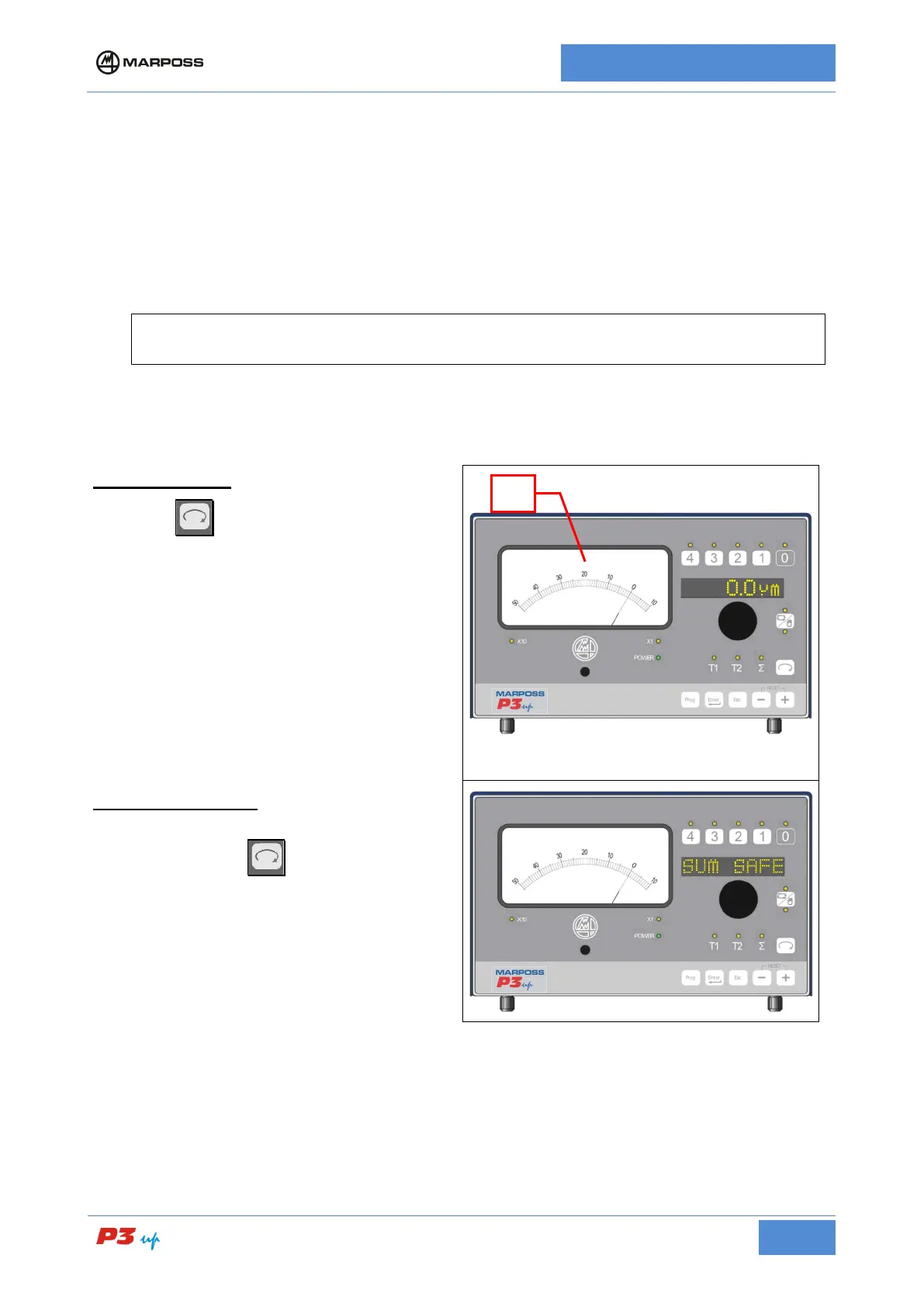
IN MANUAL MODE
Press the
button to select the individual
transducers (T1 or T2) of the In Process head, or
the In Process (Σ) measurement value. The
analogue instrument (A) displays the
corresponding value. In the case of single
transducer measurement heads, if T2 is selected
the message N.A. (channel not available) appears
on the alphanumerical display.
IN AUTOMATIC MODE
It is not possible to select the individual transducer
channels: Press the
message SUM SAFE.
If the “SUM SAFE” option is deactivated on the
unit, it is also possible to select the individual
transducer, or the sum, in automatic mode.



 To Next Page