Installation and User Manual
55
6.7.3
Fast zero-setting Unimar In-Process heads with locking lever
(
) To make it easy to assemble the frictioned support and to adjust the rapid zero-
correctly (lever B and corresponding stop dowel) refer also to document "UNIMAR –
Swing bracket
application" (code D4340021M1).
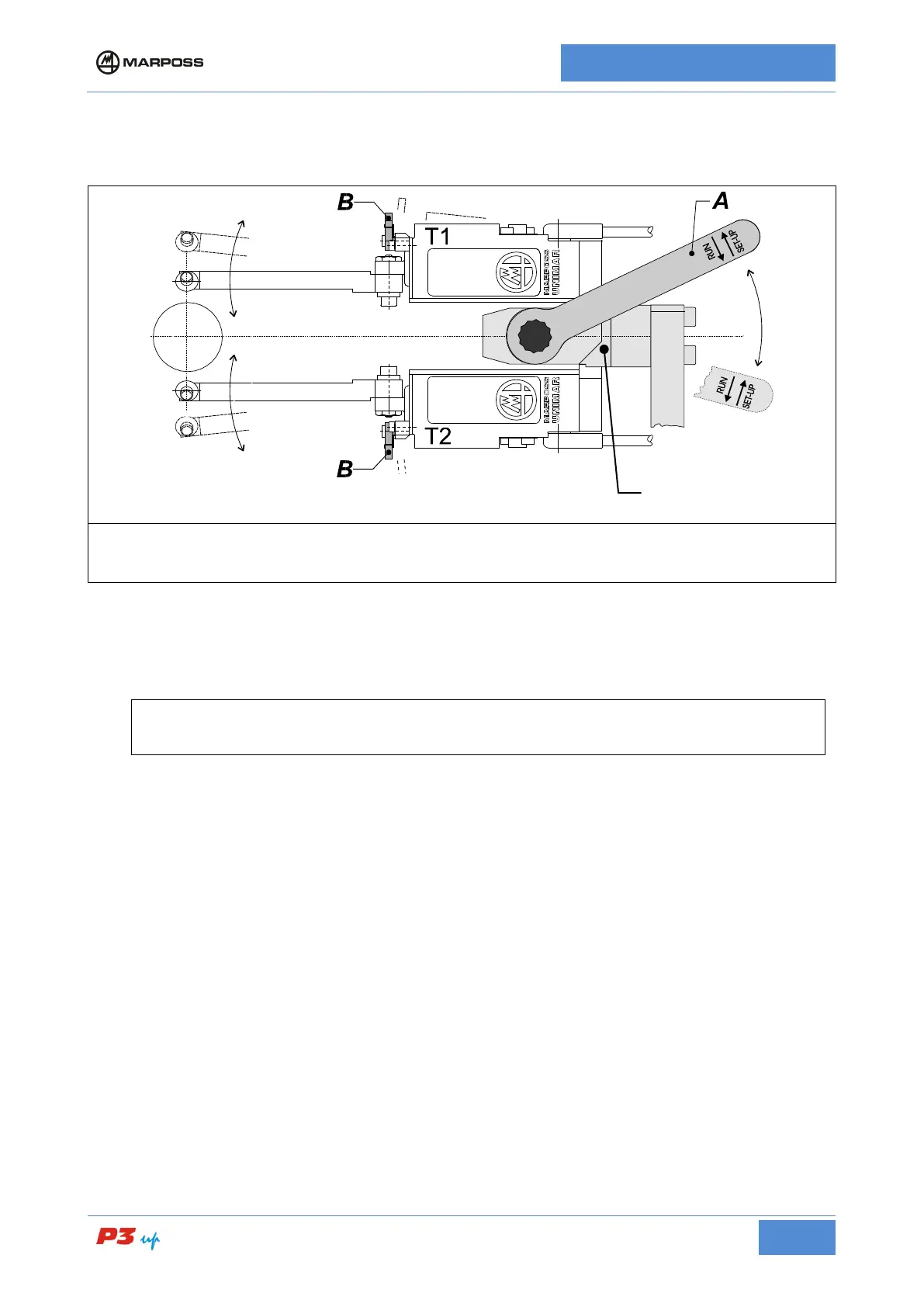
Figure 18: Fast zero-setting Unimar heads with locking lever
• Measurement head diameter alignment
(Refer to the example in Figure 18: Fast zero-setting Unimar heads with locking lever)
Given the nature of the zero-setting system, we suggest you perform this adjustment based on the
mean diameter of the application measurement range.
1. Place a ground workpiece either on the spindle or between the centers.
2. Rotate the locking lever A on the frictioned support to "SET UP", so that a small degree of friction is
applied to head T1 and T2 movements.
3. Open the heads in order to insert them on the workpiece safely.
4. Move the heads to measurement position.
5. Simultaneously push levers B on the rapid zero-setting unit, present on the stylus holders, and close the
heads with a single movement bringing the contacts into contact with the master workpiece.
6. While holding down levers B, rotate lever A to "RUN" until the heads are locked
7. Release the B levers on the rapid zero-setting unit making sure they return to rest position.
8. Now adjust the head support unit.
Supporto
frizionato



 To Next Page