Installation and User Manual
60
7.
OPERATING AND USING THE DEVICE
The P3UP has two operating conditions:
P3UP in measurement: The unit is in this operating condition when it is not being set-up (see para. 7.2)
P3UP in set-up: The unit is in this operating condition when the user accesses the programming menu
(see para. 0)
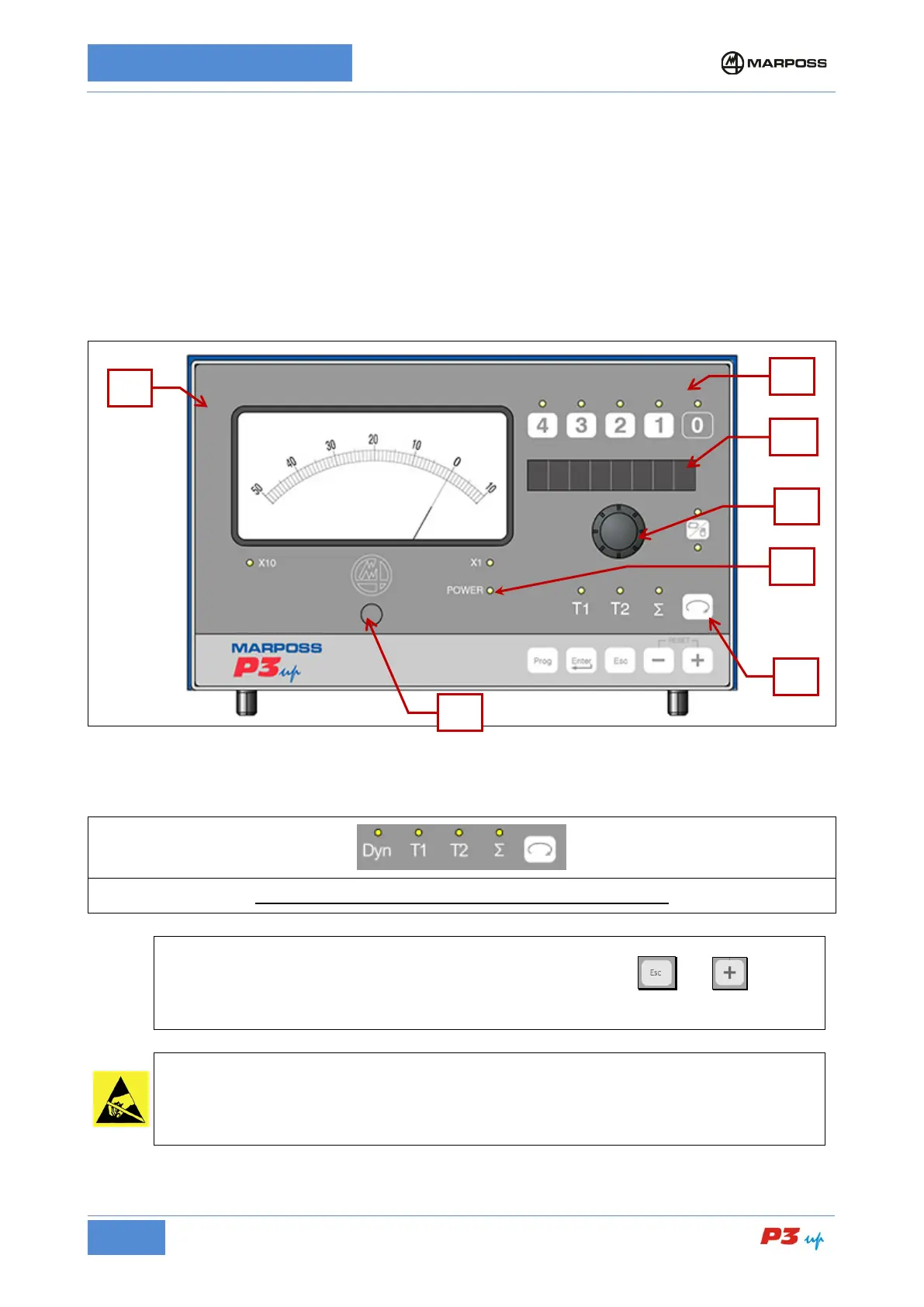
The P3UP front panel may vary depending on the available measurement cycles and memory in use.
Figure 20: P3UP In-Process
The panel in zone 6 varies depending on whether a surface or stock metal estimate memory is present.
P3UP In-Process for surfaces or stock removal estimate
It is possible to lock the keyboard and knob functions by pressing the and for at
least three seconds (the message KEY LOCK appears on the display). Repeat this operation to
release these functions (the message FREE appears on the display).
Handle with care: Static sensitive components.
Before accessing the front panel, operators must make sure they have eliminated any
accumulated electrostatic charges by touching a metallic surface th
at is connected to the
building earth system.



 To Next Page