Installation and User Manual
64
7.2.4
Zero adjust
The InProcess measurement can be corrected in two ways:
Manual Zero Adjust ZADJ
Automatic Zero Adjust ZERO
ZADJ MODE
To access the Zero Adjust (ZADJ) mode, press the knob (the operator may not be able to access the zero
adjust during the cycle in automatic mode, see description in para. 0).
The zero adjust value is summed with or subtracted from the measurement value. The following adjustment
intervals are available (defined by the factory settings):
± 50µm /
±0.00250"
Standard Interval
± 250µm / ±0.01250"
Halved Extended Interval
± 500µm / ± 0.02500" Extended Interval
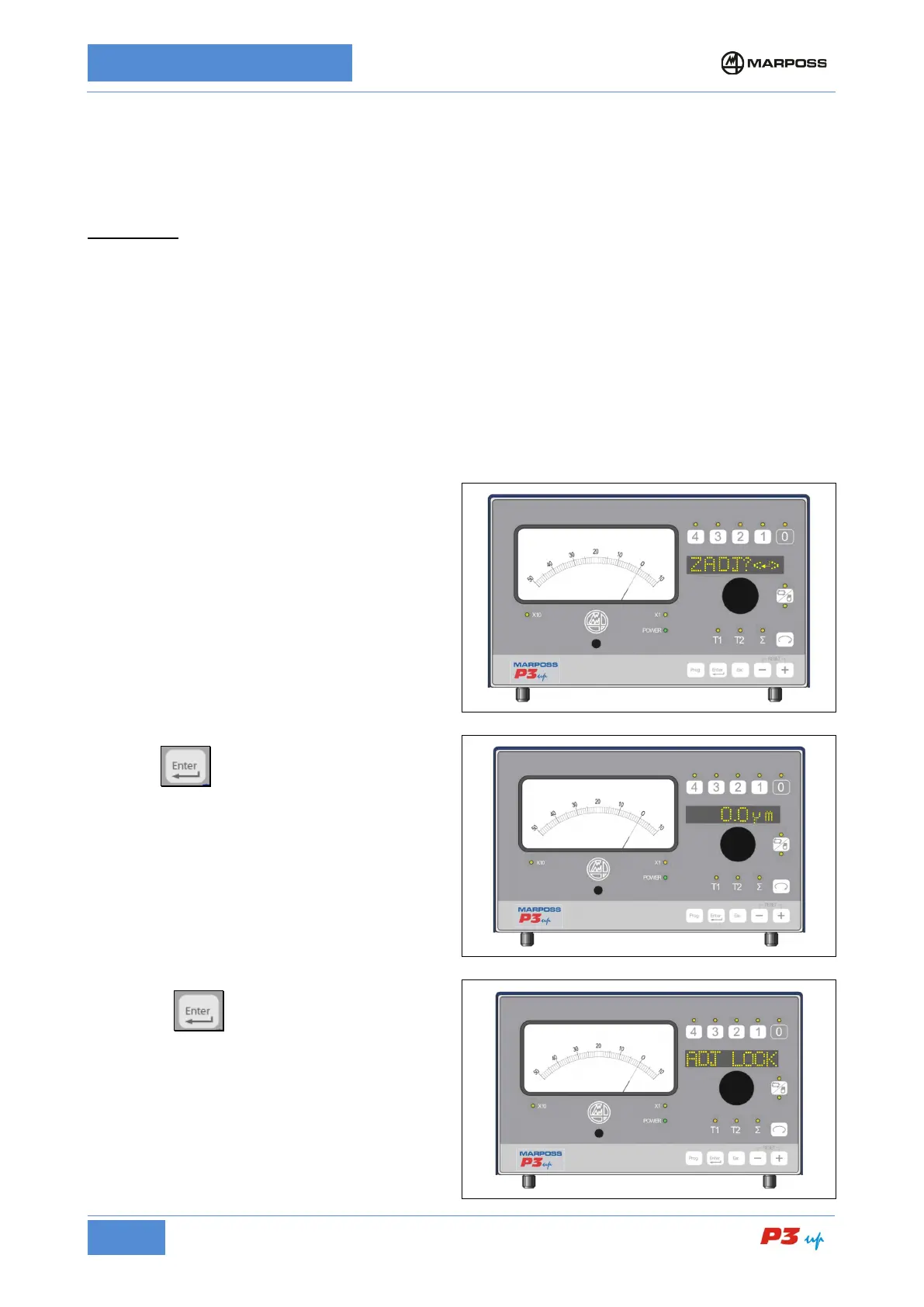
To carry out the zero adjust:
1. Select channel Σ (if transducers T1 and T2
are selected the message N.A. is displayed)
2. Press the knob to access ZADJ mode;
3. Type or press the knob again to enter
ZADJ mode: the correction value appears on
the display.
4. Rotate the knob to set-
(the correction value appears on the display,
while the analogue instrument displays the
sum of the correction value and the
measurement value).
5. Press
settings and exit. The message
appears on the display.



 To Next Page