Installation and User Manual
82
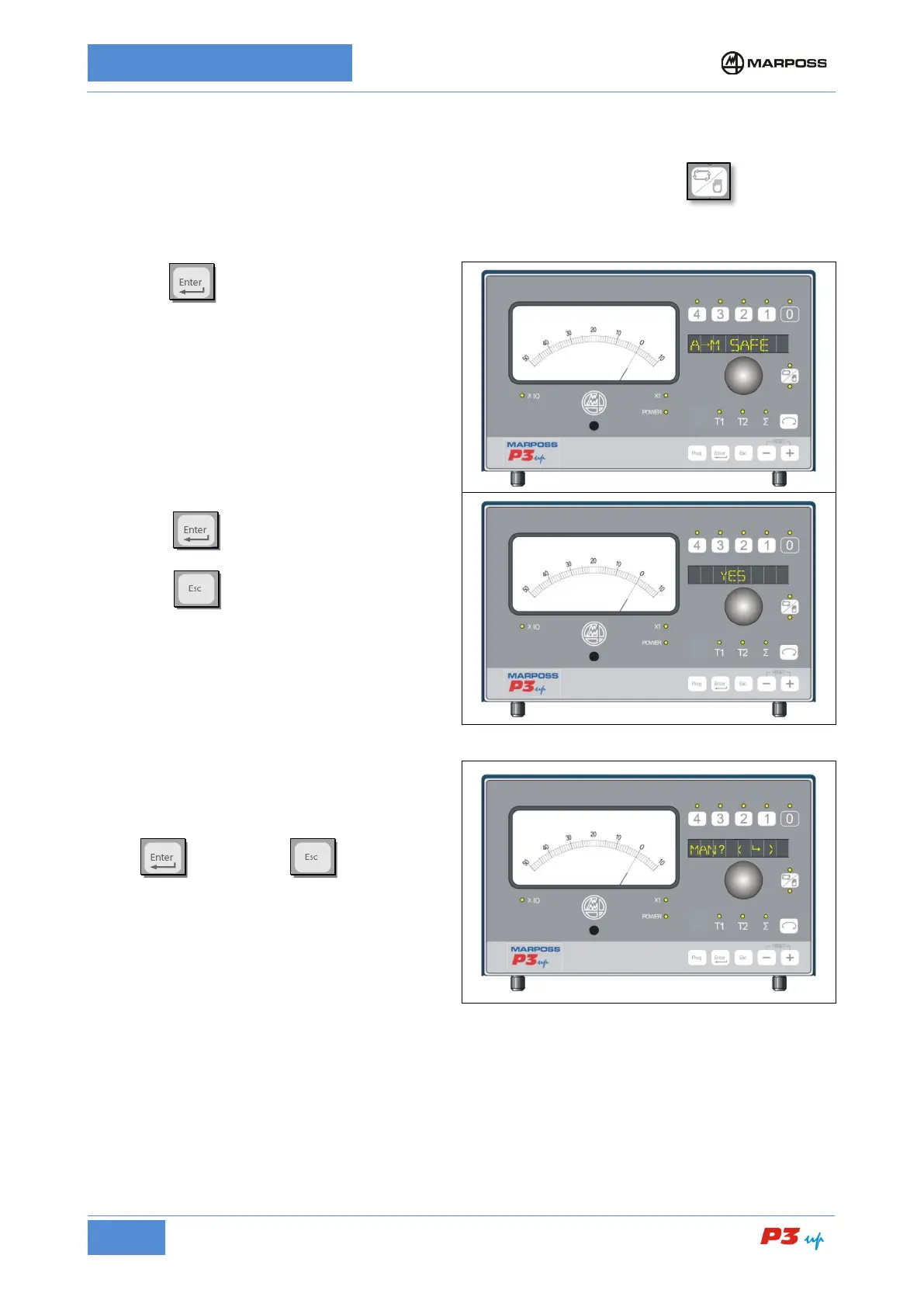
7.3.2.12 A
M SAFE
This parameter enables a confirmation message on the display when the user presses to switch from
automatic to manual operating mode
1. Press
to access the AM SAFE
menu
2.
Rotate the knob to enable or disable the
function:
YES Request to user to confirm AUTOMAN
switch active
NO Request disabled
3. Press to confirm
programming menu;
Press
to cancel the operation and
return to the programming menu.
If the function is enabled, when switching from
automatic to manual mode the message MAN ?
<
appears in the display
Press to confirm or
operation.



 To Next Page