MLA System USER GUIDE
MLA System User Guide V2.1 100
Panel Layouts
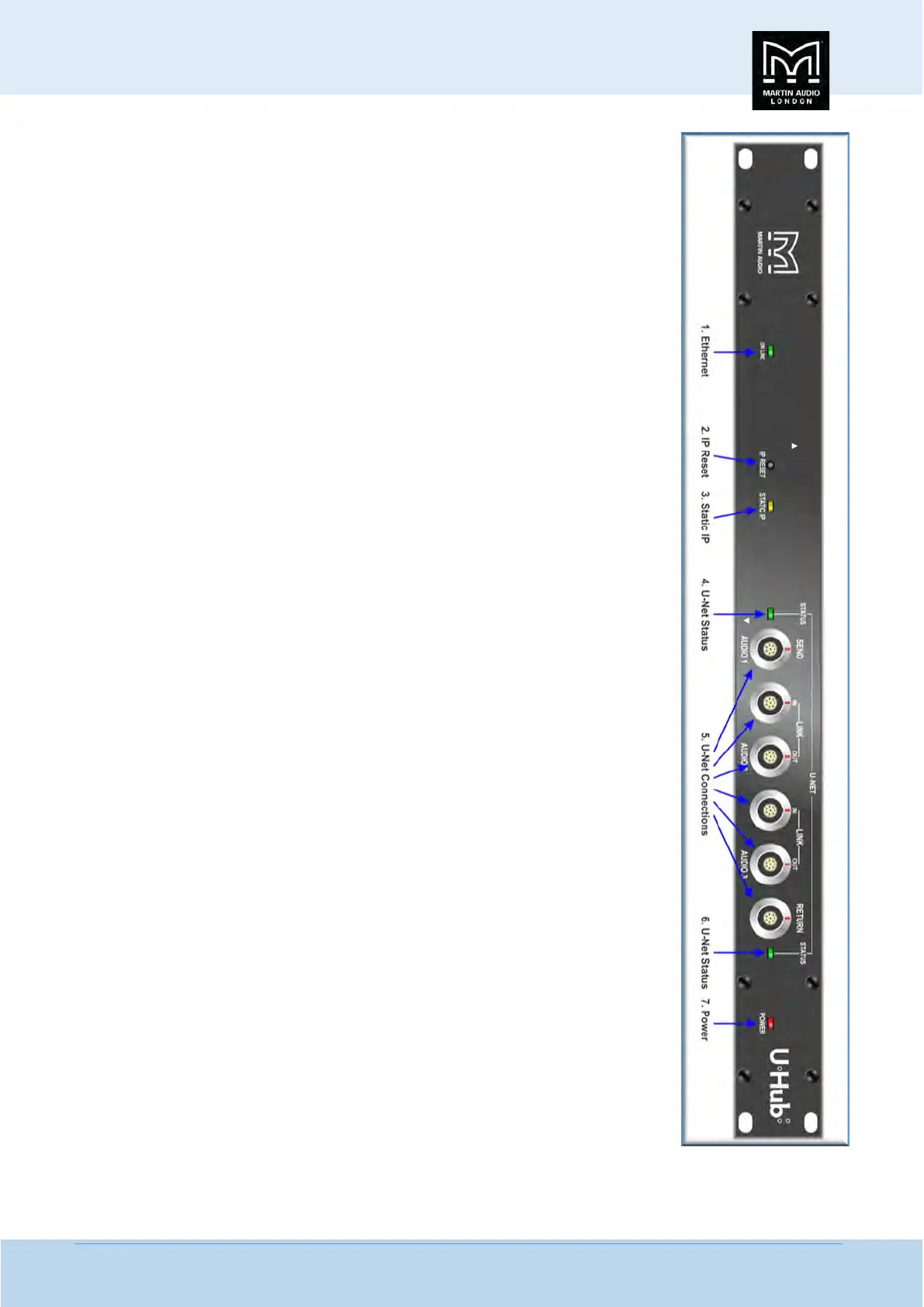
1. On Line Indicator- Illuminates to show that the U-Hub is connected to an Ethernet network
2. IP Reset- Resets a U-Hub that has been configured for static IP back to dynamic
3. Static IP- Indicates that the U-Hub has been configured for static IP
4. U-Net Status- The U-Net LED will illuminate green when a good connection is made to a U-Net
enabled device connected to port 1
5. U-Net Connections- Six ODU connectors provide U-Net connectivity consisting of Port 1, port
2 and two linked pairs. Port 1 and the ‘Out’ connection of each linked pair also carry audio routed
from the input connectors on the rear panel.
6. U-Net Status- The U-Net LED will illuminate green when a good connection is made to a U-Net
enabled device connected to port 2
7. Power Indicator- This red indicator is lit when power is applied


 To Next Page