MLA System USER GUIDE
MLA System User Guide V2.1 275
PEQ Tab
All types of array have a PEQ tab which offers multiple bands of equalisation plus a high pass filter that can be used as a means
of tailoring the system sound to suit any preferences of the sound engineer or to deal with any peculiarities of the venue
acoustics. It is important to note that this is completely independent to the Optimisation parameters which include parametric,
FIR and all pass filtering. These parameters which are created in your Display 2.1 project are uploaded to a completely separate
section within the cabinet DSP. They cannot be accessed manually. The PEQ section can be compared to the “grab" EQ in a
conventional system which is commonly a third octave graphic equaliser at front of house and is used for subtle adjustment once
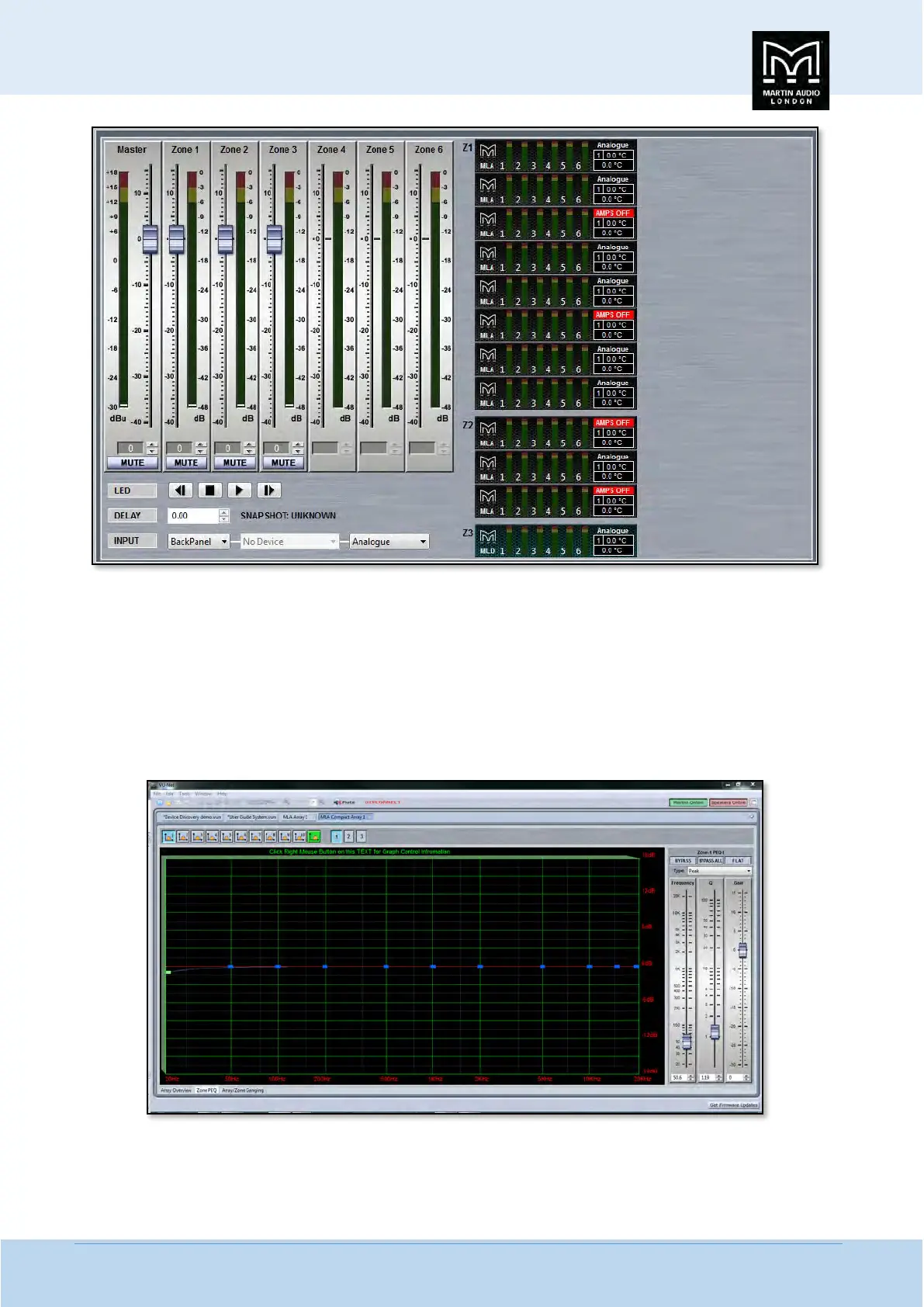
a system has been configured in the system processors. This is the EQ window which is common to MLA, MLD and MLA Compact;-
The window has three sections, the buttons along the top, the graphic display window and the controls on the right of the
window. First we will look at the buttons along the top.


 To Next Page
 Loading...