MLA System USER GUIDE
MLA System User Guide V2.1 278
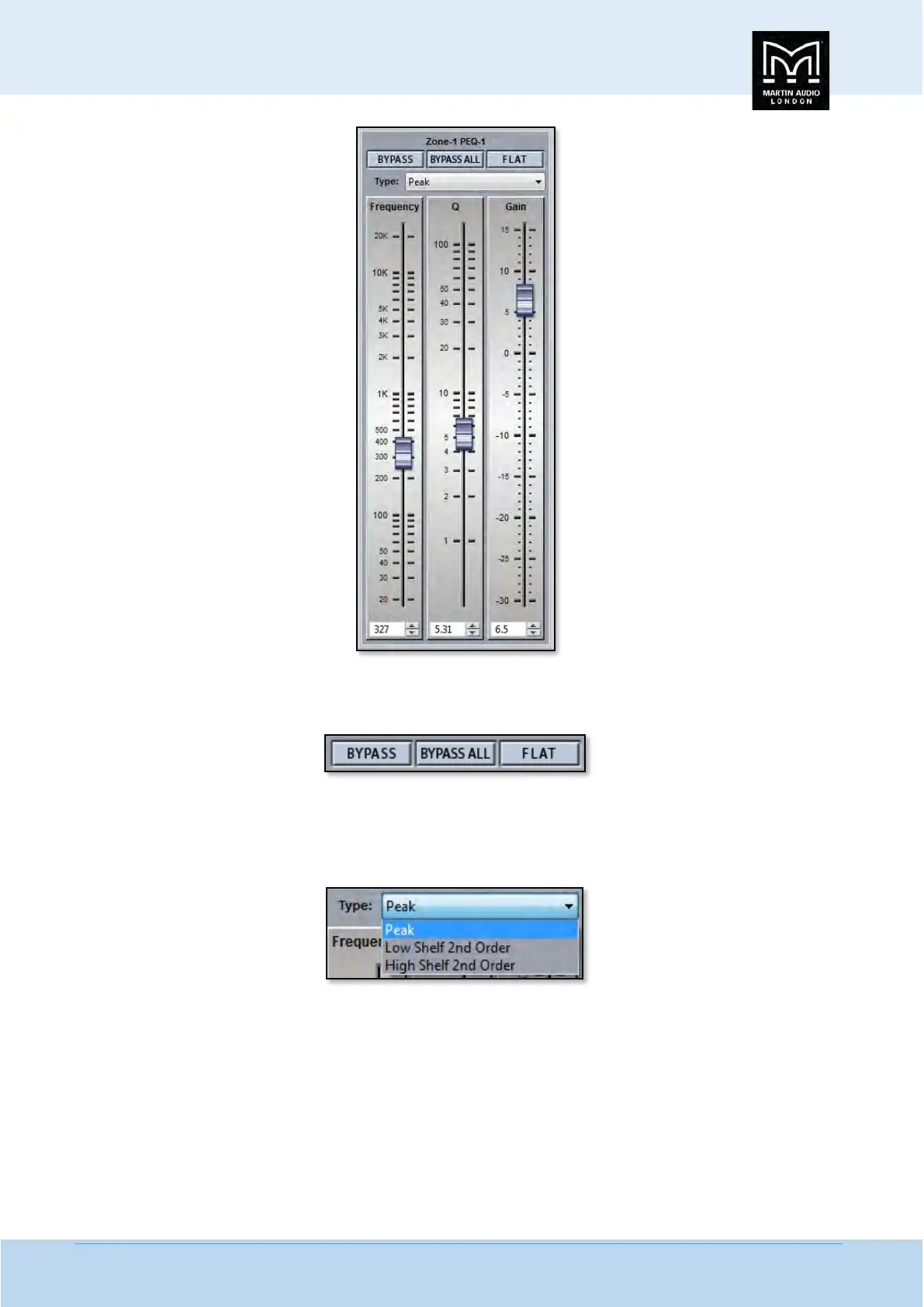
This shows all properties of the selected band. At the top you will see some text indicating which zone and which band the
properties apply to. Below this are three buttons;-
BYPASS bypasses the individual band you have selected turning the BYPASS button and the filter button red. BYPASS ALL bypasses
every band. FLAT will instantly change the gain to 0dB.
Next is a Filter type. Click on this and the drop down shows the options for each filter band;-
The default is ‘Peak’, a standard parametric EQ; the other options are 2
nd
order Low Shelf and 2
nd
order High Shelf.
Below are the three principal faders for adjusting the filter parameters;-


 To Next Page
 Loading...