96 CONTENTS
While using a color version of the camera, the PC will calculate a color image from the original gray Bayer mosaic
data. For getting correct colors when working with a Bayer mosaic filter you have to calibrate the white balance (this
must be performed every time the lighting conditions change).
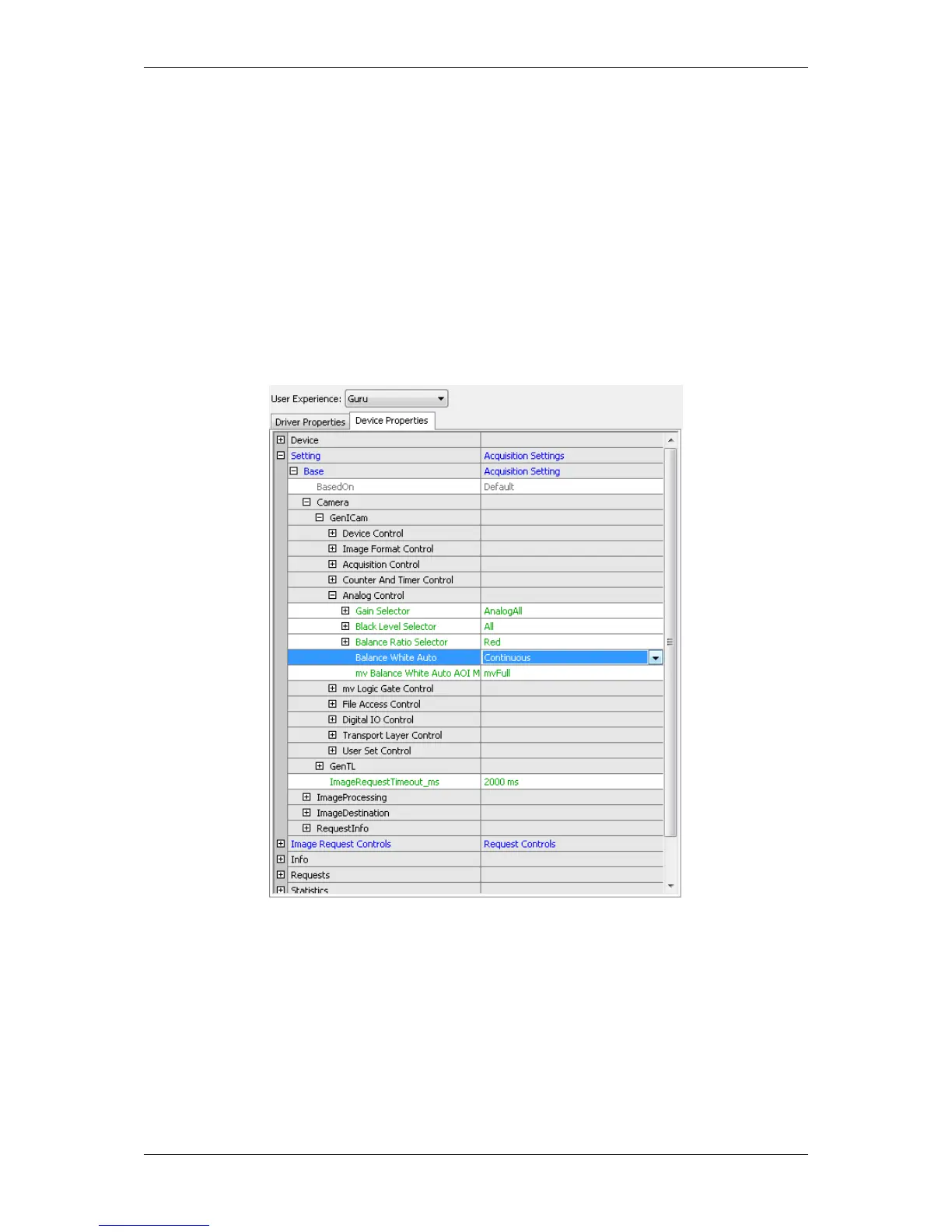
The "White Balance Control" can be found in "Setting -> Base -> Camera -> GenICam -> Analog Control ->
Balance White Auto". Just select "Continuous" and you will get a white balanced image.
Figure 22: wxPropView - Selecting WhiteBalance profile
MATRIX VISION GmbH



 To Next Page