182 CONTENTS
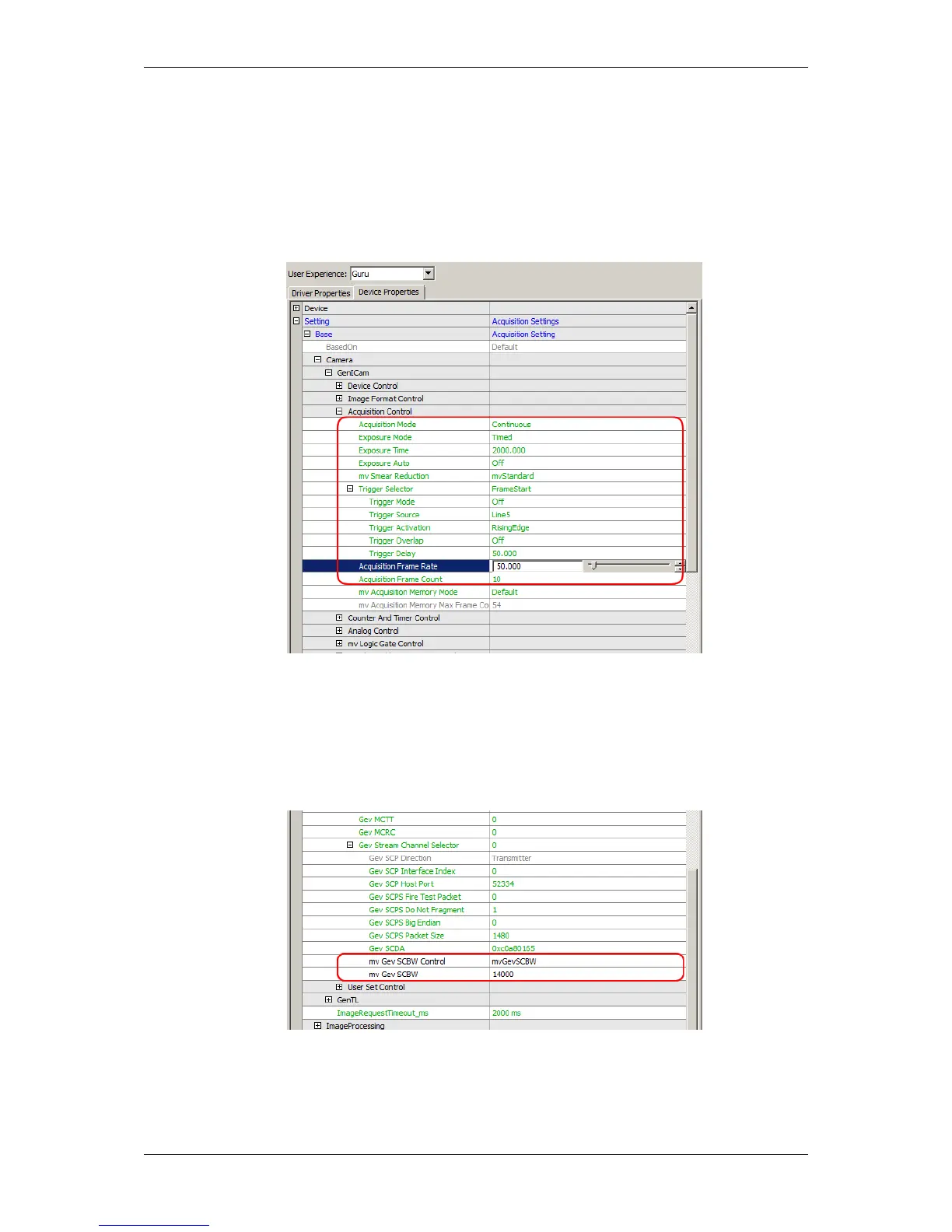
Alternatively, you can set the burst mode via the desired input frames and the desired output bandwidth:
1. Set image acquisition parameters to the desired input frames per second value ("Setting -> Base -> Camera
-> GenICam -> Acquisition Control").
Figure 3: wxPropView - Setting the "Acquisition Frame Rate"
2. Set bandwidth control to the desired MByte/s out value in "Setting -> Base -> Camera -> GenICam ->
Transport Layer Control -> Gev Stream Channel Selector -> mv Gev SCBW Control".
Figure 4: wxPropView - Setting the bandwidth using "mvGevSCBW"
Now, the camera will buffer burst number of images in internal memory and readout at frames per second out.
MATRIX VISION GmbH



 To Next Page