20.3 Improving the acquisition / image quality 215
Note
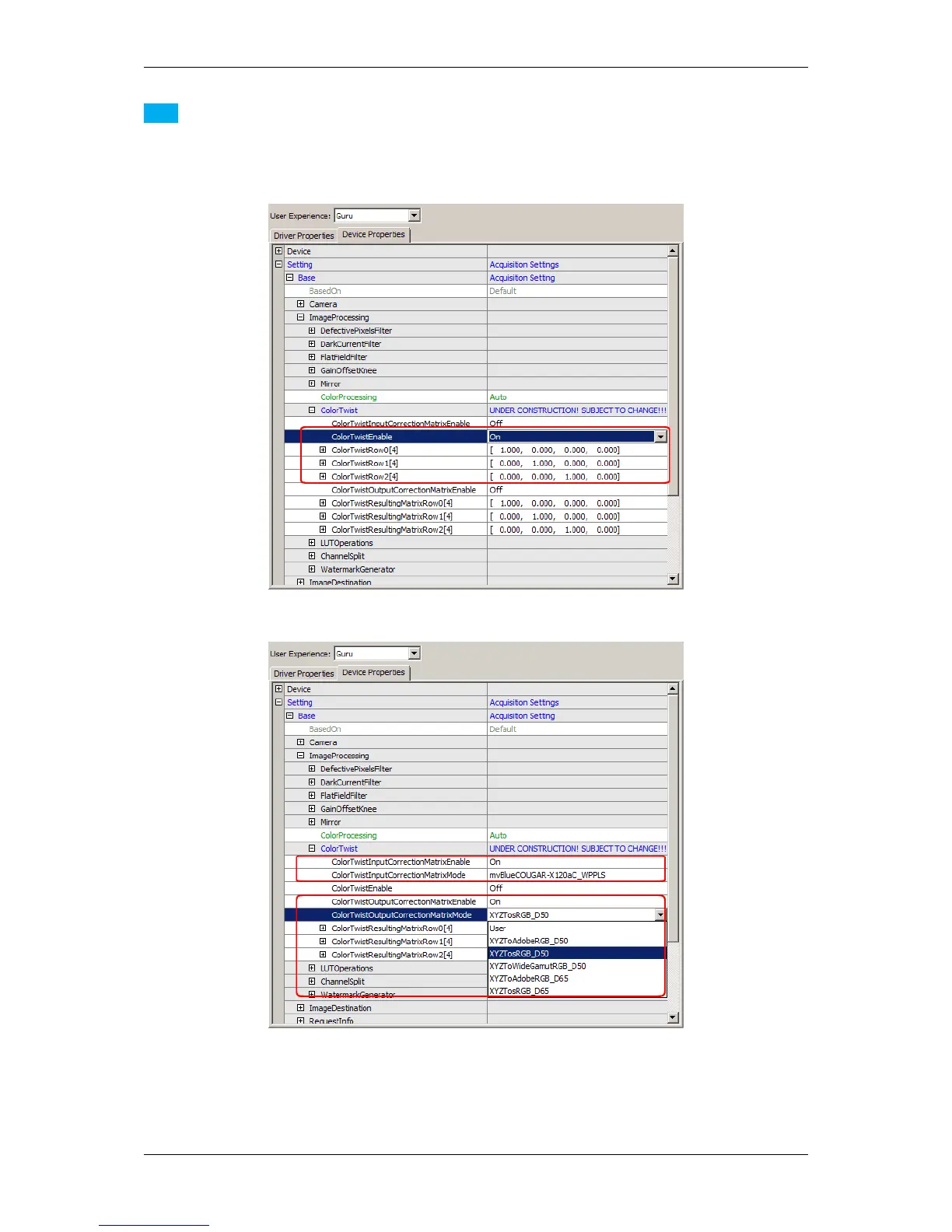
As mentioned above, you can change the saturation and the color correction matrices via ("Setting -> Base
-> ImageProcessing -> ColorTwist"). Here, the changes will affect the 8 bit image data and the processing
needs the CPU of the host system:
Figure 22: ColorTwist dialog
Figure 23: Input and output color correction matrix
MATRIX VISION GmbH



 To Next Page