20.3 Improving the acquisition / image quality 217
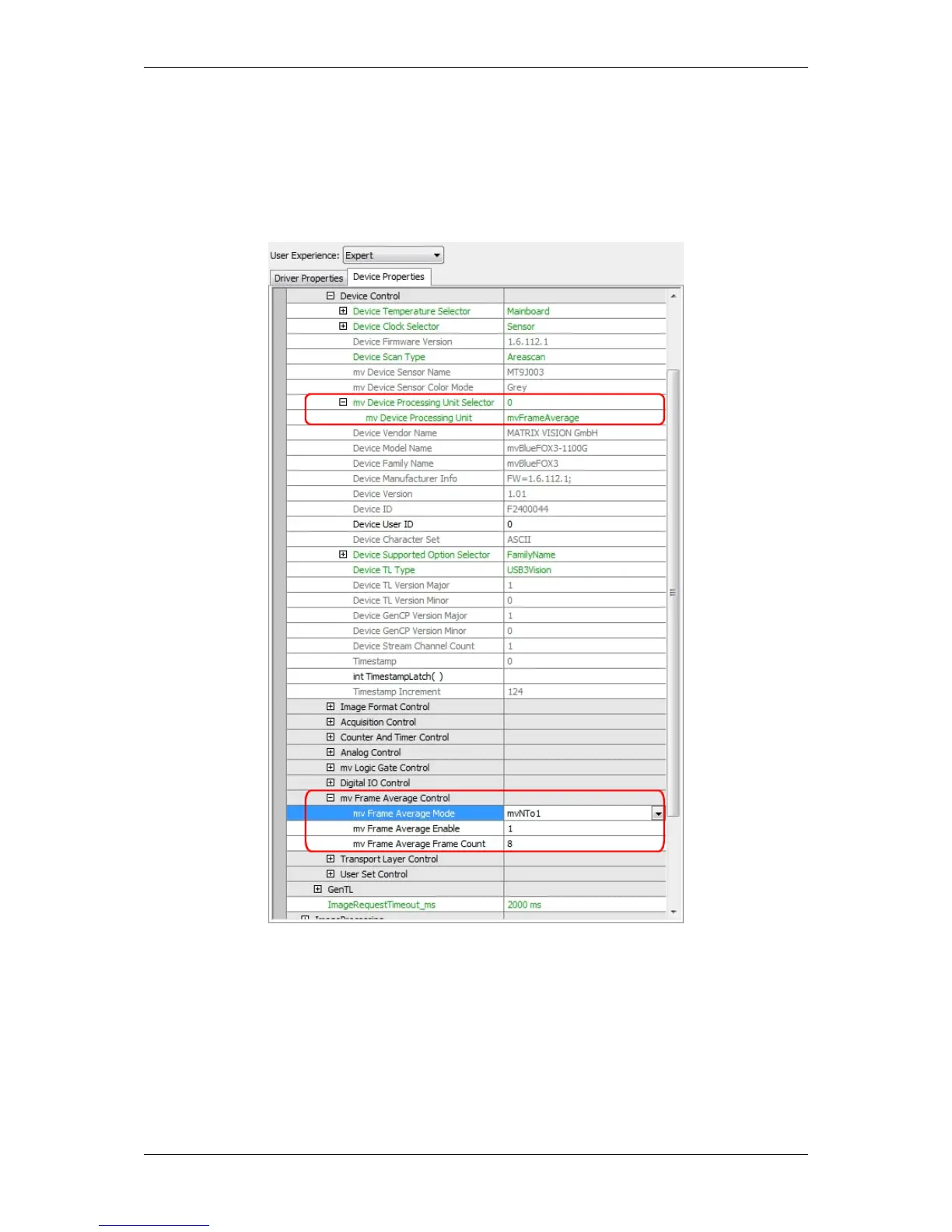
6. Select the number of frames you want to use for averaging ("mv Frame Average Frame Count"), e.g. 8.
This, of course, reduces the frame rate. If you have a frame rate of 8 frames per second and a "mv Frame
Average Frame Count" of 8 frames, this will result to a frame rate of 1 Hz.
7. Activate frame averaging by setting "mv Frame Average Frame Enable = 1".
Figure 1: wxPropView: Setting frame average mode "mvNTo1"
20.3.3.3 "mvDynamic"
This mode uses an adaptive recursive filter with an average slope. The slope sets the amount of new image versus
averaged image in relation to the gray scale variation of the pixel. With it, static noise can be removed at full bit
depth and full frame rate:
MATRIX VISION GmbH



 To Next Page