20.4 Working with triggers 231
20.4.2.3 Programming the pulse width modulation with wxPropView
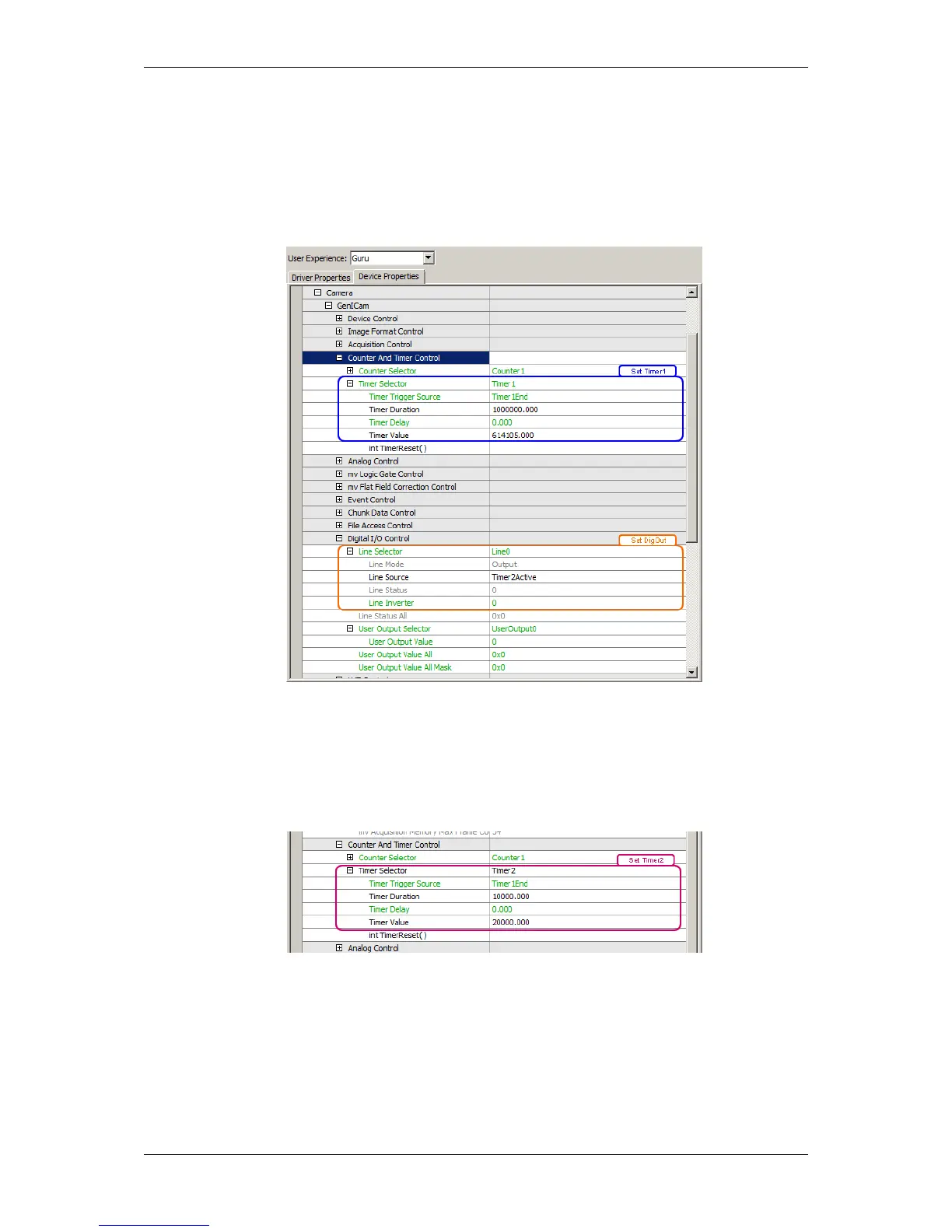
The following figures show, how you can set the timers using the GUI tool wxPropView (p. 74)
1. Setting of Timer1 (blue box) on the master camera:
Figure 2: wxPropView - Setting of Timer1
2. Setting of Timer2 (purple on the master camera):
Figure 3: wxPropView - Setting of Timer2
3. Assigning timer to DigOut (orange box in Figure 2).
MATRIX VISION GmbH



 To Next Page