254 CONTENTS
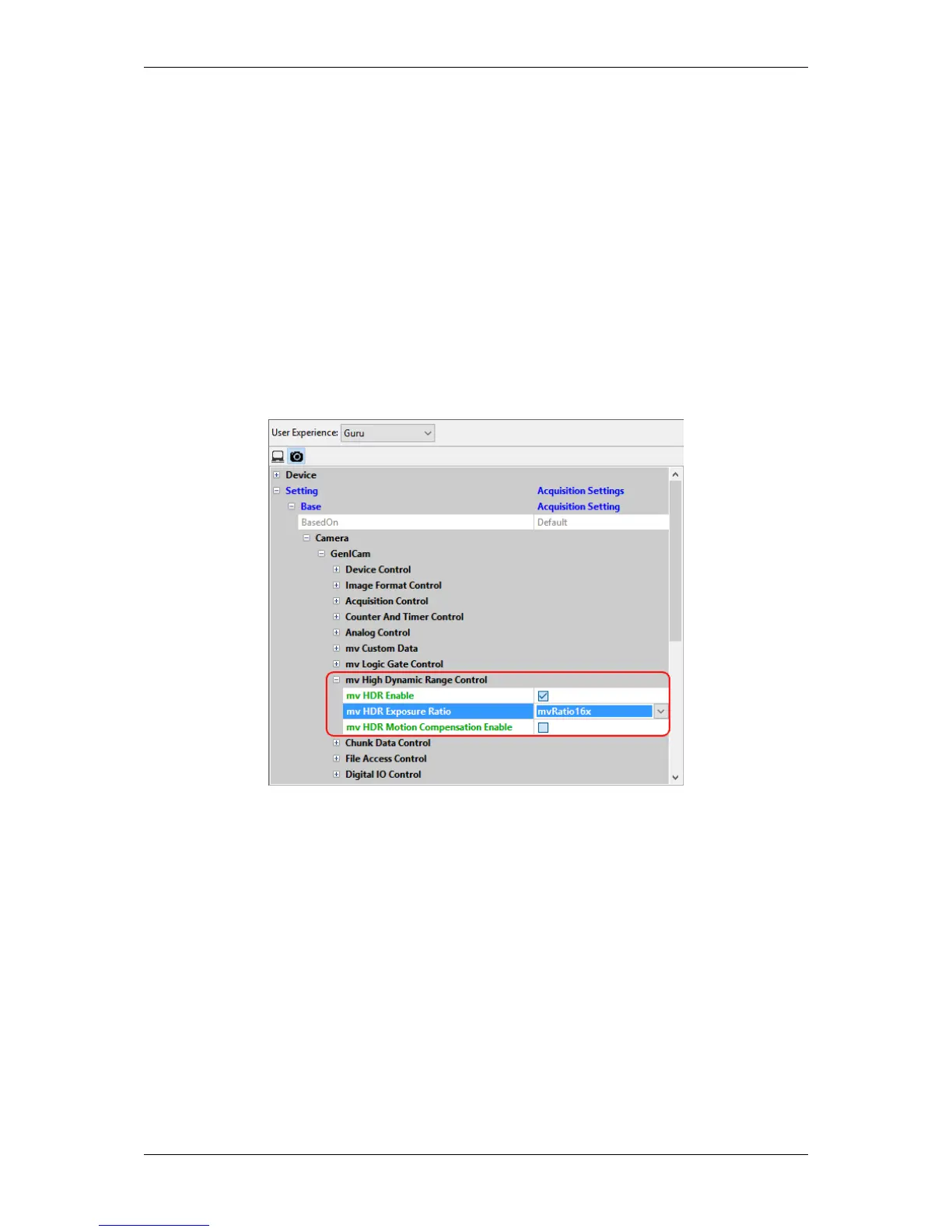
In this case
• the Adaptive Local Tone Mapping is on,
• the motion compensation is off (but it can be switched on via "mv HDR Motion Compensation Enable"),
• the adaptive color difference noise filtering is on, and
• you can set the exposure ratio:
– mvRatio4x (∼ 84dB)
– mvRatio8x (∼ 90dB)
– mvRatio16x (∼ 96dB, recommended)
– mvRatio32x (∼ 100dB)
Figure 2: wxPropView - mv High Dynamic Range Control
20.6.3.3 More tuning
With wxPropView (p. 74) it is possible to change entries of the sensor register directly.
E.g. you can turn off the Adaptive Local Tone Mapping setting the register 2400 to 1.
1. Start wxPropView (p. 74) and
2. connect to the camera.
3. Then in "Setting -> Base -> Camera -> GenICam -> mv Custom Data" you can set the "mv Sensor
Register" to "0x2400" and "mv Sensor Register Value" to "0x1".
MATRIX VISION GmbH



 To Next Page