© Microhard Systems Inc. 94
4.0 WebUI Configuration
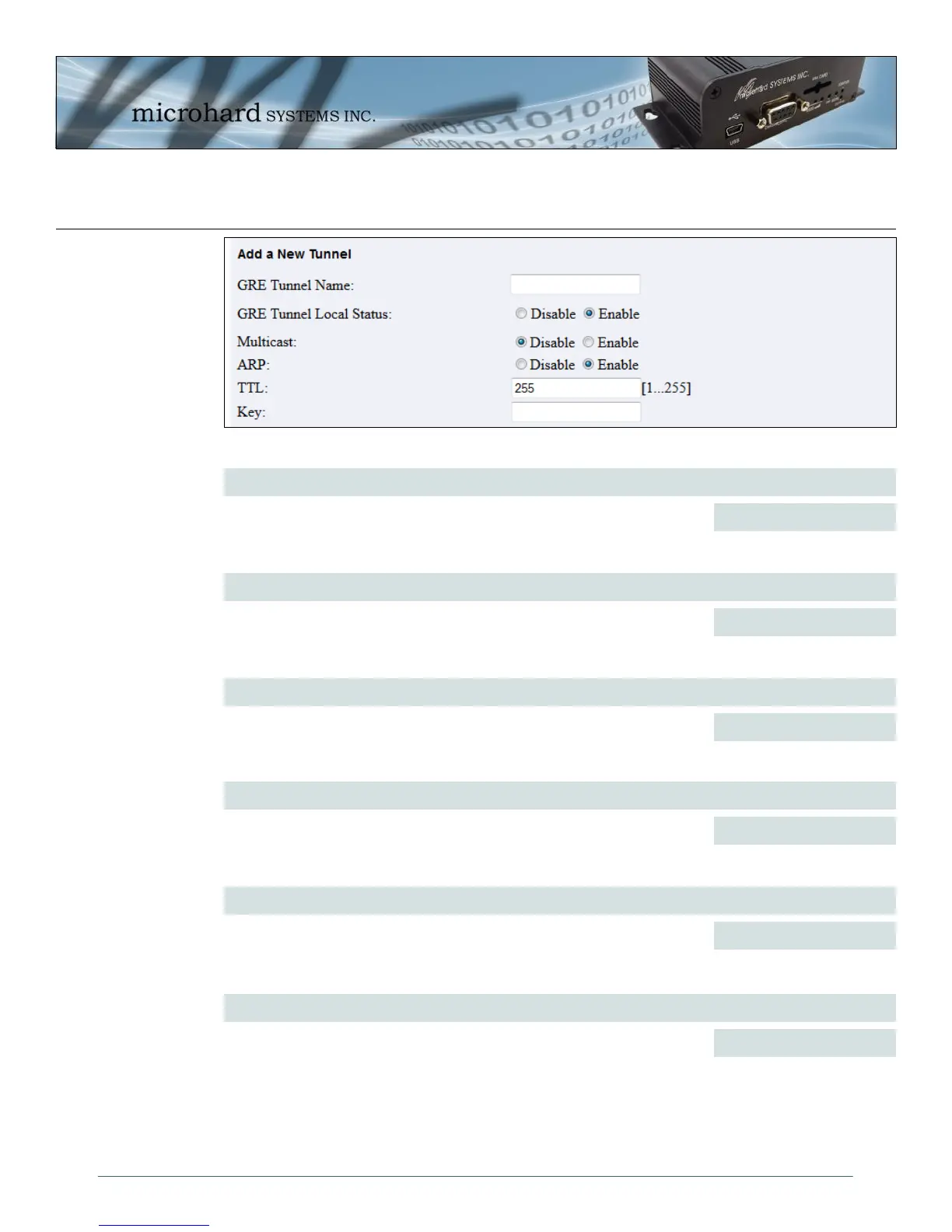
Image 4-55: GRE > Adding a New Tunnel
GRE Tunnel Name
Each GRE tunnel must have a unique name. Up to 10 GRE tunnels are
supported by the IPn3G. Valid characters include A-Z, a –z, 1 - 0, ‘_’.
Spaces and dashes are not allowed.
Values (chars(32))
gre
GRE Tunnel Local Status
Enable / Disable the GRE Tunnel.
Values (selection)
Disable / Enable
Multicast
Enable / Disable Multicast support over the GRE tunnel.
Values (selection)
Disable / Enable
ARP
Enable / Disable ARP (Address Resolution Protocol) support over the GRE
tunnel.
Values (selection)
Disable / Enable
TTL
Set the TTL (Time-to-live) value for packets traveling through the GRE
tunnel.
Values (value)
1 - 255
Key
Enter the key for the GRE tunnel.
Values (characters)
(no default)



 To Next Page