Using the RFID Functions 125
_______________________________________________________________________________________________
_______________________________________________________________________________________________
MICROPLEX Operator’s Manual LOGIJET T4 /T6 /RFID Edition 1.3
Type
code
k
xx
Parameter
Description
13 n = 1-digit
Write protection
0 = no protection = default
1 = write protection
99 “cc“ = string
Write Tag
last type code, data has to follow
immediately
(see example in section 8.4.3)
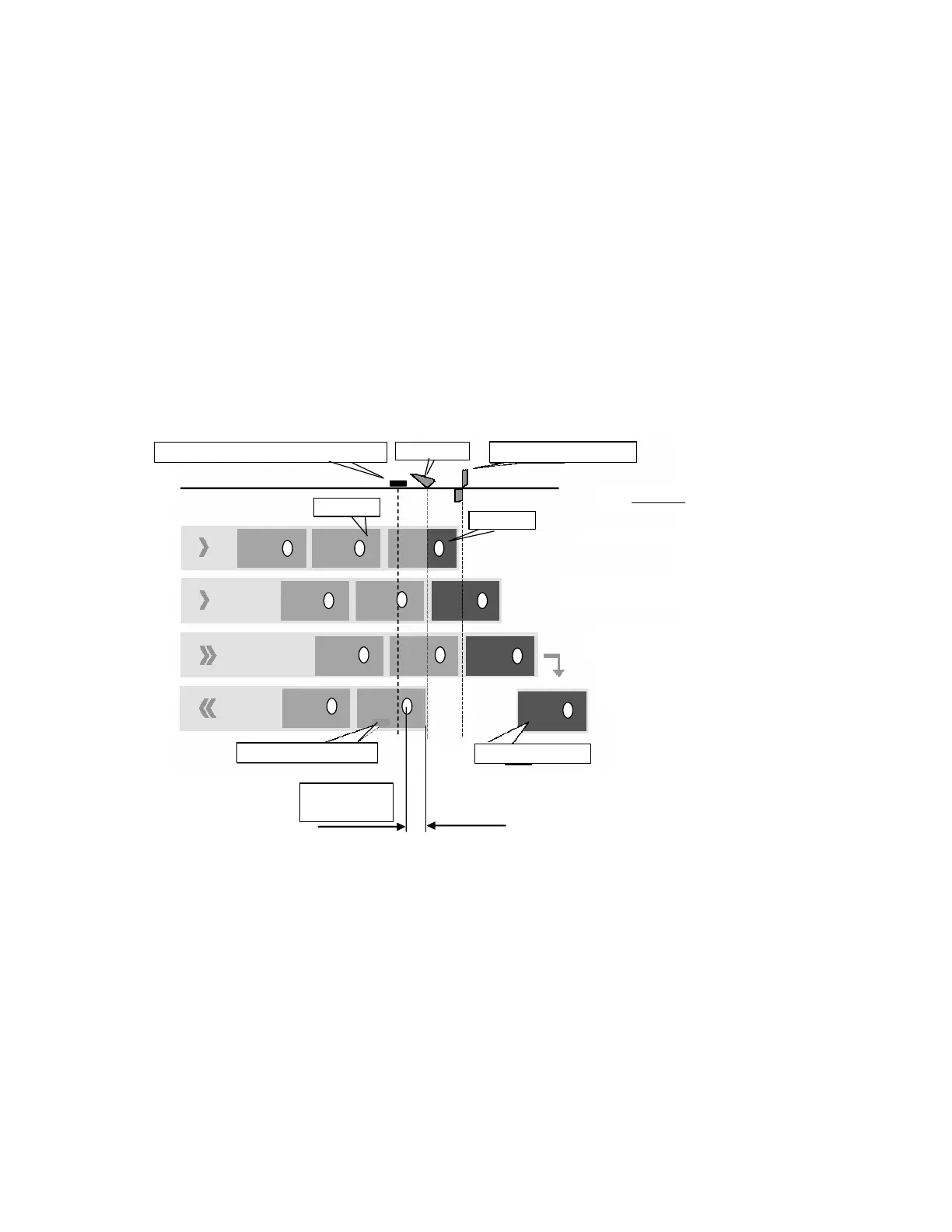
Tear off edge or cutter
1. Printing Label A
2. Reading/Writing Tag of Label B
and Print end of Label A
3. Feed forward to tear off or cut Label A.
Normally this procedure is not started
before print data for label B is available.
4. Return: label B is drawn back (if it is still
unprinted) either to the TOF position (Top
Of Form) or to the RFID reading position
(if the function “Reading the Label
Identification Number automatically” is
selected, see section 8.2.6).
Antenna of the Write/Read module
Print head
Tag Position
(example)
Label A, printed
Label B, unprinted
Notice:
Depending on your label material in use
the printer may not be able to write/read
the tag of label B again. This is relevant if
the distance between label edge and tag
is smaller than 31 mm (smaller than the
distance between print head and antenna
that is what is shown in the illustration).
No more back feed of label B is possible
because at least a small part of the label
has to remain under the
rint head.
Course:
Label B
Label A
Fig. 8.4.1.a Example: Printing and reading RFID labels
Hint: Please refer to chapter 7 for more information (for example: 7.30
Selecting the Tear Off Mode (Option: Cutting Mode) and 7.31 Selecting
the Print Mode). Refer to section 8.4.2 and following, too.



 To Next Page