144 Operator Maintenance
_______________________________________________________________________________________________
_______________________________________________________________________________________________
MICROPLEX Operator’s Manual LOGIJET T4 /T6 /RFID Edition 1.3
9.2.1. Printhead Removal and Installation
1. Switch off the printer and pull the power plug.
2. Open the hood of the printer.
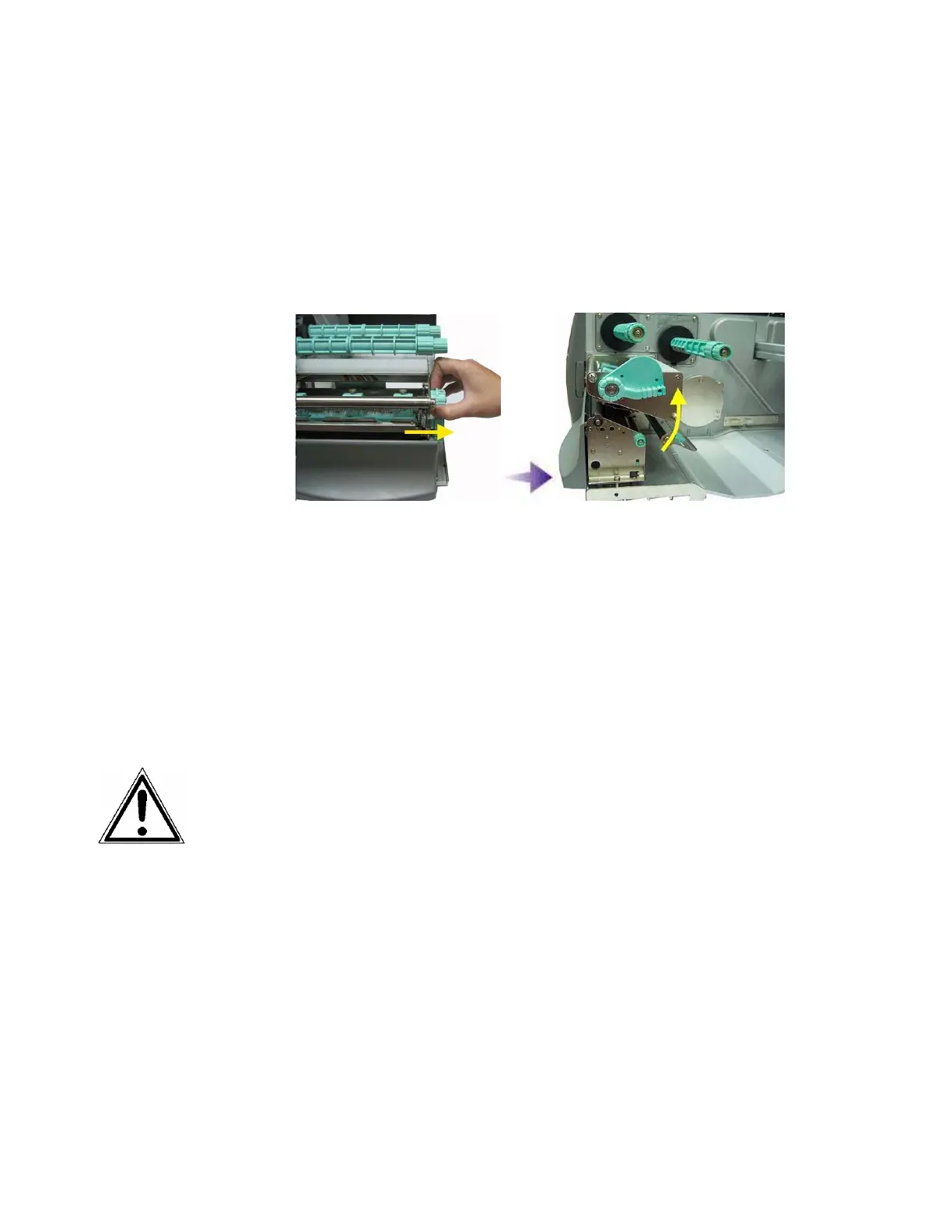
3. Release the printhead pressure lever.
Fig. 9.2.1.a Pull the printhead pressure lever out and swivel it upward
(counterclockwise).
4. Remove the ribbon (see section 5.3.3).
5. Remove the printmedia (see section 5.2.2).
Please pay attention to the following:
- Wait at least 3 minutes after switching off the device
before disassembling the printhead.
- The printhead can be damaged by electrostatic charges.
Therefore first of all touch a properly grounded part of
the printer (the base plate of the printer, e.g.).
- The printhead must not be touched on the print bar or
on the plug-in contacts.
6. Grasp the printhead assembly with both hands (as shown in
the next picture).



 To Next Page