18 Installation
_______________________________________________________________________________________________
_______________________________________________________________________________________________
MICROPLEX Operator’s Manual LOGIJET T4 /T6 /RFID Edition 1.3
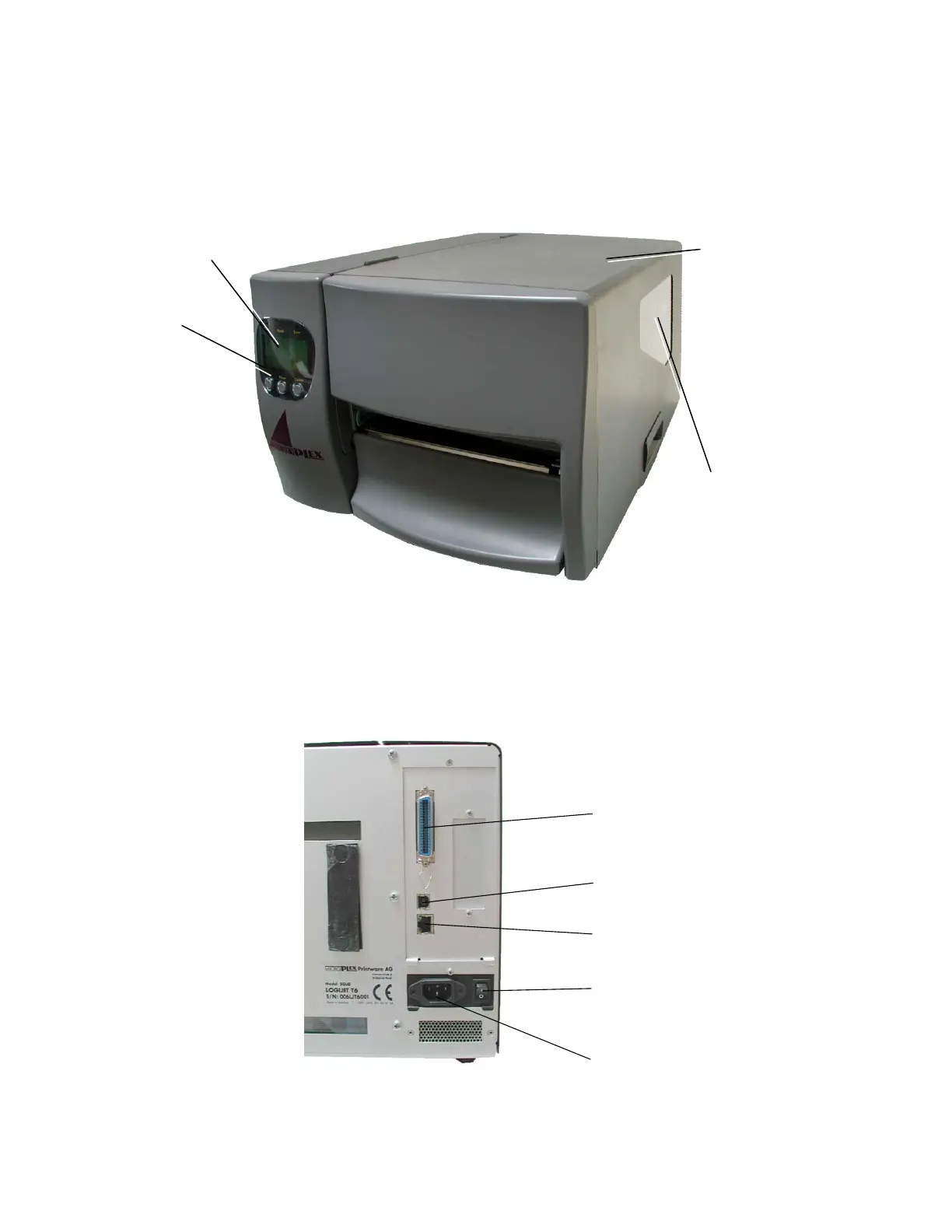
2.4. Printer Components
Main view:
Fig. 2.4.a Main view of the printer
Rear view:
Ethernet interface
Centronics interface
USB interface
Input power
connector
Power switch
Fig. 2.4.b Rear view of the printer
Window
Check the material / foil
supply without opening the
cover.
Cover
Open to insert material
and foil.
Display
Control Panel
LCD grafics display; 3
keys; displays printer
operation status, enables
settings via the menu.



 To Next Page