A - 1
OMNIScanner User Guide
Appendix A - Technical Specifica-
tions
Specifications apply to both OMNI
Scanner
and OMNI
Remote
unless otherwise
noted.
Physical Characteristics
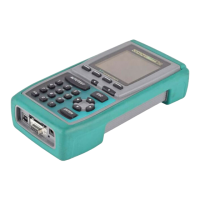
OMNI
Scanner
• Dimensions: 8.75” x 4.50” x 2.12” (22.25 cm x 11.4 cm x 5.4 cm)
• Weight: 2.20 lbs (1 kg)
OMNI
Remote
• Dimensions: 8.75” x 4.50” x 2.12” (22.25 cm x 11.4 cm x 5.4 cm)
• Weight: 1.96 lbs (0.89 kg)
OMNI
Fiber
• Dimensions: 3.54” x 3.88” x 1.55” (9 cm x 9.85 cm x 3.94 cm)
• Weight: 0.24 lbs (0.11 kg)
User Interface
OMNI
Scanner
• 62 x 62 mm Graphic LCD with backlight
• Backlit keypad with tactile feedback, numeric input, dedicated func-
tions, four soft functions, and cursor pad
• Context sensitive help and operating instructions
• Tone generating audio for warning or other user feedback
• Date stamp of all tests
OMNI
Remote
LED Displays
• Pass Indicator (GREEN) for test results
• Status Indicator (GREEN) for OMNI
Remote
status, various blink rates
• Fail Indicator (RED) for test results
• Circuit Guard (ORANGE) for high voltage input protection warning
• Charge (RED) for OMNI
Remote
low battery status
• Charge (GREEN) while OMNI
Remote
battery is charging


 To Next Page
