TOC - 1
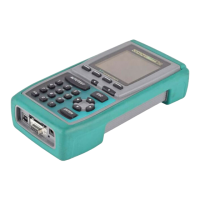
OMNIScanner User Guide
Contents
Chapter 1 - Introduction ..................................................................................1 - 1
The Digital Solution for Fiber and Copper ......................................................1 - 1
The Graphical User Interface ..........................................................................1 - 1
OMNIRemote...................................................................................................1 - 1
OMNIFiberTM ..................................................................................................1 - 2
ScanlinkTM Tools Software .............................................................................1 - 2
OMNIScanner’s Display ..................................................................................1 - 3
OMNIScanner’s Keypad ..................................................................................1 - 4
OMNIRemote’s LED Indicators .......................................................................1 - 7
OMNIRemote Keys..........................................................................................1 - 7
When To Use OMNIRemote............................................................................1 - 8
Displaying OMNIScanner and OMNIRemote Results ....................................1 - 8
OMNIFiber MM LED Indicators..................................................................... 1 - 10
OMNIFiber SM LED Indicators ..................................................................... 1 - 10
Attaching the OMNIScanner Fiber Adapters................................................. 1 - 11
Attaching the Microtest Connector Adapter................................................... 1 - 11
Editing With OMNIScanner........................................................................... 1 - 12
Predefined Lists....................................................................................... 1 - 12
Editing Numeric Fields with the Spin Control ......................................... 1 - 12
Editing Alphanumeric Fields .................................................................... 1 - 13
Technical Support ......................................................................................... 1 - 14
Product Versions .......................................................................................... 1 - 15
Chapter 2 - Getting Started Twisted Pair Networks .........................................2 - 1
Charging OMNIScanner’s Battery ...................................................................2 - 1
OMNIScanner’s Project Screen.......................................................................2 - 1
Certification of Network Installations...............................................................2 - 2
Setting the Reference ......................................................................................2 - 3
Project Selection .............................................................................................2 - 4
Running an Autotest for Twisted Pair Cabling ................................................2 - 5
Saving Twisted Pair Autotest Results ..............................................................2 - 6
Viewing Twisted Pair Autotest Results ............................................................2 - 7
Typical Test Configurations for Twisted Pair Cabling................................... 2 - 10
Basic Link ..................................................................................................2 - 11
Basic Link with 110 Block and Modular 8 Jack ......................................2 - 11
Full Channel with Modular 8 Jacks ......................................................... 2 - 12
Permanent Link ....................................................................................... 2 - 12


 To Next Page