OM-267357 Page 12
! Use equipment of adequate
capacity to lift and support
monitor stand.
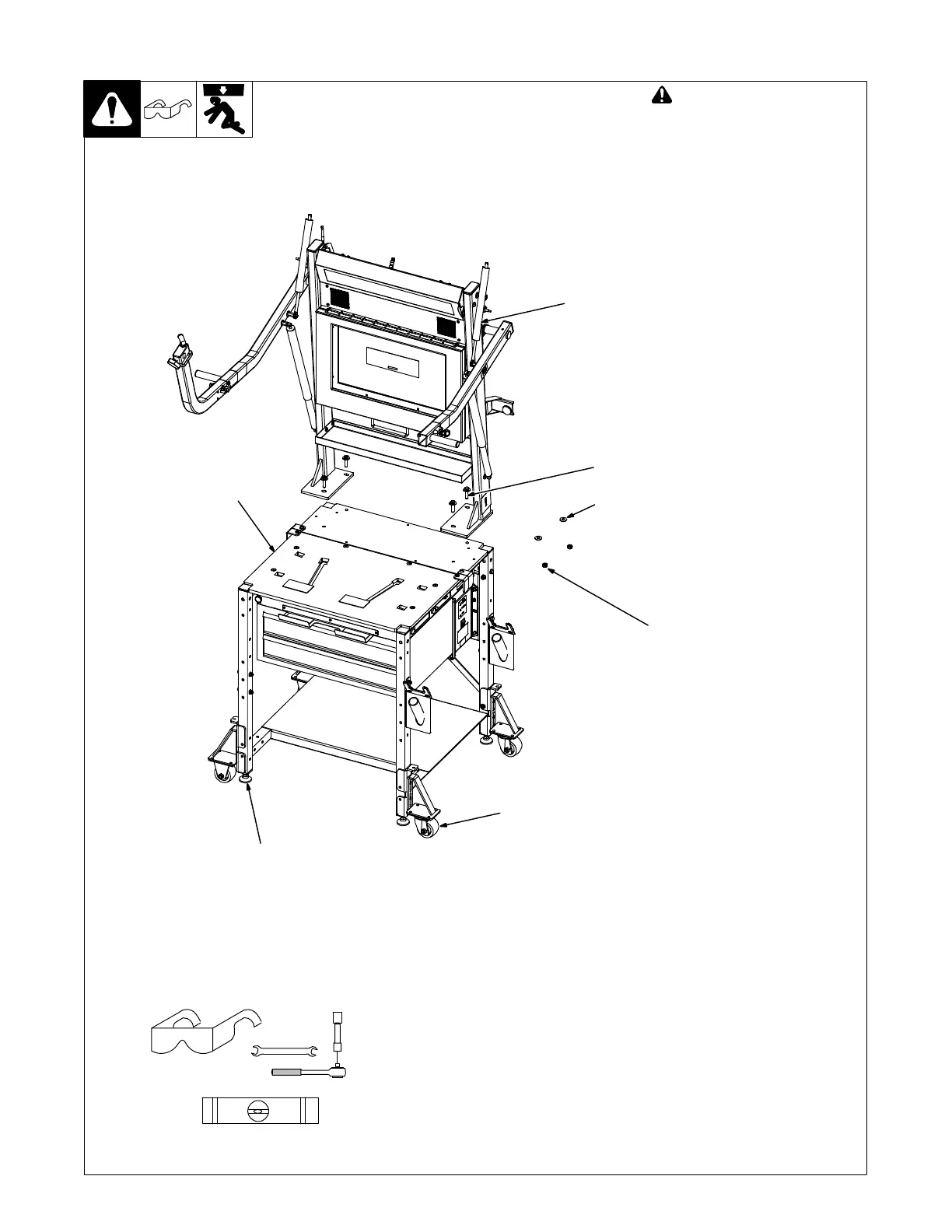
Stabilize weld table by adjusting
leveling feet.
1 Casters
2 Leveling Foot
3 Monitor Stand
4 Weld Table
5 3/8 x 1-1/2 in. Screw
6 3/8 in. Flat Washer
7 3/8 in. Locknut
Place monitor stand on weld table.
Align holes in base of monitor stand
with holes in weld table. Install four
screws in holes and secure with
washers and locknuts.
5-2. Installing Monitor Stand On Weld Table
7
Tools Needed:
5
6
1
4
3
2
level
9/16 in.
Ref. 268609-C















 To Next Page