OM-267357 Page 30
161-049
Corresponding
SmartGun Display
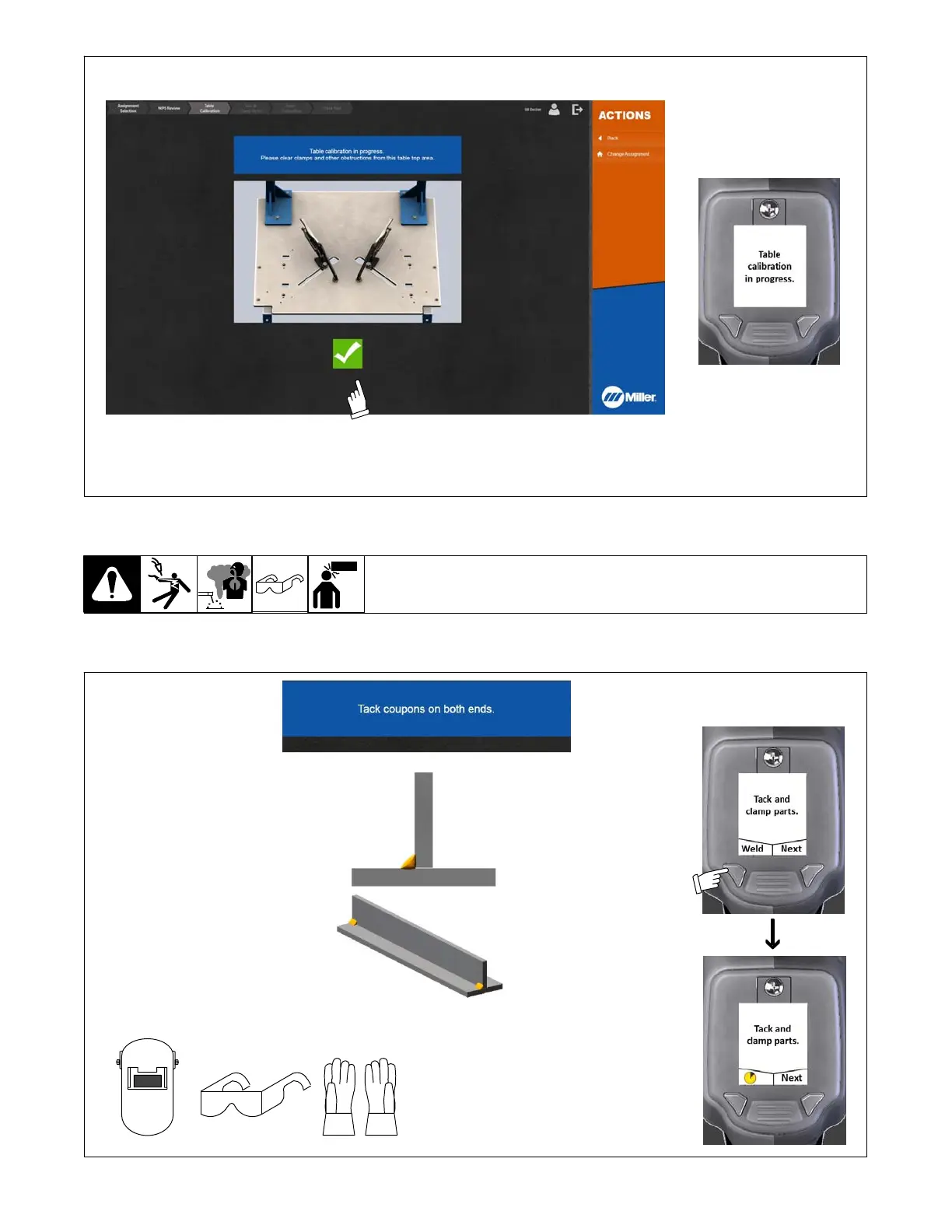
Figure 7-9. Successful Table Calibration
7-2D. Preparing To Weld
1. To tack weld coupons, press and hold Weld button on SmartGun until system enters Weld mode (about two seconds). (Monitor displays warning
message.) Tack weld coupons on both ends. (See Figure 7-10 and Figure 7-11). Press Done button on SmartGun when finished. For tacking with
the SMAW process, see Section 12-5.
Tools Needed:
Personal Protective Equipment Including:
Corresponding
SmartGun Displays
Press and hold
Weld button for
several seconds to
enable welding.
For tacking with the SMAW
process, see Section 12-5.
Figure 7-10. Tack Welding Coupons















 To Next Page