OM-267357 Page 52
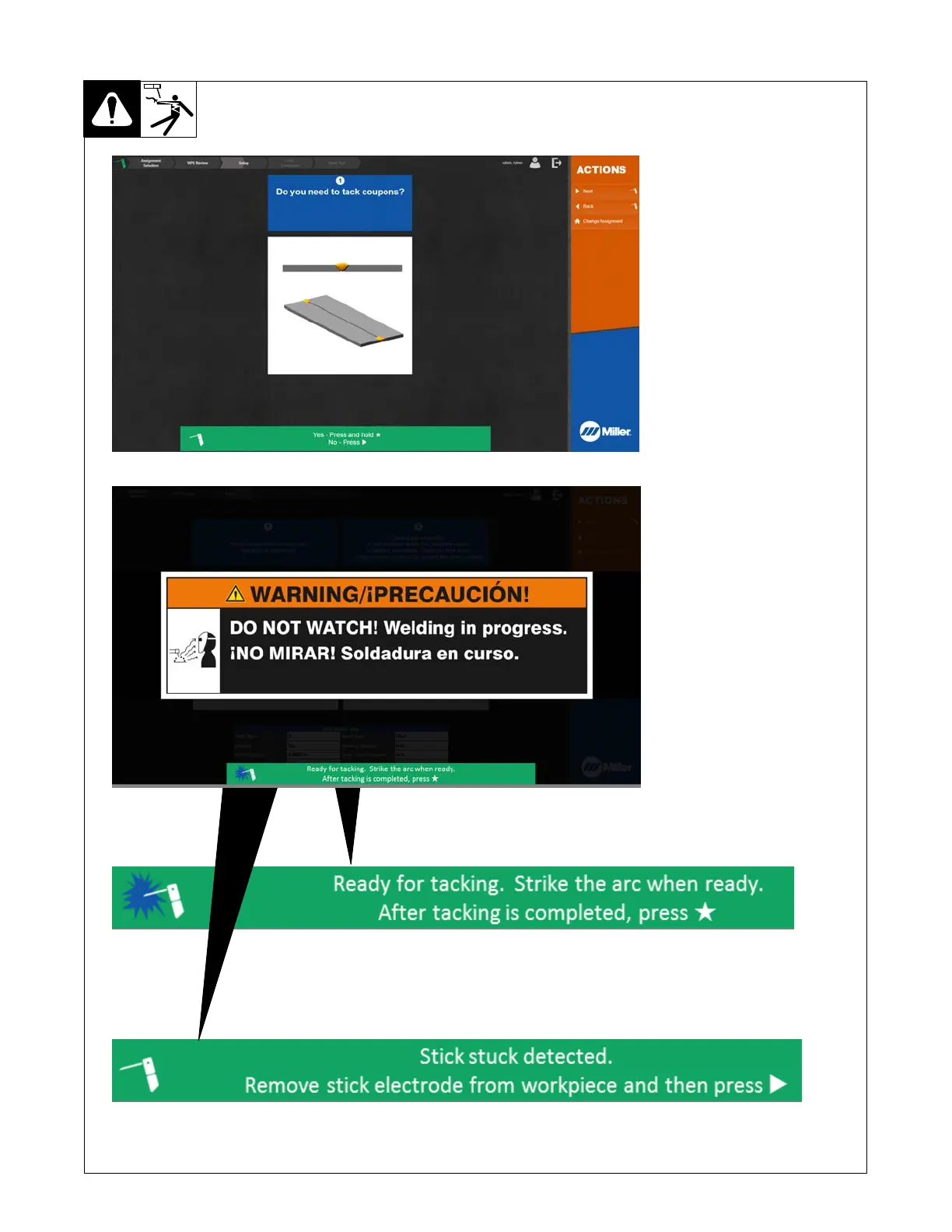
12-5. Tacking Weld Coupons
To tack weld coupons, press and hold
Star (★) button on SmartStinger until
system enters WELD mode (about
two seconds). Monitor displays
warning message. Tack weld
coupons on both ends. Press Star
(
★) button on SmartStinger when
finished.
The LiveArc system can detect when
a stick electrode becomes stuck to
the workpiece. If stick stuck is detect-
ed, the welding power turns off and a
message is displayed below the
warning. Remove the stuck elec-
trode from the workpiece and then
press the right arrow button on the
SmartStinger
to re-enable welding
power.















 To Next Page