OM-267357 Page 25
SECTION 7 − OPERATION
Welding-related hazards are present when using the welding training system. Read the welding power source and wire feeder Owner’s
Manuals and labels carefully for more information on arc welding hazards. Also read American National Standard Z49.1, Safety in
Welding, Cutting, and Allied Processes, from American Welding Society (www.aws.org). Operators must be trained on the proper use
of this equipment before using the equipment to train others.
See Section 12 for setup and operation instructions specific to the optional SMAW module. Unless specified, GMAW/FCAW and SMAW operation
are the same. Nothing is shown on the SmartGun display during SMAW welding. There is no SIM (Simulation) mode for SMAW welding.
7-1. Equipment Setup
1. Assemble LiveArc training system. Install in proper location and near welding power source (see Section 5-1).
2. Ground weld table as specified in Section 5-6.
3. Connect welding power source work clamp to welding table and positioning arm (if applicable). See Section 5-8.
4. Connect SmartGun to wire feeder (see Section 5-9). Connect SmartGun data cable to back of monitor.
Ensure the cable is fully threaded into the connector. Be careful not to cross−thread the connector.
5. Connect monitor power cord to 120 volt AC receptacle.
6. Place Input Power switch in On position (on back of monitor). Press and hold On-Off switch on front of monitor (LED lights) until monitor turns on.
7. Put on personal protection equipment (welding helmet, safety glasses, leather gloves, body protection, cap).
8. Turn on welding power source and wire feeder.
7-2. Getting Started
7-2A. Login Screen
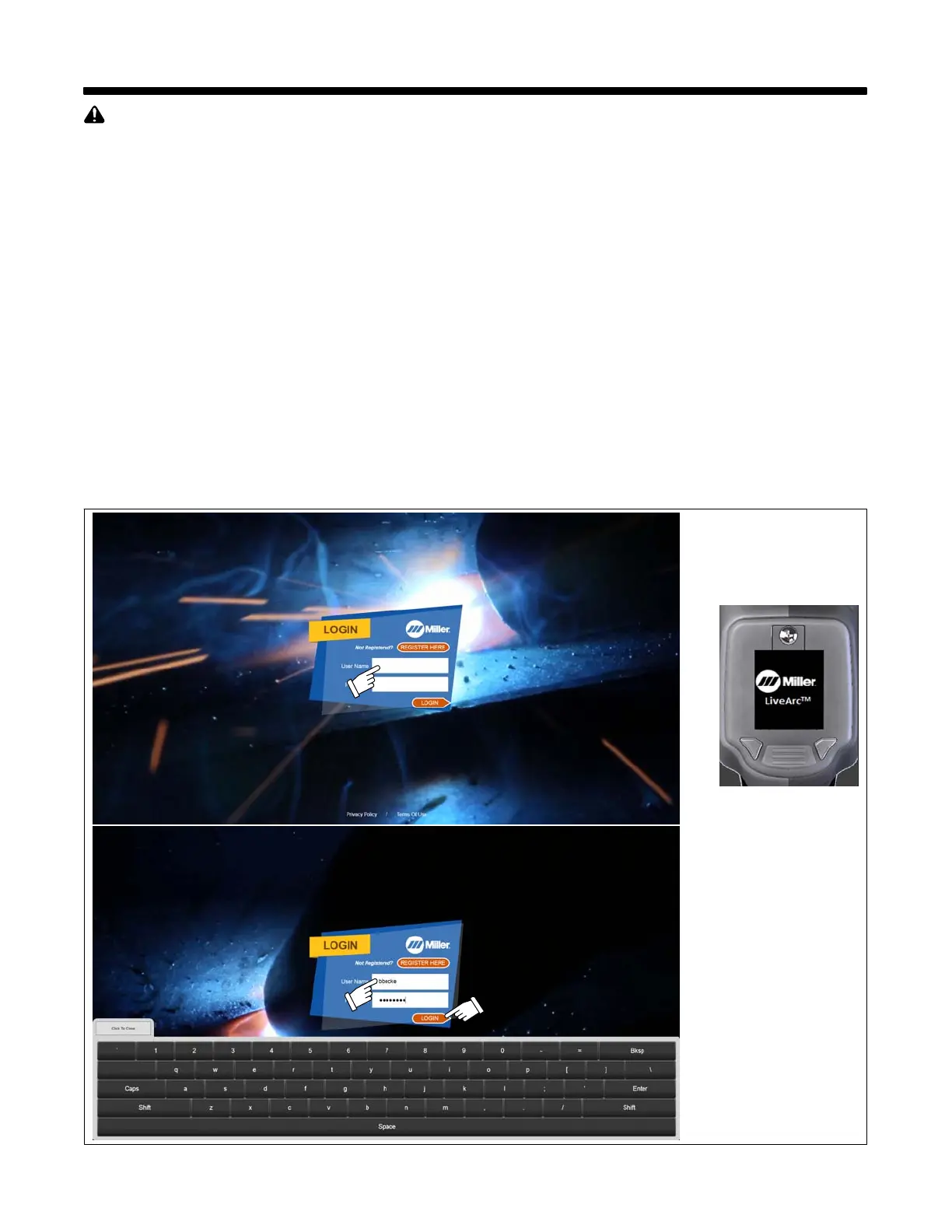
1. Touch User Name window to access keyboard.
2. Use keyboard to enter user name and password. The default login is admin and admin (Figure 7-1).
Corresponding
SmartGun Display
Figure 7-1. Login Screen















 To Next Page