OM-267357 Page 44
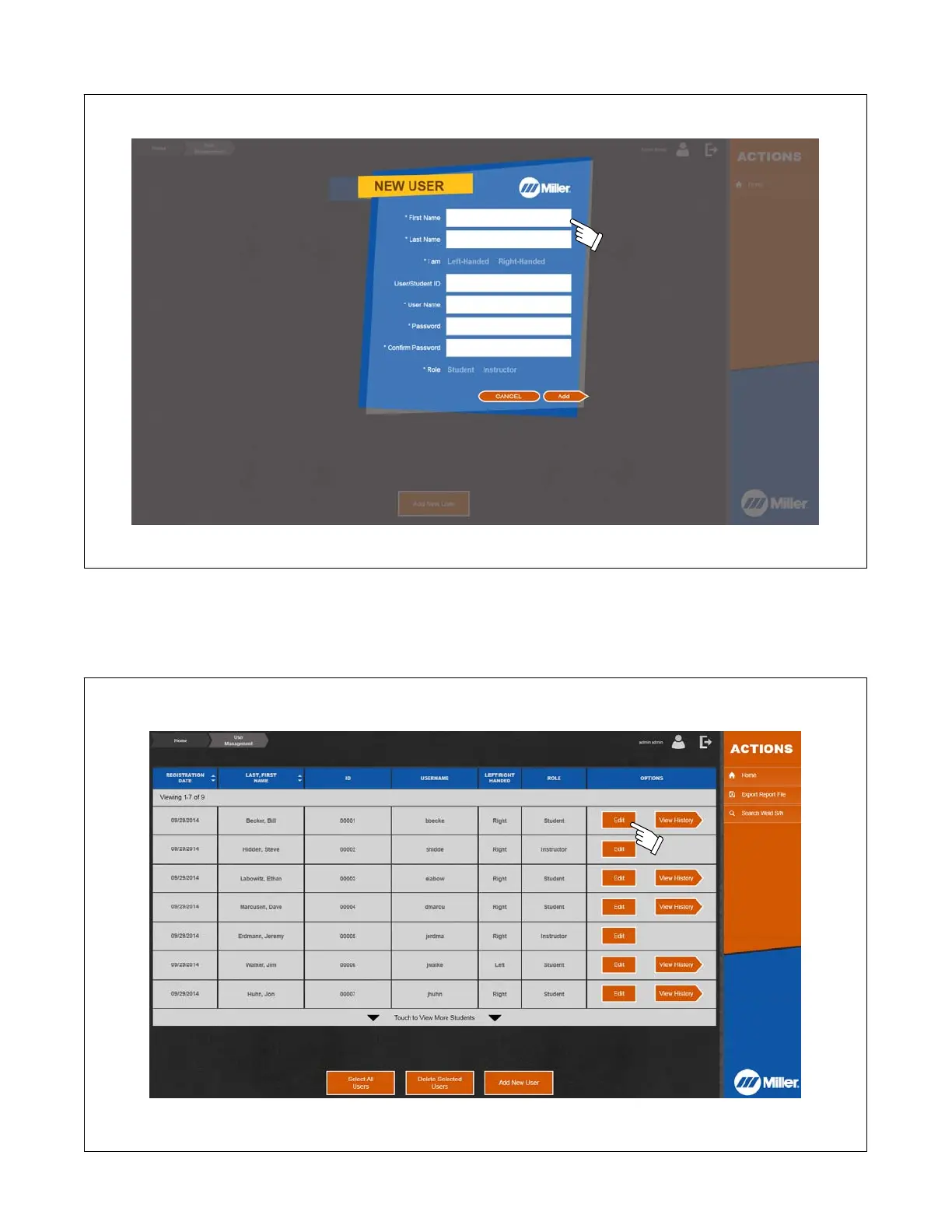
2. Enter first name, last name, user name, and user/student ID number. Designate whether the user is left-handed or right-handed and if the user is a
student or an instructor. Touch Add when finished.
Figure 10-3. Entering New User Information
10-3. Editing User Information
1. To edit user information, touch Edit on row corresponding to specific user (Figure 10-4). To delete users, select users to delete ( in first column) and
then touch Delete Selected Users. When a new instructor (user) is created the
Admin,Admin
user may be deleted.
Figure 10-4. Editing User Information















 To Next Page