OM-267357 Page 16
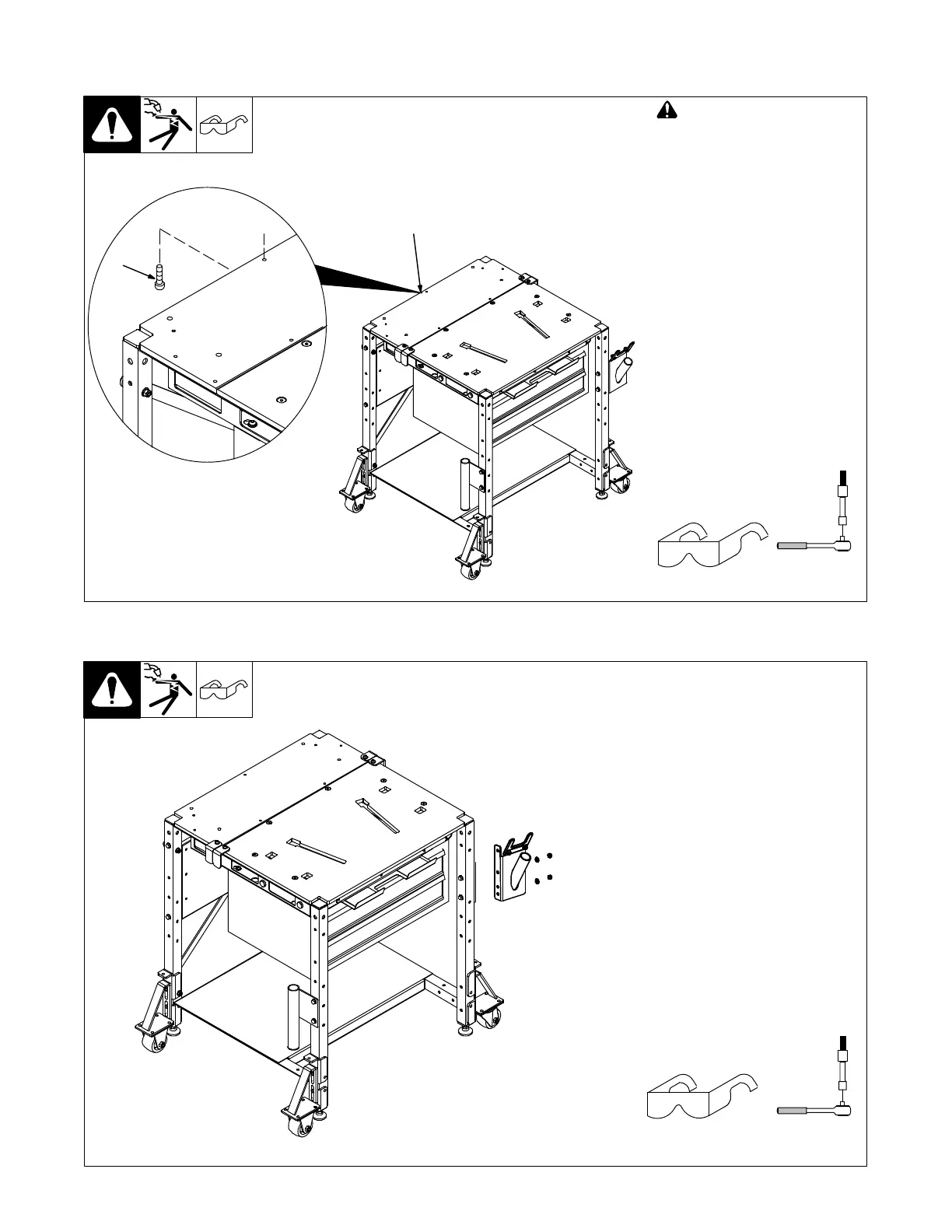
5-6. Grounding The Work Table
! Connect welding table to a
good electrical ground
(independent of the welding
leads) unless a qualified
person assures it is safe to
work on an ungrounded
workpiece.
1 Ground Bolt
2 Tapped Hole For Ground Bolt
Use ground bolt (customer sup-
plied) to connect the welding table
to a good electrical ground
according to national, state, and
local codes.
Tools Needed:
2
Hex Bit 3/16 in.
Ref. 268609-D
1
5-7. Installing Front Weld Tool Holder
For packaging reasons, the
front weld tool holder is shipped
installed upside down. It must
be turned over to function cor-
rectly.
Install front weld tool holder in the
position shown with provided hard-
ware.
Tools Needed:
Hex Bit 3/16 in.
Ref. 268609-C















 To Next Page