OM-267357 Page 18
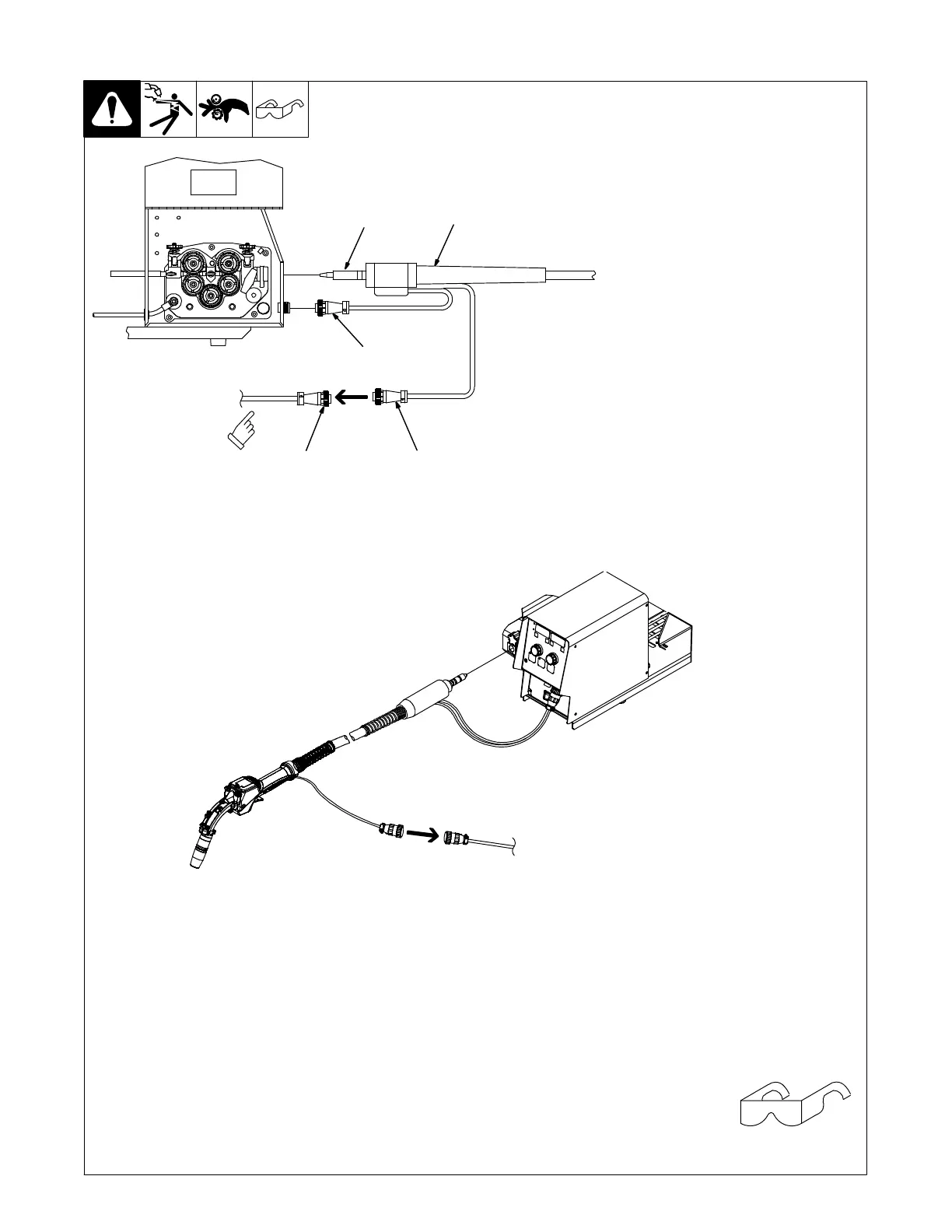
5-9. Installing GMAW SmartGun
268 609-C / Ref. 245 985-A / Ref. 246 040-A
The SmartGun is compatible
with Miller wire feeders that use
a power pin connection and
four−pin trigger receptacle.
1 GMAW SmartGun
2 Gun Power Pin
3 Gun Trigger Plug
4 SmartGun Power Plug
5 SmartGun Power Cable
Install SmartGun power pin and
thread wire according to wire feeder
Owner’s Manual. Connect trigger
plug to feeder. Connect SmartGun
power cable to plug on gun. Con-
nect other end of SmartGun power
cable to receptacle on back of
LiveArc monitor.
6 Gun Holder
Place SmartGun in holder when
gun is not in use (see Figure 4-1).
See Section 12-1 to install
GMAW SmartGun with option-
al router box.
Tools Needed:
1
2
3
45
Connect other
end of cable to
LIveArc monitor.
Connect other end of cable
to LiveArc monitor.















 To Next Page