10. Usage
MiR100 Hook User Guide (en) 10/2020 - v.3.0 ©Copyright 2016-2020: Mobile Industrial Robots A/S. 173
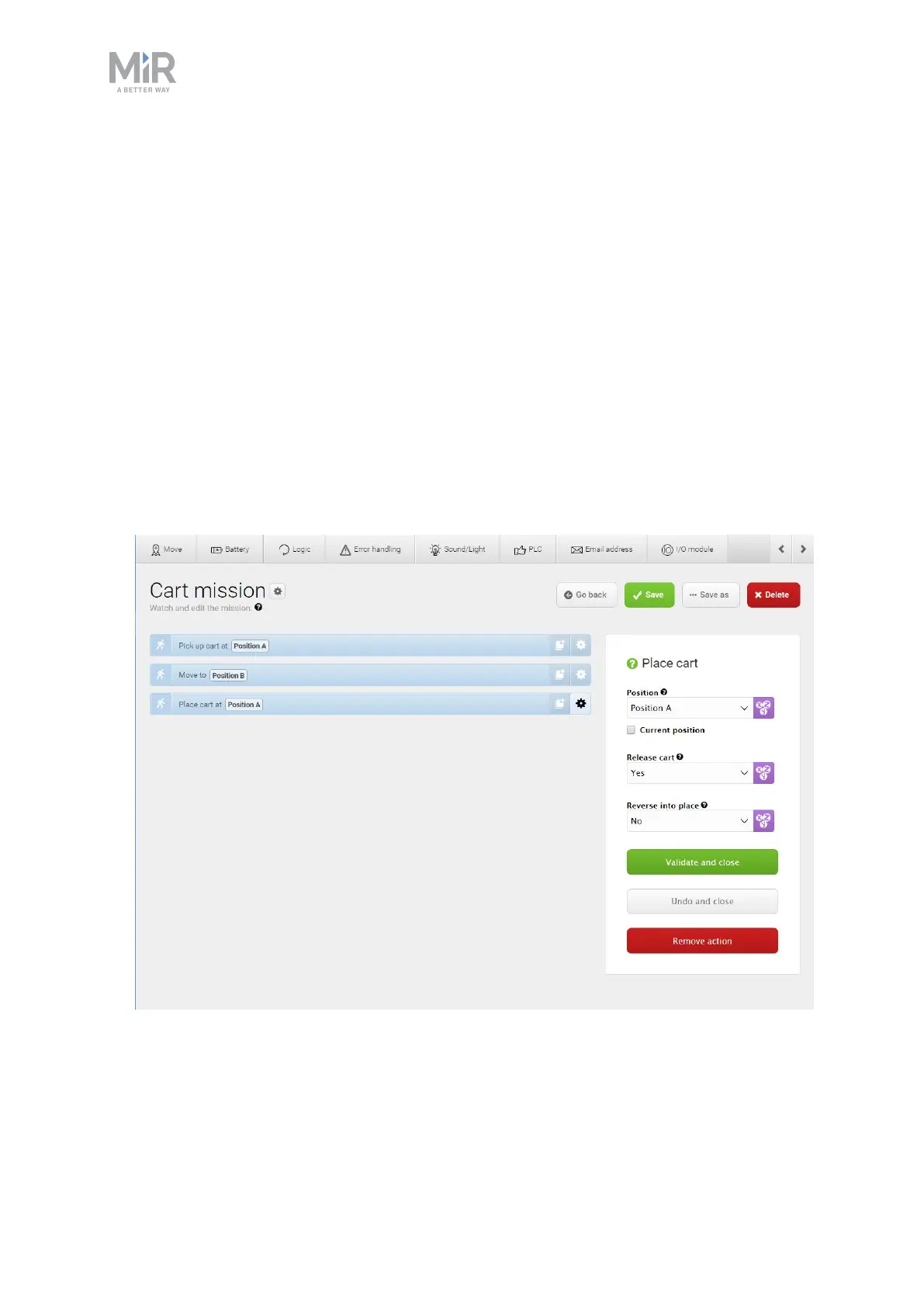
6. For the Place cart action, set the parameters as follows:
• Position: Select Position A.
• Release cart: Select Yes to make MiR100 Hook release the cart and leave it at the
position.
• Reverse into place: This parameter describes how you want your robot to move to the
cart position. There are the following options:
• No: The robot will drive to the position in any way it can. This can be used if the
position is in an open area with enough space for the robot to drive behind the
position. For this example, select No. There is enough space for the robot to drive
through the back of the position.
• Yes, with collision check: The robot will reverse into the position and activate
collision check so it scans for obstacles while reversing.
• Yes, without collision check: The robot will reverse into the position without
activating collision check so it does not scan for obstacles.
7. The mission is now ready. Select Save to save your mission.



 To Next Page