2. Product presentation
MiR100 Hook User Guide (en) 10/2020 - v.3.0 ©Copyright 2016-2020: Mobile Industrial Robots A/S. 13
• Internal map
The robot can either use a floor plan from a CAD drawing, or a map can be created by
manually driving the robot around the entire site in which the robot is going to operate.
When the robot is mapping, the robot’s sensors detect walls, doors, furniture, and other
obstacles, and the robot then creates a map based on these input. After you've finished
mapping, you can add positions and other features in the map editor—see Creating and
configuring maps on page101.
2.2 External parts
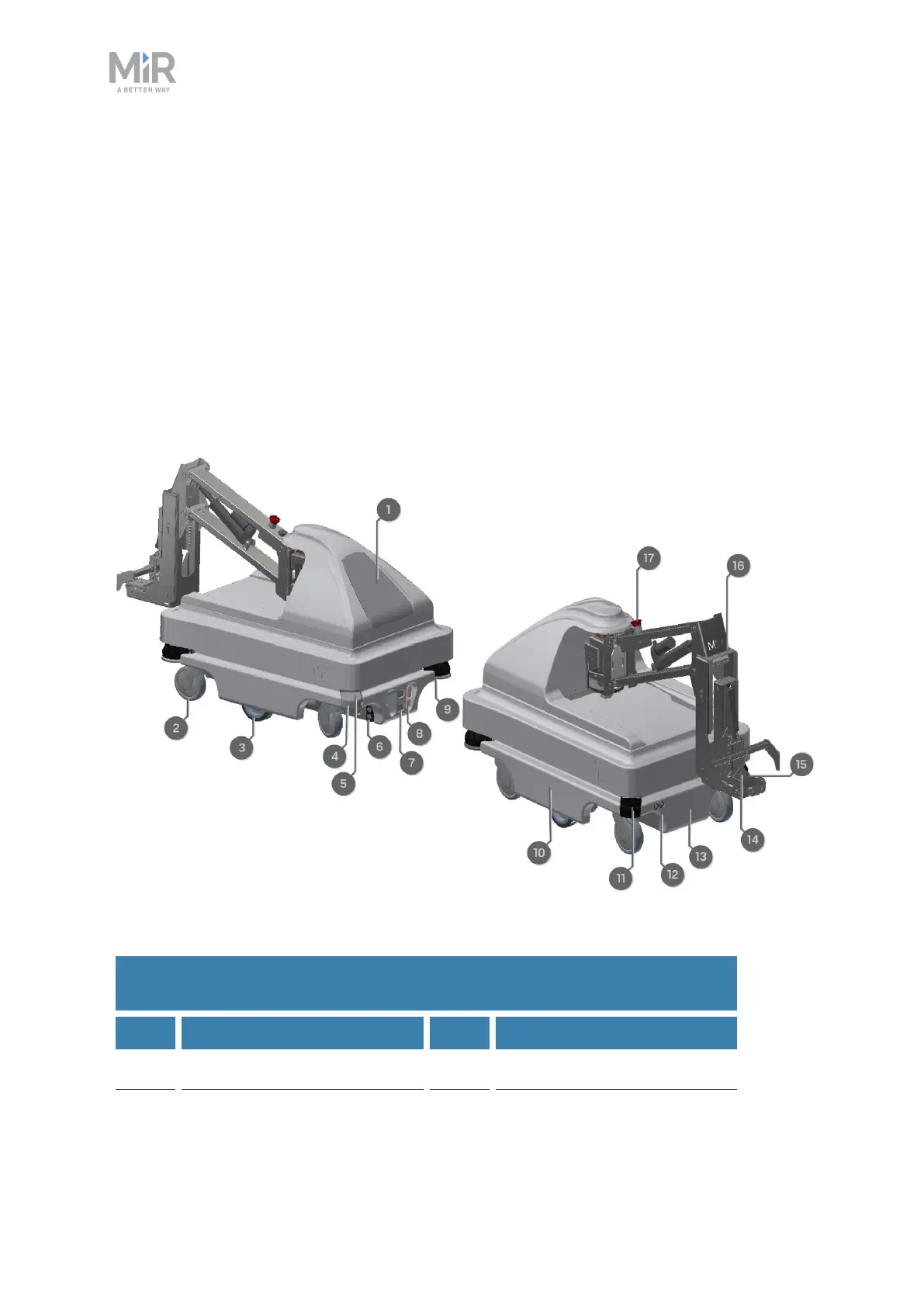
This section presents the parts of MiR100 Hook that are visible on the outside.
Figure 2.1. MiR100 Hook external parts.
Pos. Description Pos. Description
1 Hook top cover 2 Swivel wheel: four pcs., one
Table 2.1.
Identification of external parts in Figure 2.1.



 To Next Page