Mitel 5614 DECT Phone User Manual for MiVB
When configuring the functions Call services, In Call menu, Contacts, or a shortcut or service
to the Phone call function, the data added in these functions is static. When entering the data
for the function to be used, a variable or character U can be entered that allows the user to
enter additional numerical characters before calling the number or sending the data to a system.
Refer to the following example for more information.
Example of configuration:
A user wants to create a service with the Phone call function. The PBX requires that a prefix
must be added to a phone number. In this case, the user can pre-program the prefix and then
enter the applicable phone number when using the Phone call function.
1. Press "Menu", or the confirmation button.
2. Select "Services".
3. Select "Add new".
4. In the Name field, enter "Call no." and press the "OK" soft key.
5. Select the function "Phone call".
6. In the Number field, enter the prefix to be used followed by the character "U". In this case,
the text string is as follows *21*U. The character U represents an Enter number dialog where
the user can enter the phone number.
7. Press "Save".
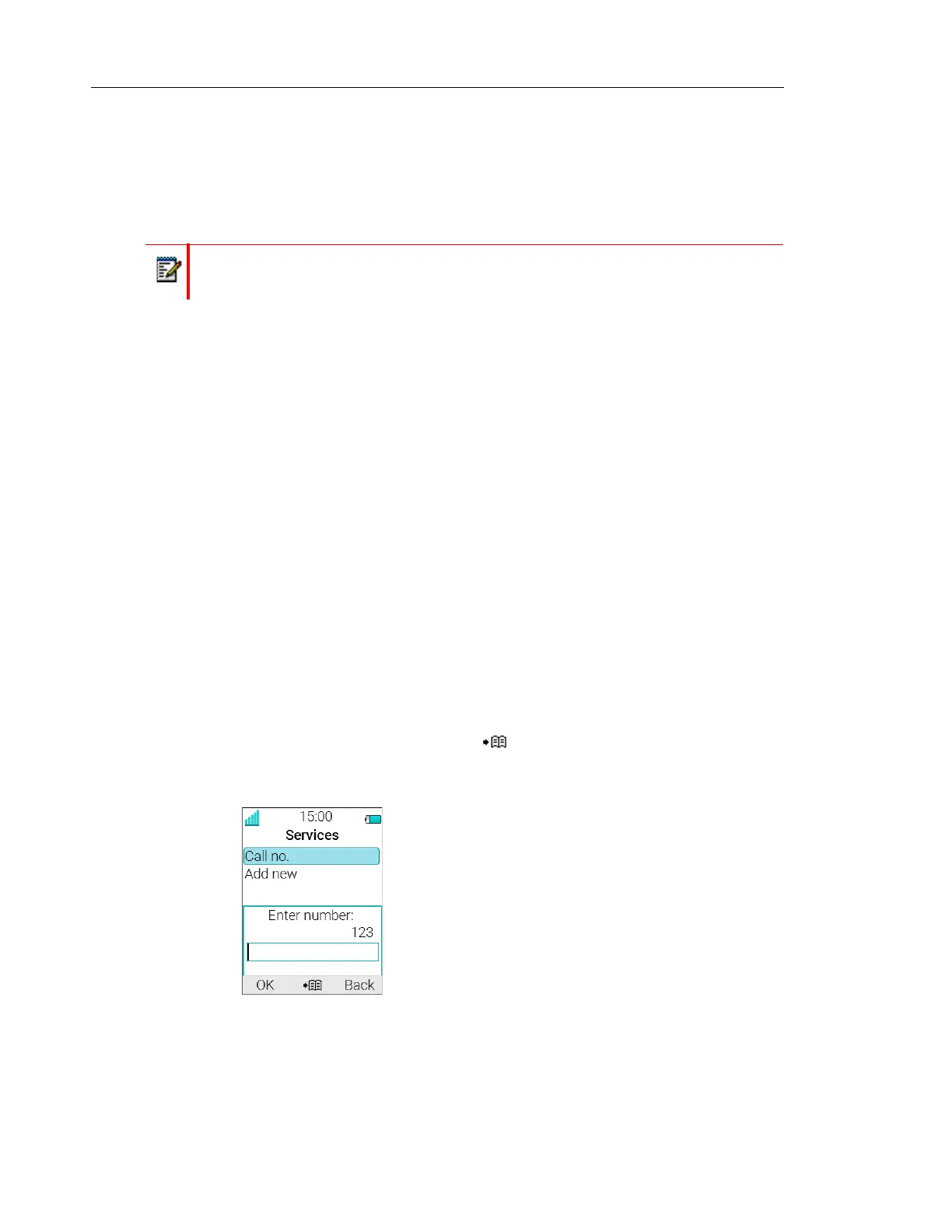
When using the function, an Enter number dialog appears, see figure 1. If the user enters "123"
(or selects a contact with this number by pressing ) and presses "OK", the number *21*123
is dialled. Note that no call is established before the user presses "OK", that is, post-dial.
Figure 1. Enter number dialog.
Note: The Call services and In call menu features require configuration in
WinPDM/Device Manager.



 To Next Page