102 User Guide EN Dansensor® Lippke® 5000
P/N 380419-C
05/2022
Reset User PIN-code
(Administrator only)
Use this function to reset a PIN-code to the default ("000000" for an Administrator, and
"123456" for all other users)
.
NOTE! The reset functionality cannot be used to reset the PIN-code for the default
Administrator. If you need help with that, you should contact your appointed
service provider (see
"Service" on page 108).
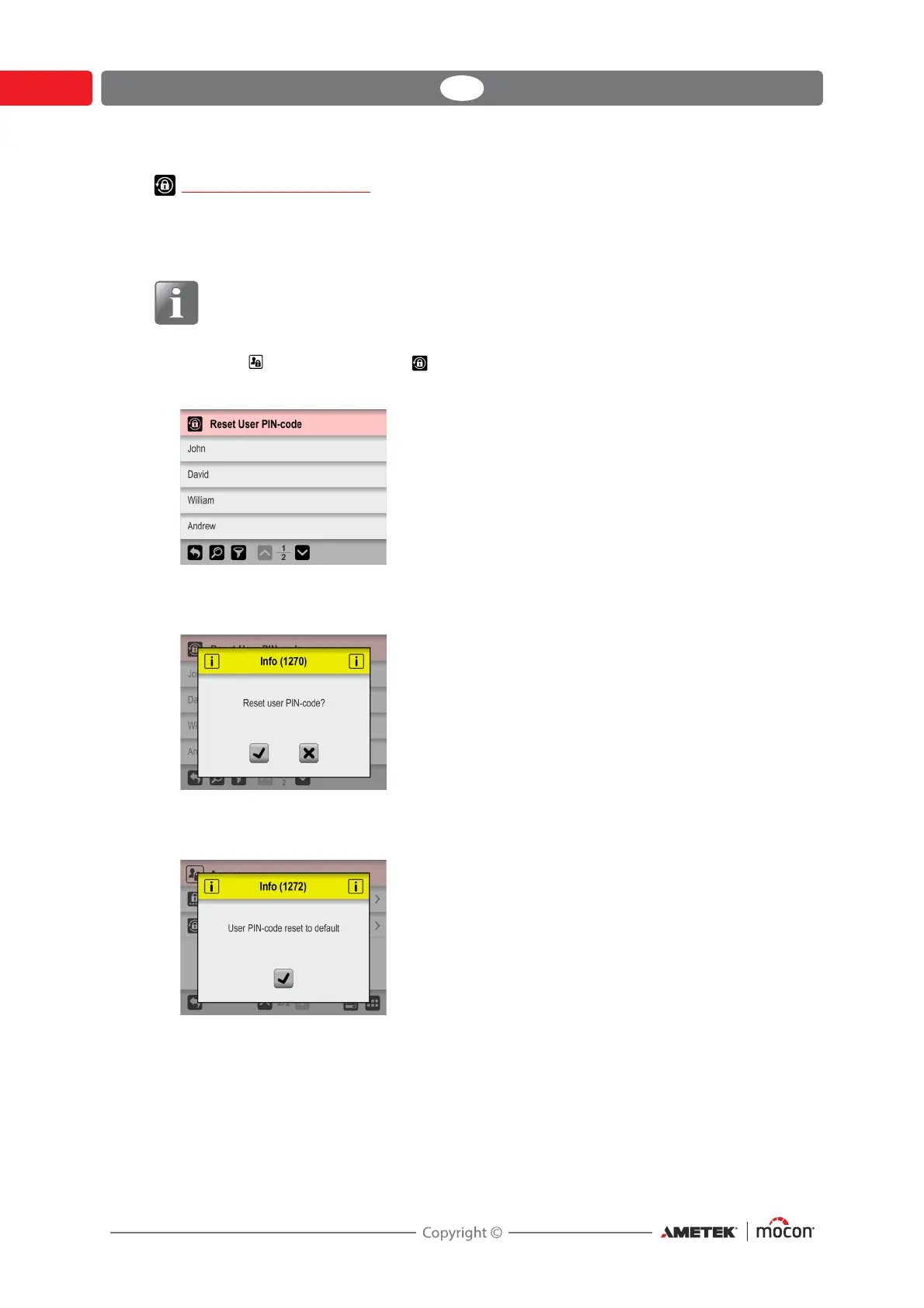
1. From the Access menu select Reset User PIN-code.
2. From the appearing list of users...
...select the user whose PIN-code should be reset.
3. When this message appears...
...confirm that you wish to reset the PIN-code for the selected user.
4. If action is confirmed, the PIN-code for the selected user has been reset.



 To Next Page