Dansensor® Lippke® 5000 EN User Guide 119
P/N 380419-C
05/2022
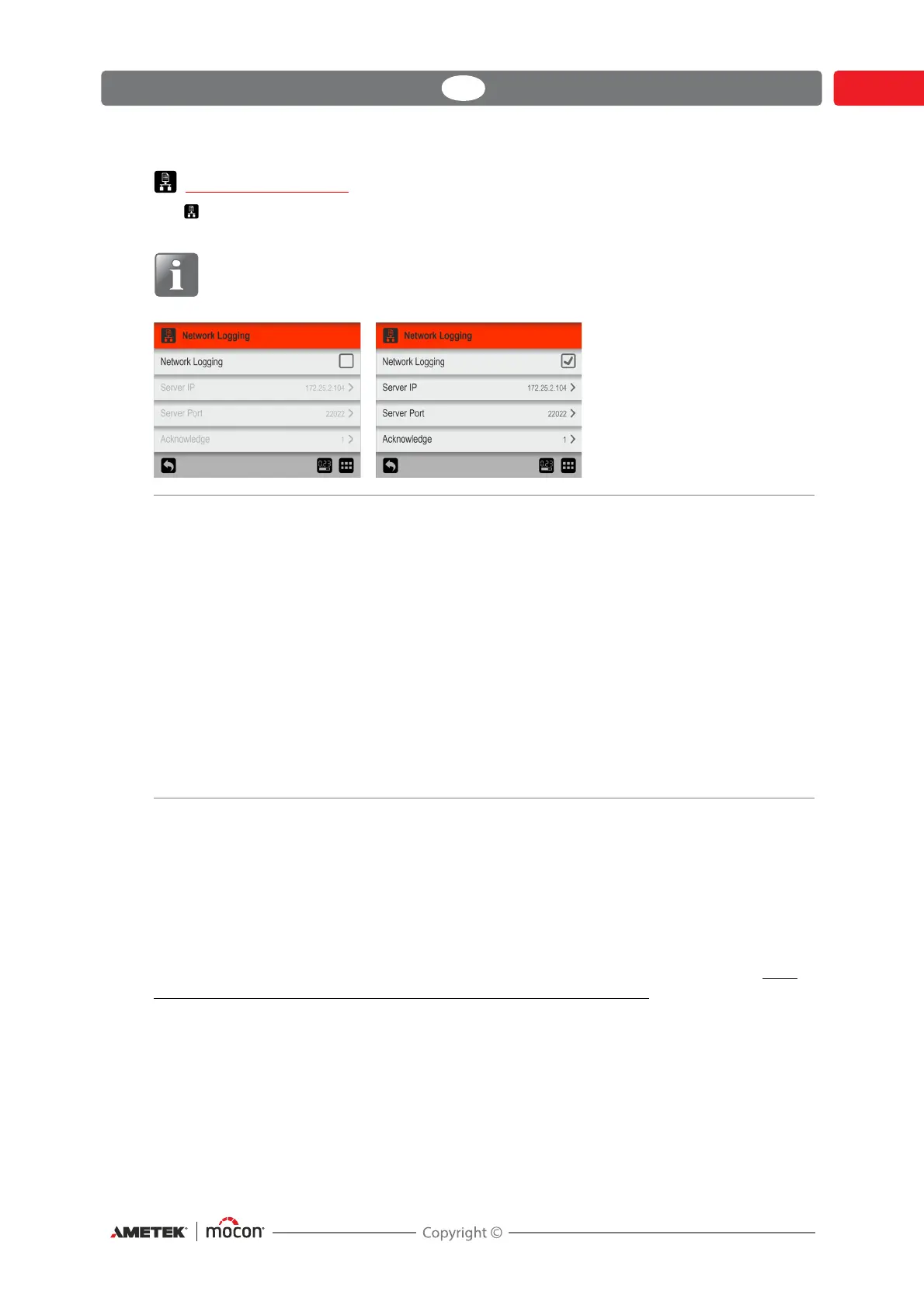
Network Logging
The Network Logging screen holds the parameters for the network logging function.
If enabled, the function sends a data string through a LAN connection for each measurement.
NOTE! Always consult your network administrator before making network
settings, as incorrect settings can result in reduced or no network activity.
A TCP/IP LAN server has to be started to receive data. The server will listen to the port as
specified above.
Third party solutions may support this functionality as well as the MAP Check 3 PC SW.
The data format is an array of semicolon separated values. The format differs slightly from one
test type to another in terms of test specific fields.
The example below shows a protocol for a Leak test with the test specific fields underlined:
"Device Serial No; Date; Time; User Name; Test Definition Name; Test Mode; Product ID; Test
Pressure; Settling Time; Test Time; Package Volume; Leak; Pressure Loss; Marked state; Error nr;
Days till calibration; Invalid measurement comment; Custom field 1; Custom field 1 reply;
Custom field 2; Custom field 2 reply; Custom field 3; Custom field 3 reply; Custom field 4;
Custom field 4 reply;"
Network Logging Select whether or not network logging is required.
Disabled = No network logging
Enabling Network Logging also enables the following
parameters:
Server IP Set up an IP-address to be used for
collecting log data for each measurement
via LAN.
This requires for setting up of a Server Port
number as well.
Server Port See above.
Acknowledge Byte sent by the server to the device after
each received log entry.
Setting value to 0 will disable the function.



 To Next Page