118 User Guide EN Dansensor® Lippke® 5000
P/N 380419-C
05/2022
Network
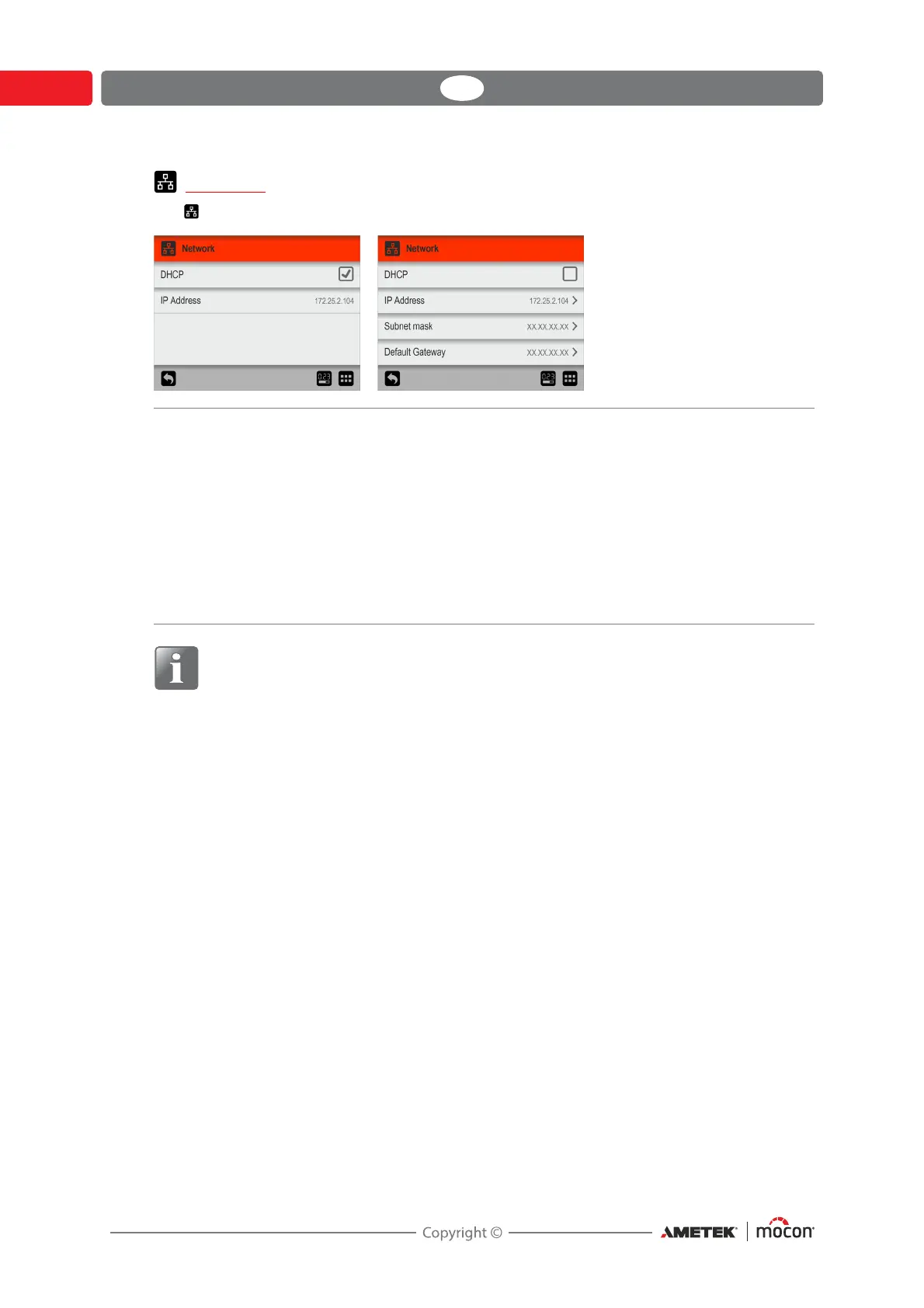
The Network screen holds the parameters for the Ethernet/LAN connection.
NOTE! Always consult your network administrator before making network settings,
as incorrect settings can result in reduced or no network activity.
DHCP It is possible to choose between a fixed (static) IP-address or a DHCP (dynamic) IP-
address, where the device’s network settings are assigned from a DHCP server on
the network.
DHCP is enabled as default.
Disabling DHCP brings up following parameters for setting up a static IP-address:
IP-address
Subnet mask
Default gateway
These parameters have to be set up to the existing network.


 To Next Page