Dansensor® Lippke® 5000 EN User Guide 97
P/N 380419-C
05/2022
Access
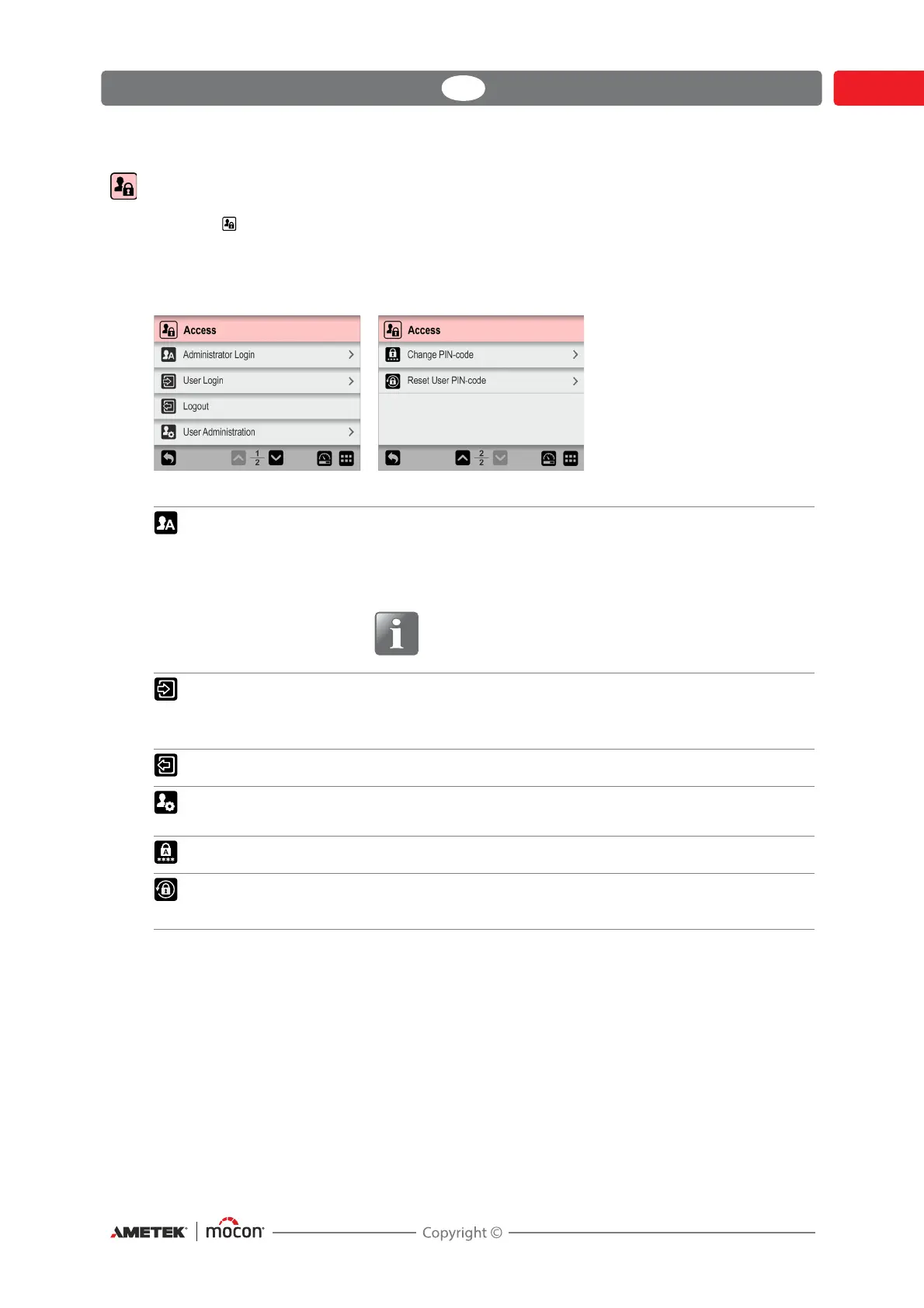
From the Access menu the various users and their access levels are created and managed.
This is also where the Administrator can log in and change and reset PIN-codes.
See "Access levels" on page 98 for details about the various access levels and the associated
rights.
Administrator Login Requires for a special Administrator PIN-code (6 digits).
From the factory the PIN-code is set to “000000”.
The Administrator PIN-code can be changed to one of your
own selection - see
"Change PIN-code" on page 101 for details.
For best safety and correct operation of the device,
we recommend logging out of the “Administrator”
feature when its use is not required.
User Login (Only available if login is required - see "Login" on page 120 for
details).
Select User or login with User ID, whatever is required.
Logout Logout the current user or Administrator.
User Administration Maintain user database.
See "User Administration" on page 99 for details.
Change PIN-code See "Change PIN-code" on page 101 for details.
Reset User PIN-code (Only available if logged in as Administrator)
See "Reset User PIN-code" on page 102 for details.



 To Next Page