Dansensor® Lippke® 5000 EN User Guide 107
P/N 380419-C
05/2022
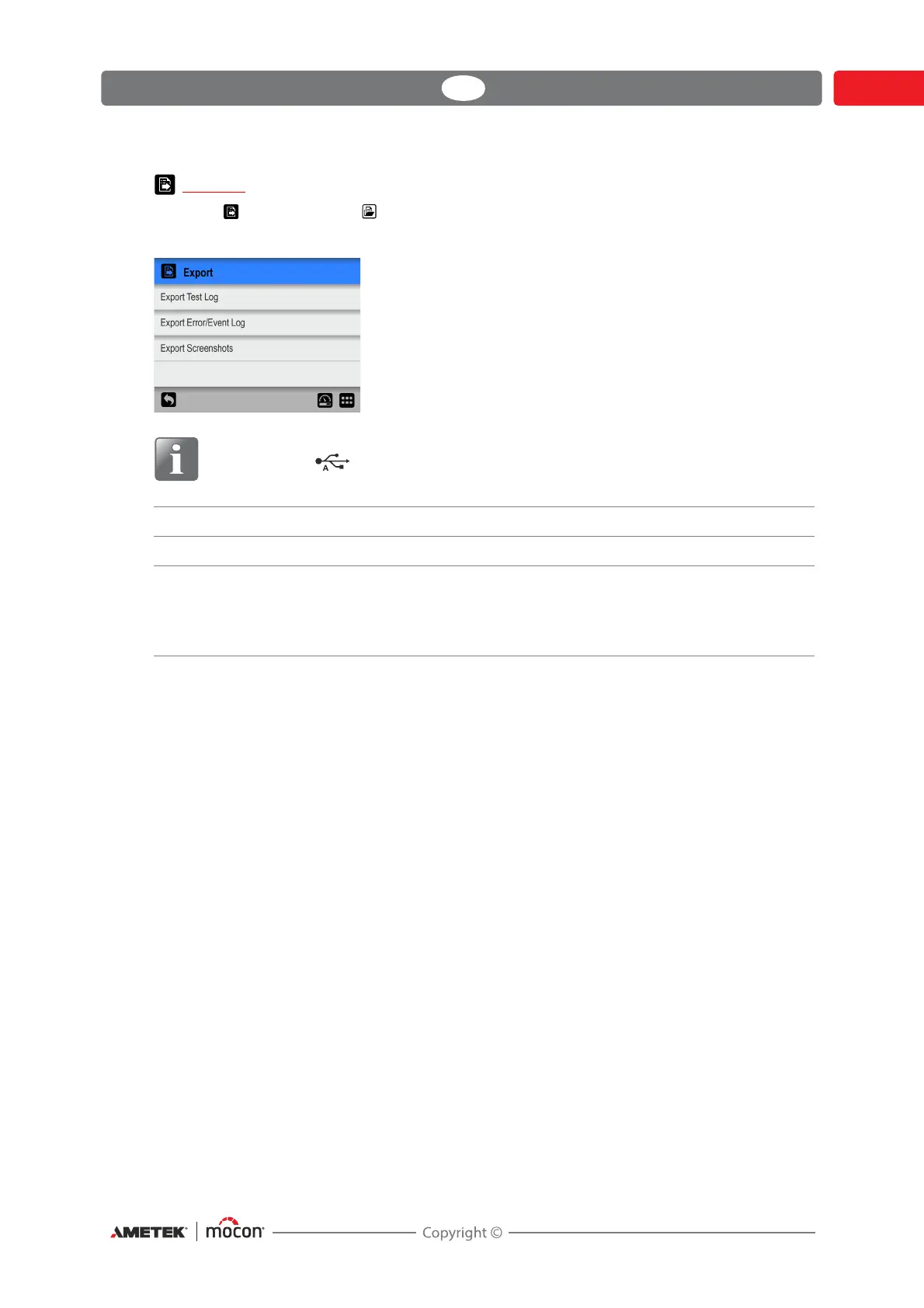
Export
Selecting Export from the Data menu will display a screen showing the available export
functions.
NOTE! The export functions require that you insert a USB-stick in the device’s USB-
port (labelled ).
Export Test Log Exports all test data logs (as text file).
Export Error/Event Log Exports error/event logs (as text file).
Export Screenshots Exports all screen-shots from the device’s memory to a USB-
stick. At the same time the screen-shots are deleted from the
device.
See page 60 for details about making screen-shots.


 To Next Page