88 User Guide EN Dansensor® Lippke® 5000
P/N 380419-C
05/2022
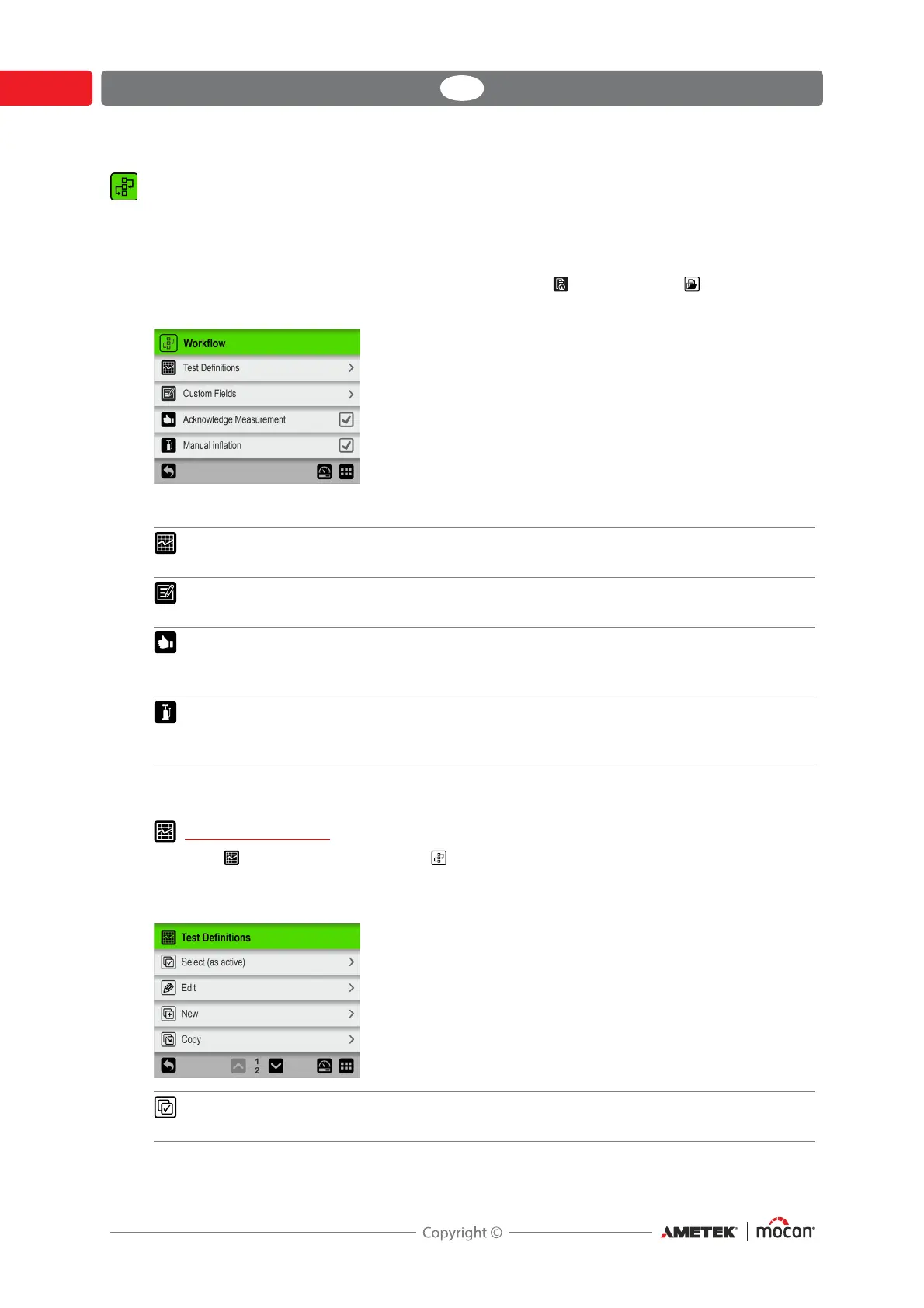
Workflow
A workflow is set up as a combination of a test definition, the actual testing and a number of
predefined custom fields. During the workflow the custom fields allow the user to enter
optional texts or numbers and/or to select from a list of predefined text strings.
All data entries are saved together with the test result in Test Log in the Data menu -
see "Data" on page 103 for details.
Parameters marked with an asterisk (*) are only available when logged in as “Administrator”.
Test Definitions
Selecting Test Definitions from the Workflow menu will display a menu with the
available test definition options. The total number of test definitions that can be created is
999.
Test Definitions Select, create, edit and delete test definitions.
See "Test Definitions" below for details.
Custom Fields * Setting up of the various custom fields.
See "Custom Fields" on page 95 for details.
Acknowledge
Measurement *
If enabled, a set of buttons appear on the test screen for
validation of the measurement - see detailed description for
item
in "The Test screen" on page 61.
Manual inflation * If enabled, a button appears on the test screen for manual
inflation of a package - see
"Manual Inflation" on page 78 for
details.
Select (as active) Select the test definition, you wish to use for the test.
See "Select (as active)" on page 90 for details.



 To Next Page