Dansensor® Lippke® 5000 EN User Guide 61
P/N 380419-C
05/2022
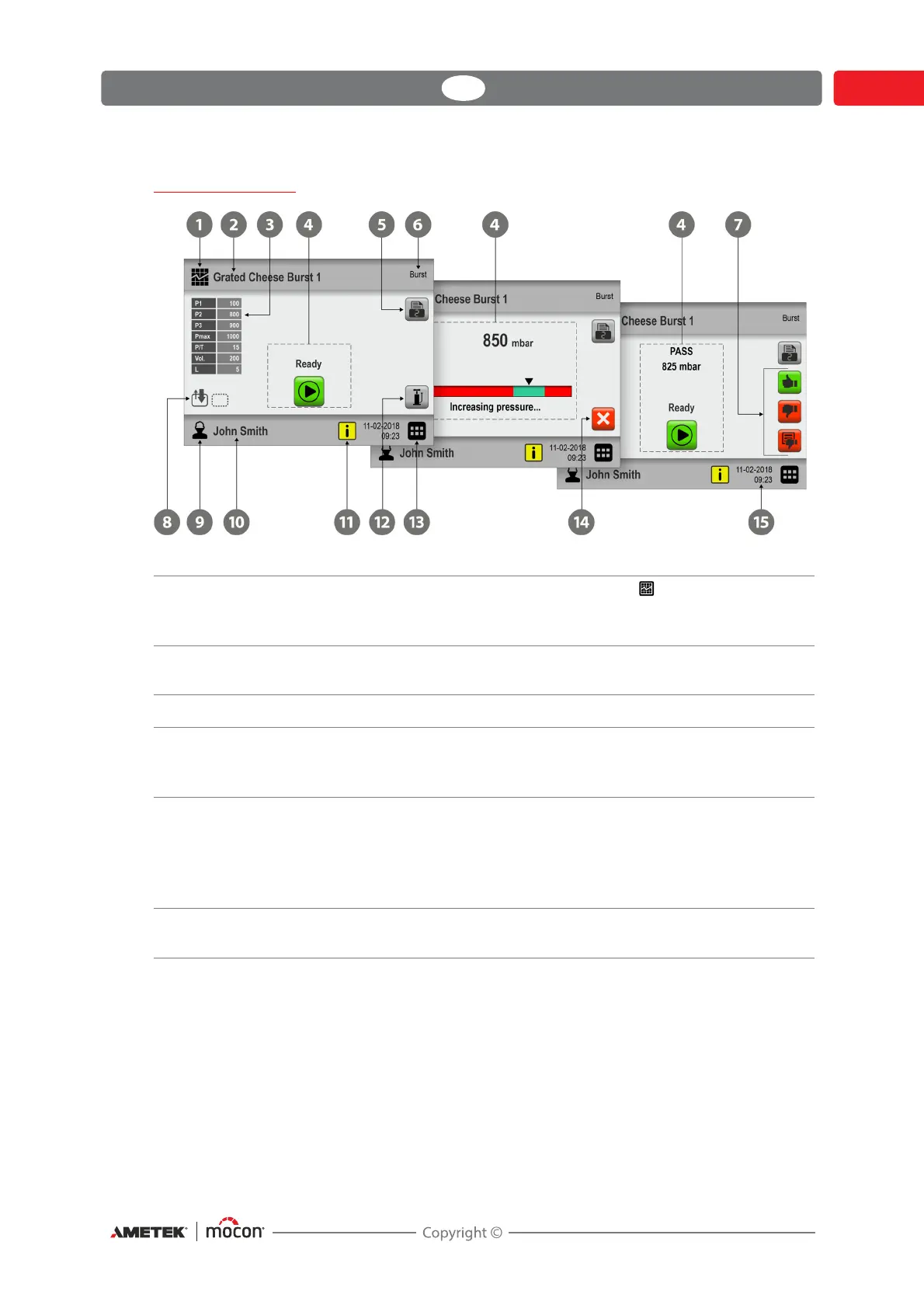
The Test screen
Test Definitions icon Pressing this icon will take you to the Test Definitions
menu for quick selection of a test definition.
See "Selecting a Test definition" on page 74 for details.
Active Test Definition Currently selected test definition.
To select another test definition, tap Test Definitions icon .
Test definition settings Primary settings for the currently selected test definition.
Status area In the status area the workflow status/progress is displayed.
See "Test screen progress bar" on page 64 and "Display of test
results" on page 65 for details.
Print All measurement data can be printed continuously on a
connected USB-printer - see
"Printer" on page 71 for details.
Press the button to edit the required number of print-outs
(0-9).
The button shows the currently selected number of print-outs.
Test Definition type The test definition type for the currently selected test
definition.



 To Next Page