Dansensor® Lippke® 5000 EN User Guide 95
P/N 380419-C
05/2022
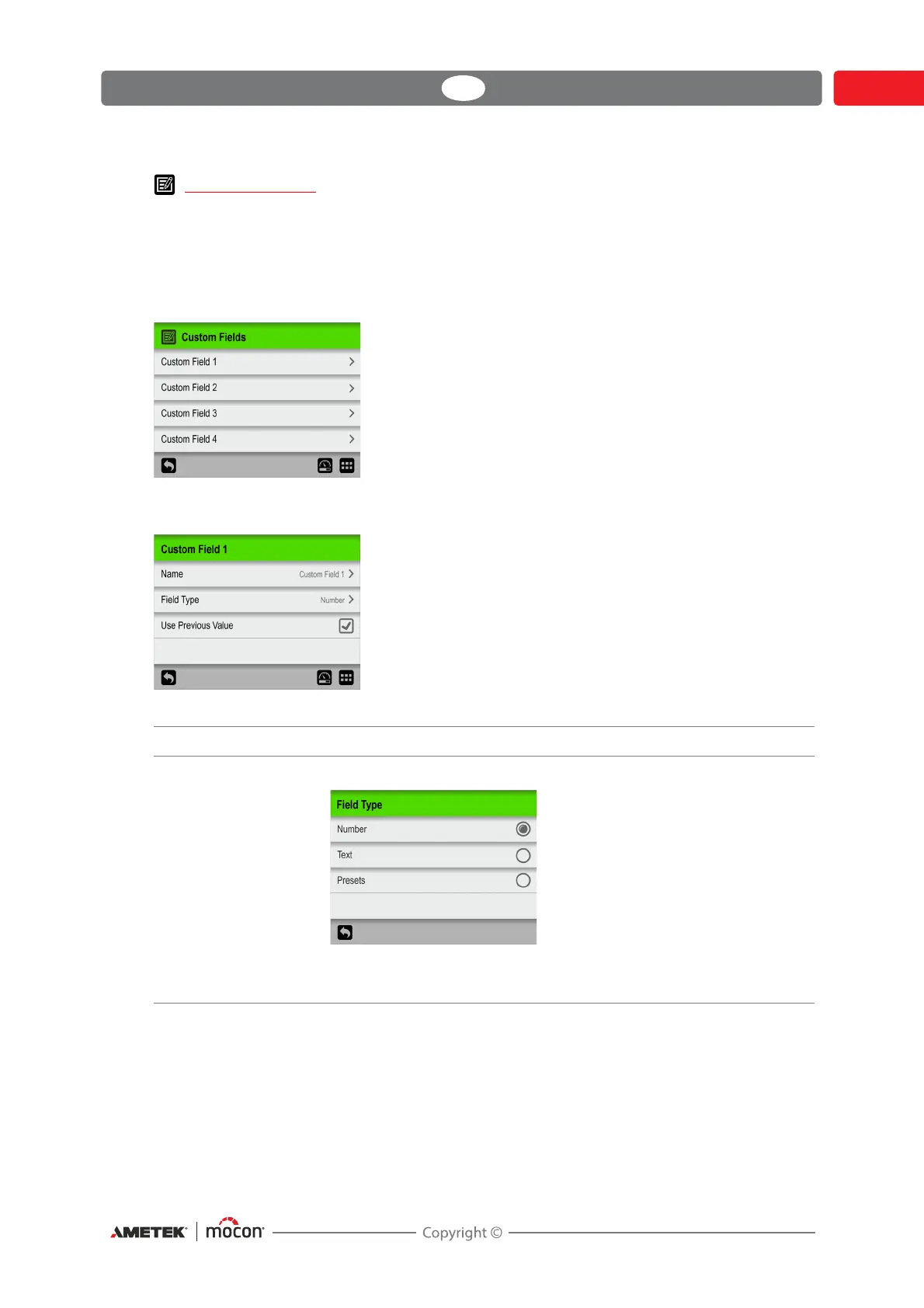
Custom Fields
Use the custom fields to add various information about a specific measurement during a
measurement workflow. The data entries are saved together with the measurement result.
4 custom fields are available, each of which can be individually defined with a name and an
input type. Whether or not a field entry is required, is set up for each test definition
individually.
Custom Field settings
Name A unique custom field name (up to 32 characters).
Field Type Select the type of required input:
When type is set to either Tex t or Number, the appropriate type of
keyboard appears when an entry is required.



 To Next Page