94 User Guide EN Dansensor® Lippke® 5000
P/N 380419-C
05/2022
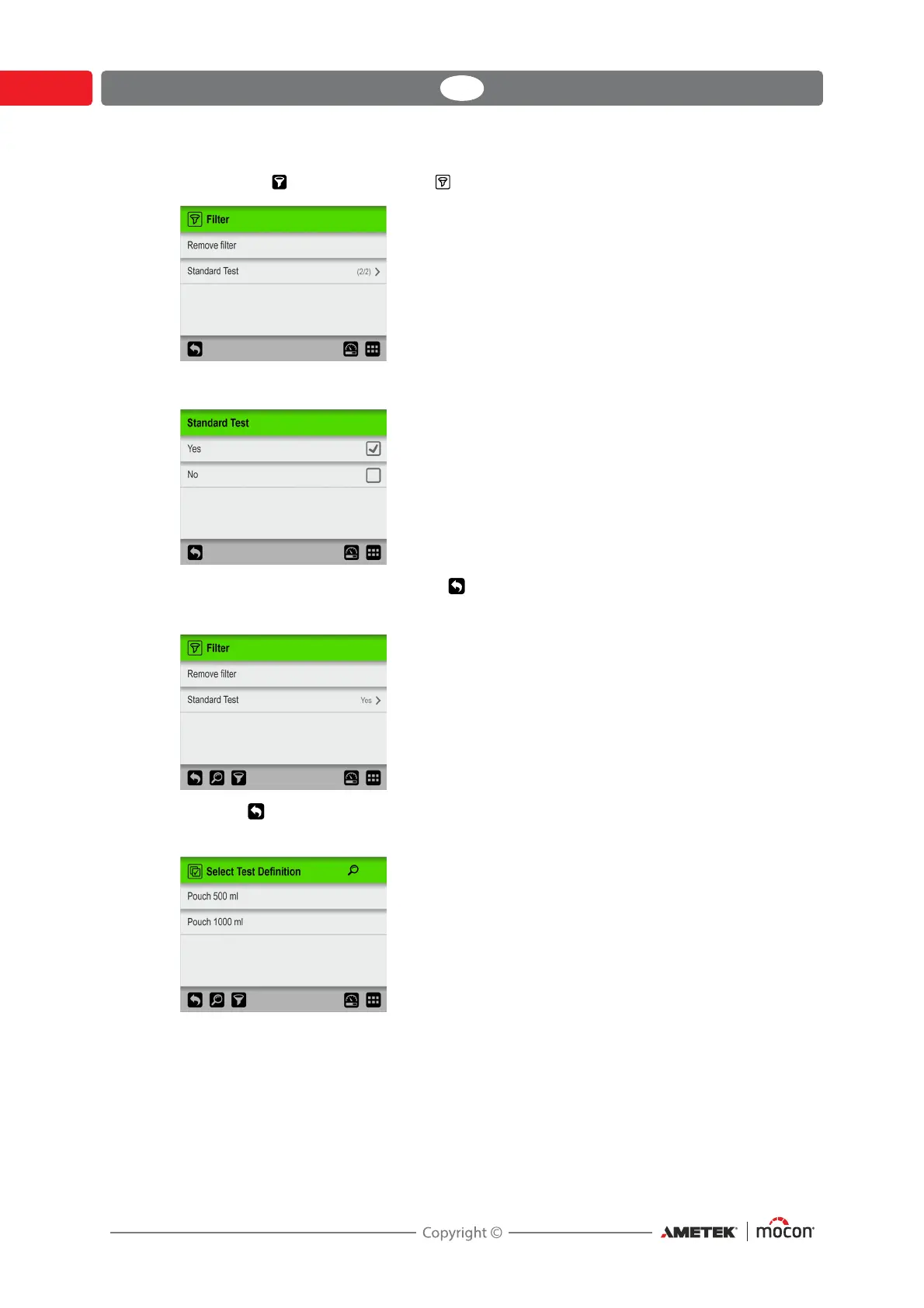
5. Now tap the icon to bring up the Filter screen.
6. If required select the Standard Test filtering parameter.
Make required setting, then press the key.
7. Now you can see the selected Standard Test filter setting.
Press the key to return to the list of test definitions that meet the search- and filter
criteria.
8. Tap the appropriate test definition to select it and return to the test screen.



 To Next Page