120 User Guide EN Dansensor® Lippke® 5000
P/N 380419-C
05/2022
Login
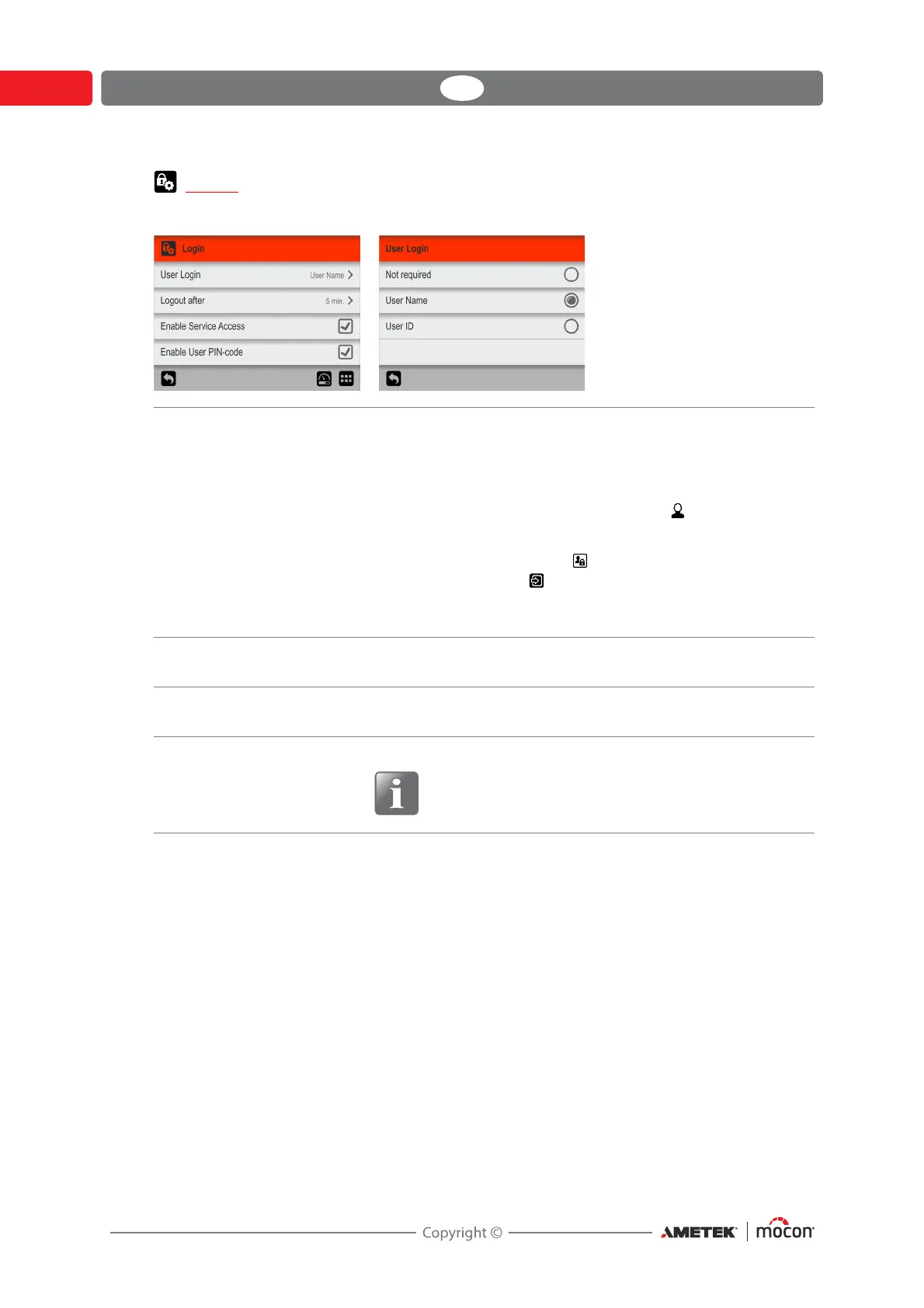
Setting up of the login function.
User Login You can choose between 3 types of user login:
Not required At start-up the device initializes and when
finished it changes to show the test screen,
ready for measuring.
Current user is the default Operator.
User Name
User ID
During start-up or if changing user, you are
taken to the
Access screen, where you must
select User Login and then either select a
user from the list or enter a valid User ID to go
to the test screen, ready for measuring.
Logout After Set the time after which the device automatically logs out if it
is not in use.
Enable Service Access Select whether or not it should be possible to log in as a user
with Service access.
Enable User PIN-code Select whether or not the user must log in with a PIN-code.
NOTE! Administrator and Supervisor users must
always log in with a PIN-code, regardless of this
setting.


 To Next Page