Dansensor® Lippke® 5000 EN User Guide 103
P/N 380419-C
05/2022
Data
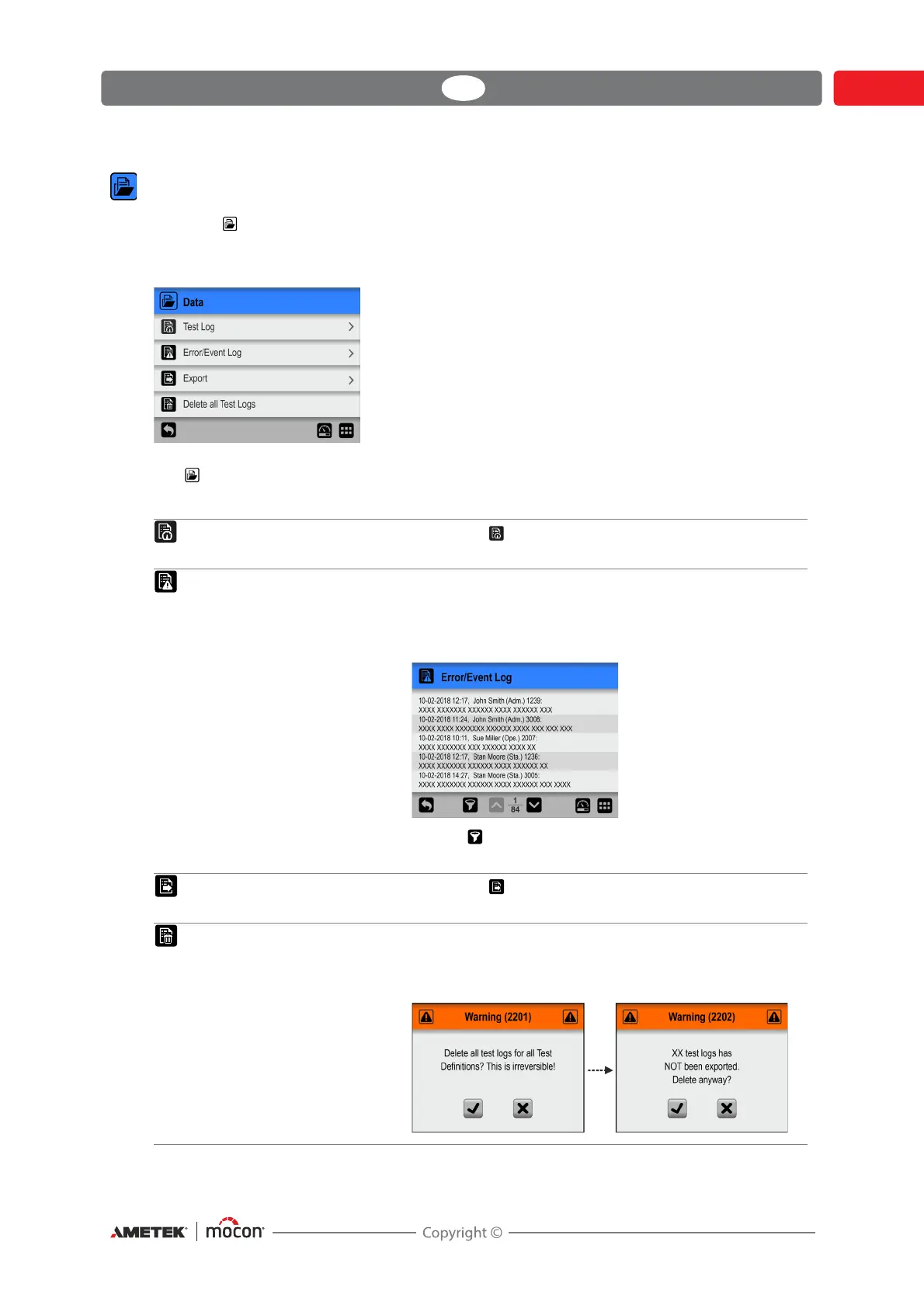
From the Data menu you can read out and manage measurement data for selected test
definitions and error and event log data.
The device can store log data for more than 1,000,000 tests.
The Data menu holds the following items:
Parameters marked with an asterisk (*) are only available when logged in as “Supervisor”.
Test Log Opens the Test Log screen
See "Test Log" on page 105 for details.
Error/Event Log Displays an internal log file listing the last 99 pages of
errors and events.
To see the complete list of errors and events you should
export the
logs - see "Export" on page 107 for details.
Tap the icon to select the type of logs to be displayed
(Errors, Events, Warnings or All) if required.
Export * Opens the Export screen
See "Export" on page 107 for details.
Delete all Test Logs * Use function to delete log data for all test definitions.
The action must be confirmed before the data is
deleted.


 To Next Page