116 User Guide EN Dansensor® Lippke® 5000
P/N 380419-C
05/2022
Export
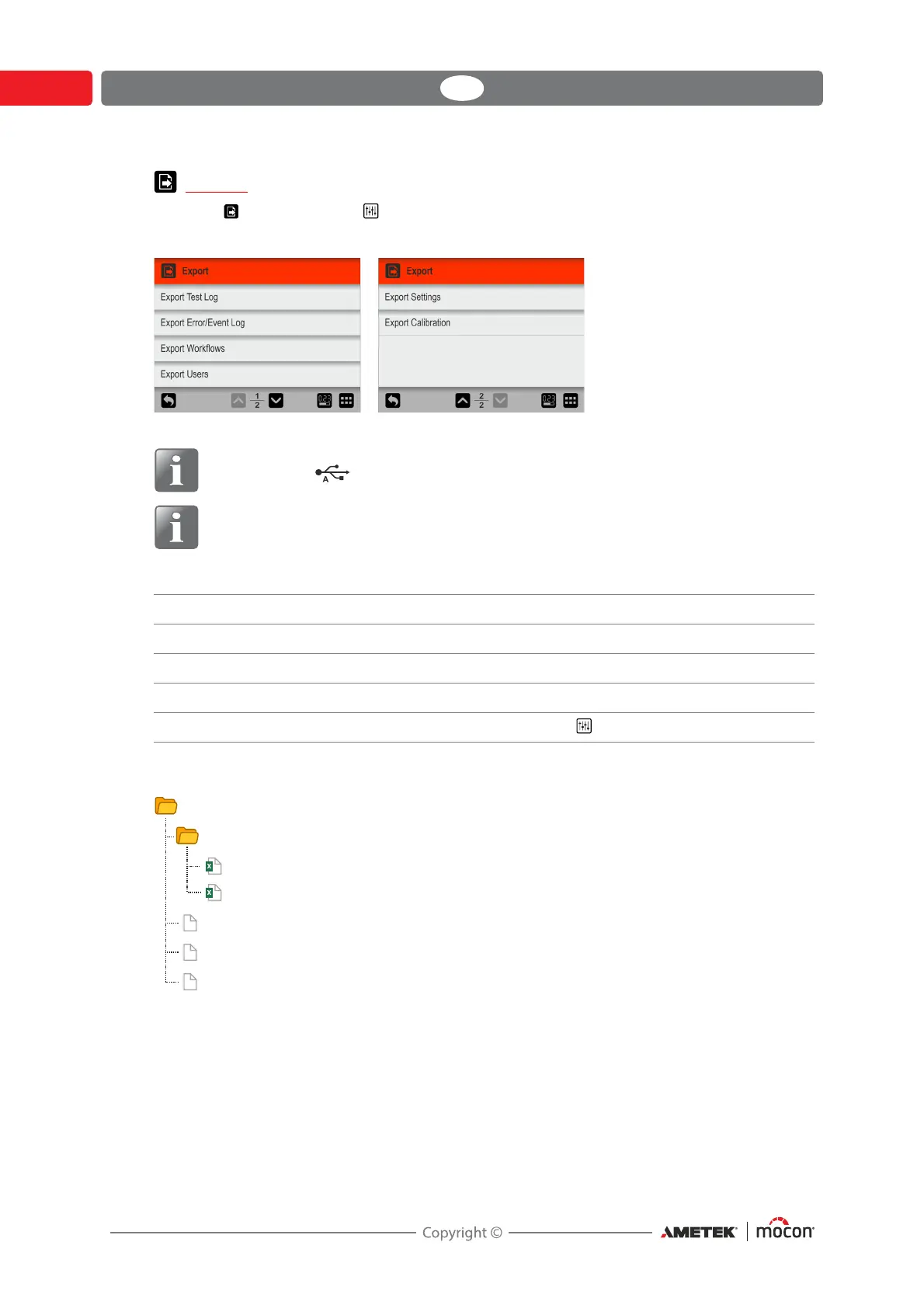
Selecting Export from the Settings menu will display a screen showing the various
export functions.
NOTE! The export functions require that you insert a USB-stick in the device’s USB-
port (labelled ).
NOTE! We recommend to use the various export functions to make backups
regularly so that files can be restored in case of a PCB breakdown.
The functions marked with an asterisk (*) can for example be used to clone another device.
The export function creates the following folders/files on the USB-stick:
The file export format for the log files is *.csv (Comma Separated Values). This format can be
imported into a spreadsheet. The actual used separator is “;” (semicolon).
Measurement log files are named <serial no.>_MeasurementLog_<date>.csv and Error and
Event log files are named <serial no.>-<date>-ErrorAndEventLog.csv.
Other files are exported as binary files and named setup, testdefs_customfields, and users
respectively. These files can not be edited.
Export Measurement Log Exports all measurement data logs
Export Error/Event Log Exports error/event logs
Export Workflows * Exports the workflow database
Export Users * Exports the user database
Export Settings * Exports all settings from the Settings menu
OLSSNH
ORJV
B0HDVXUHPHQW/RJBFVY
(UURU$QG(YHQW/RJFVY
VHWXS
WHVWGHIVBFXVWRP¿HOGV
XVHUV


 To Next Page