58 User Guide EN Dansensor® Lippke® 5000
P/N 380419-C
05/2022
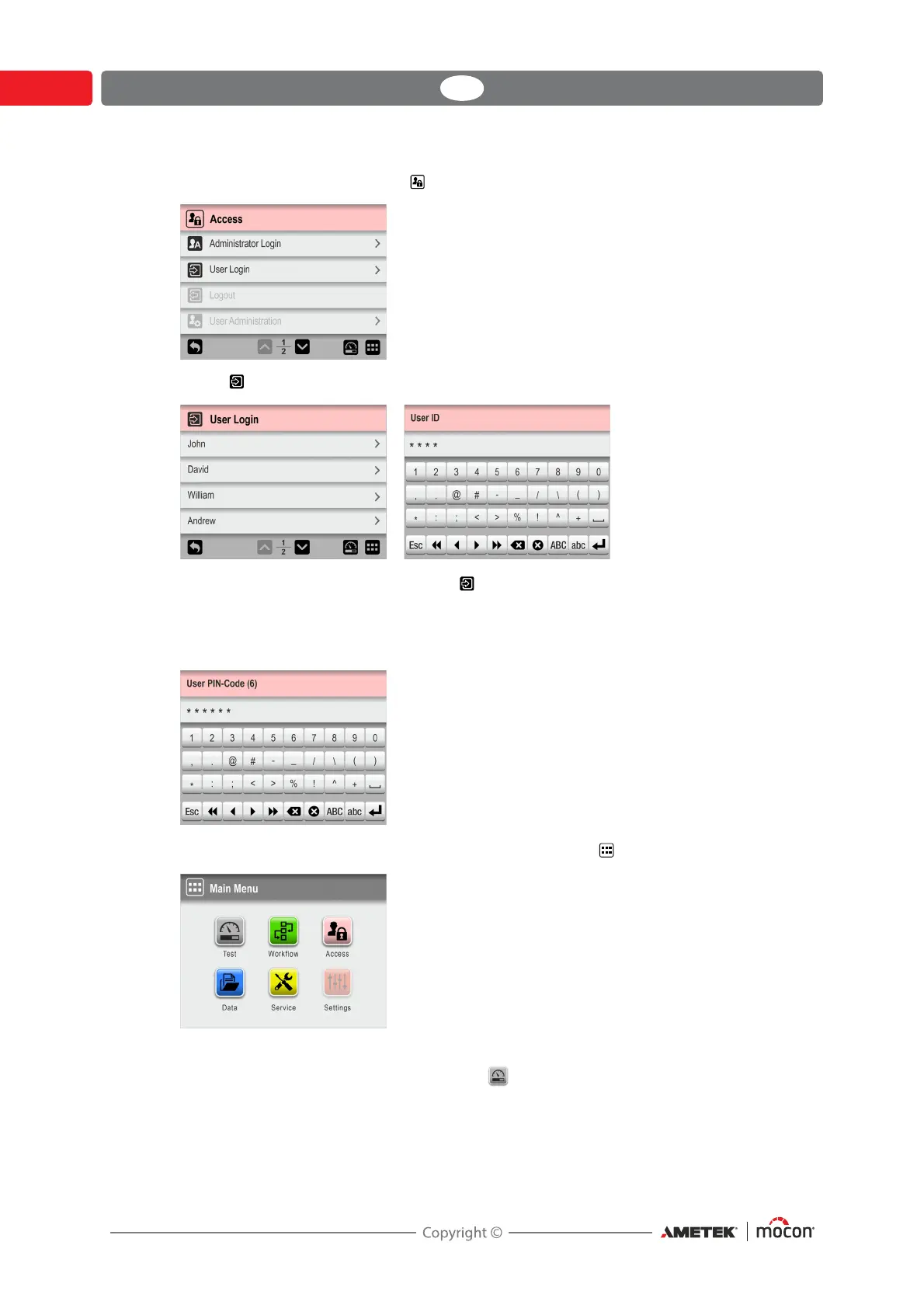
4. If, however, login is required the Access menu appears.
5. Select User Login...
...and then either select a user from the User Login list or enter a valid User ID
whatever is required.
6. If login with PIN-code is required (see page 120), enter the User PIN-Code for the selected
user or user associated with the User ID.
7. When you are properly logged in, the display will show the Main Menu:
Current user is as selected during login with the access level as specified for this user.
8. To go to the test screen to start a test press Test button.



 To Next Page