68 User Guide EN Dansensor® Lippke® 5000
P/N 380419-C
05/2022
Parameters
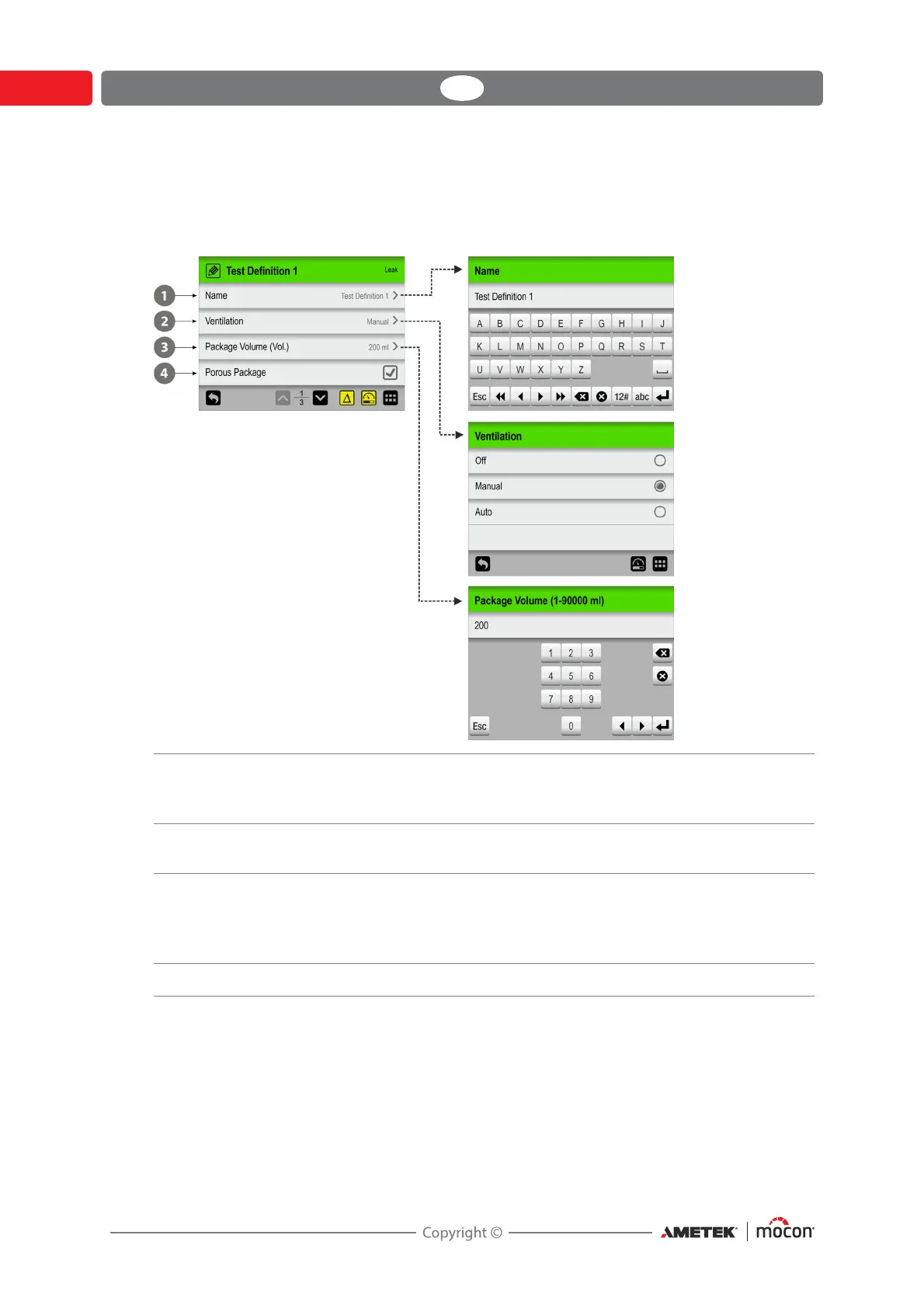
Setting up of test definitions and various device settings involves the following parameter
types:
Alphanumeric E.g. PIN-codes, Test Definition- and user names.
Tap item to open an alphanumeric keyboard to edit/enter text.
See "Typing" on page 69 for details.
Predefined options E.g. selection of menu language or pressure unit.
Tap item to show list of predefined options.
Numeric E.g. pressure- and time settings.
Parameter value is numeric and in most cases they can only be
set within a predetermined range.
Tap item to open a numeric keyboard to edit/enter value.
With check box Tap item to enable/disable function (Check/Uncheck)



 To Next Page