8-7
Setting Up an iView PC
iControl AC
8
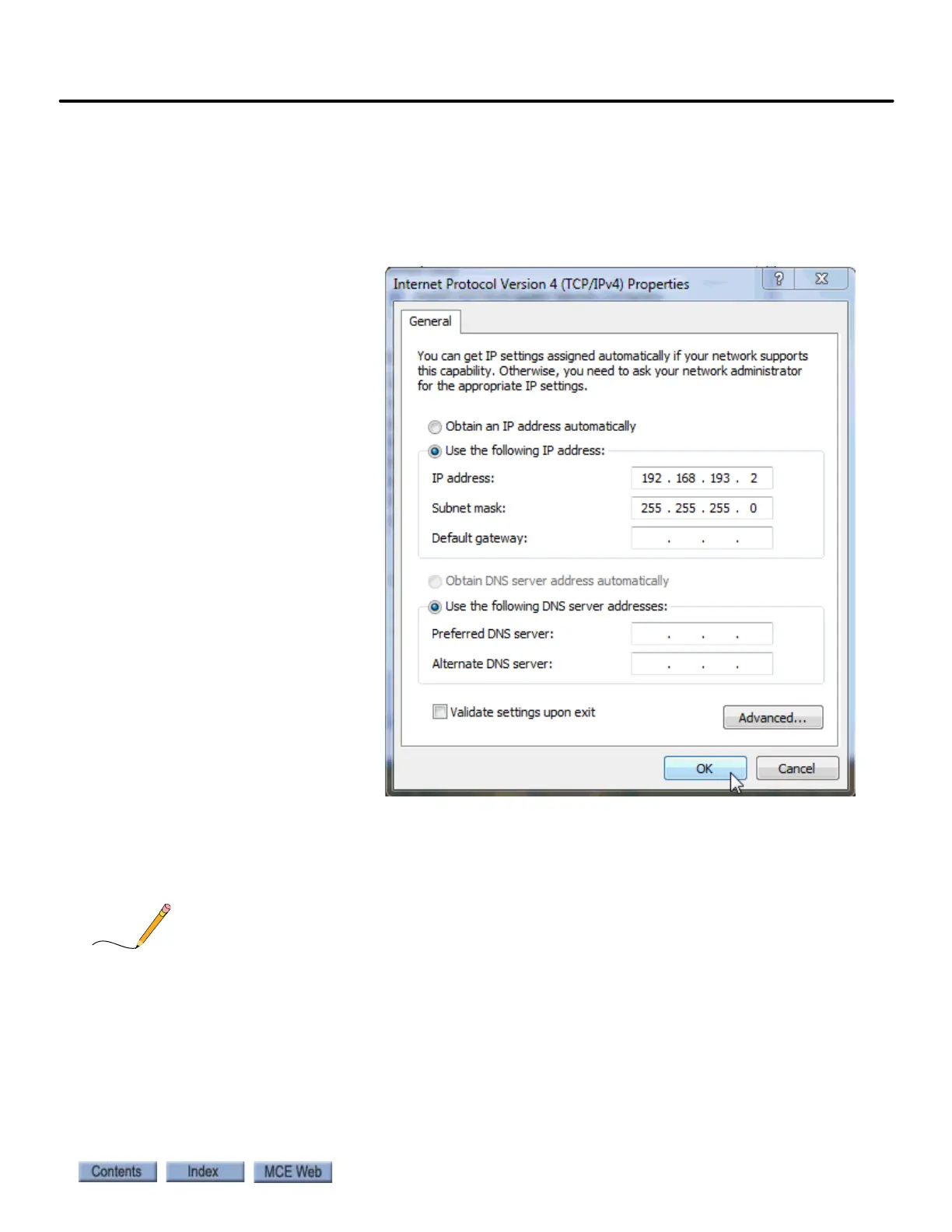
8. For a direct connection, set the IP Address to match the iBox EXCEPT FOR the last set
of numbers. The #3 iBox port is defaulted to 192.168.193.1. Typically, you can set your
PC’s IP address to 192.168.193.2
9. For a LAN connection, the IP addresses available are 192.168.191.101 - 200. The first
iView PC is typically set to 192.168.191.101. Each PC connected to the network most have
a unique address.
10. Set the Subnet Mask
to 255.255.255.0.
11. Set the Gateway to
192.168.191.254 for a
LAN (#1 port) con-
nection. Otherwise,
leave it blank.
12. Click OK and follow
any instructions to
save the changes you
made.
The default Subnet Mask for all ports is 255.255.255.000.
The default Gateway for the #1 (LAN or Peripheral Port) is 192.168.191.254.
The default Gateway for the #2 and #3 ports is 000.000.000.000.
It is important that a free-standing (iView ONLY PC not running iCue dispatching) PC have only one IP
address assigned. Click the Advanced button and verify that the PC is configured for only a single IP
Address (192.168.193.2 for a direct connection and an unused address like 192.168.191.101 - 200 for a
LAN connection).



 To Next Page