8-8 Manual # 42-02-2223
Using iView
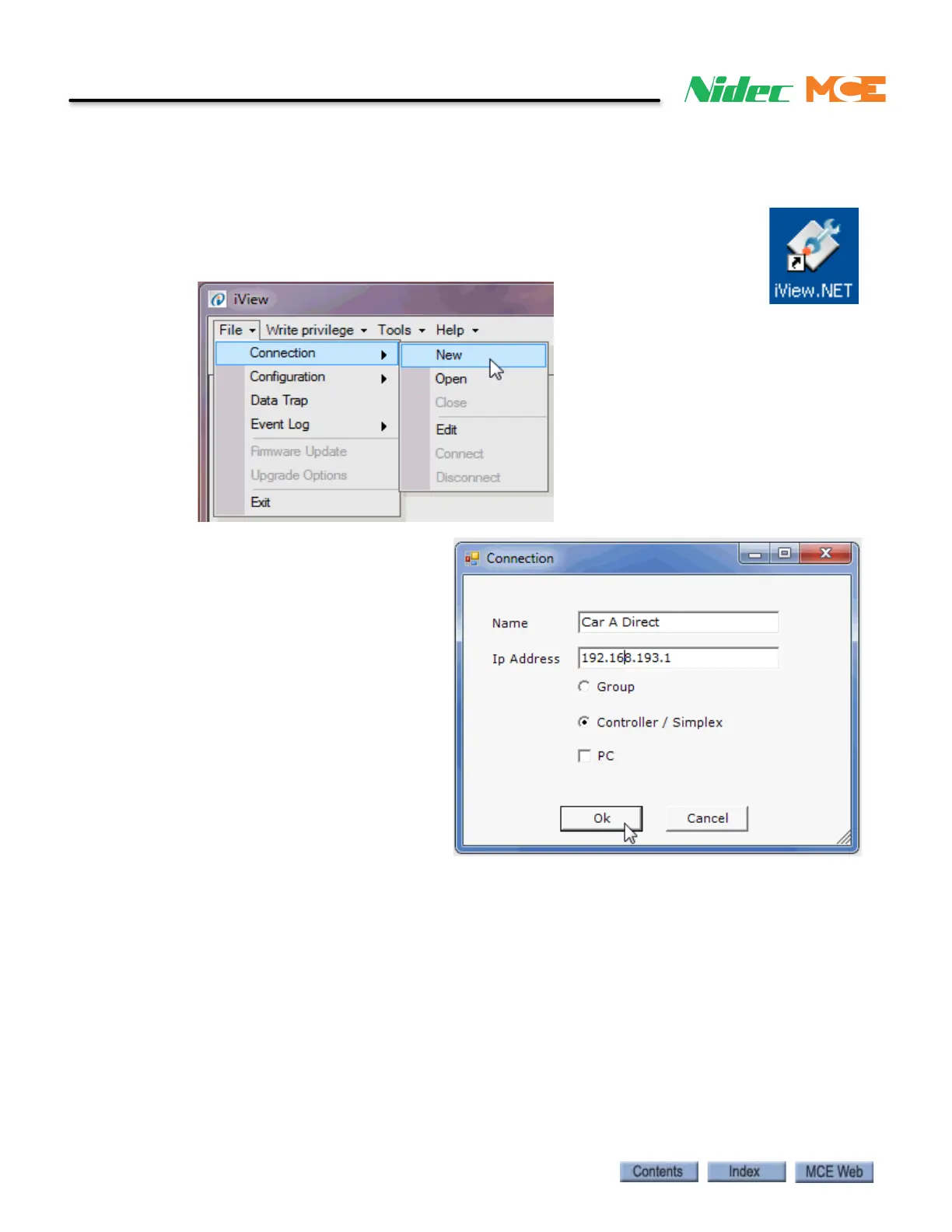
Creating a Direct Connection in iView
Once you have set your computer TCP/IP as described previously, you need to create a connec-
tion in iView.
1. Double-click on the iView icon on your computer screen to launch iView.
2. Click File on the menu bar.
3. Select Connection and click New to open the Connection dialog.
4. Type in a name for the connec-
tion.
5. Enter the direct connection IP
Address for the iBox
(192.168.193.1).
6. Select Controller/Simplex.
7. Click OK. The Save As dialog
opens.



 To Next Page