8-42 Manual # 42-02-2223
Using iView
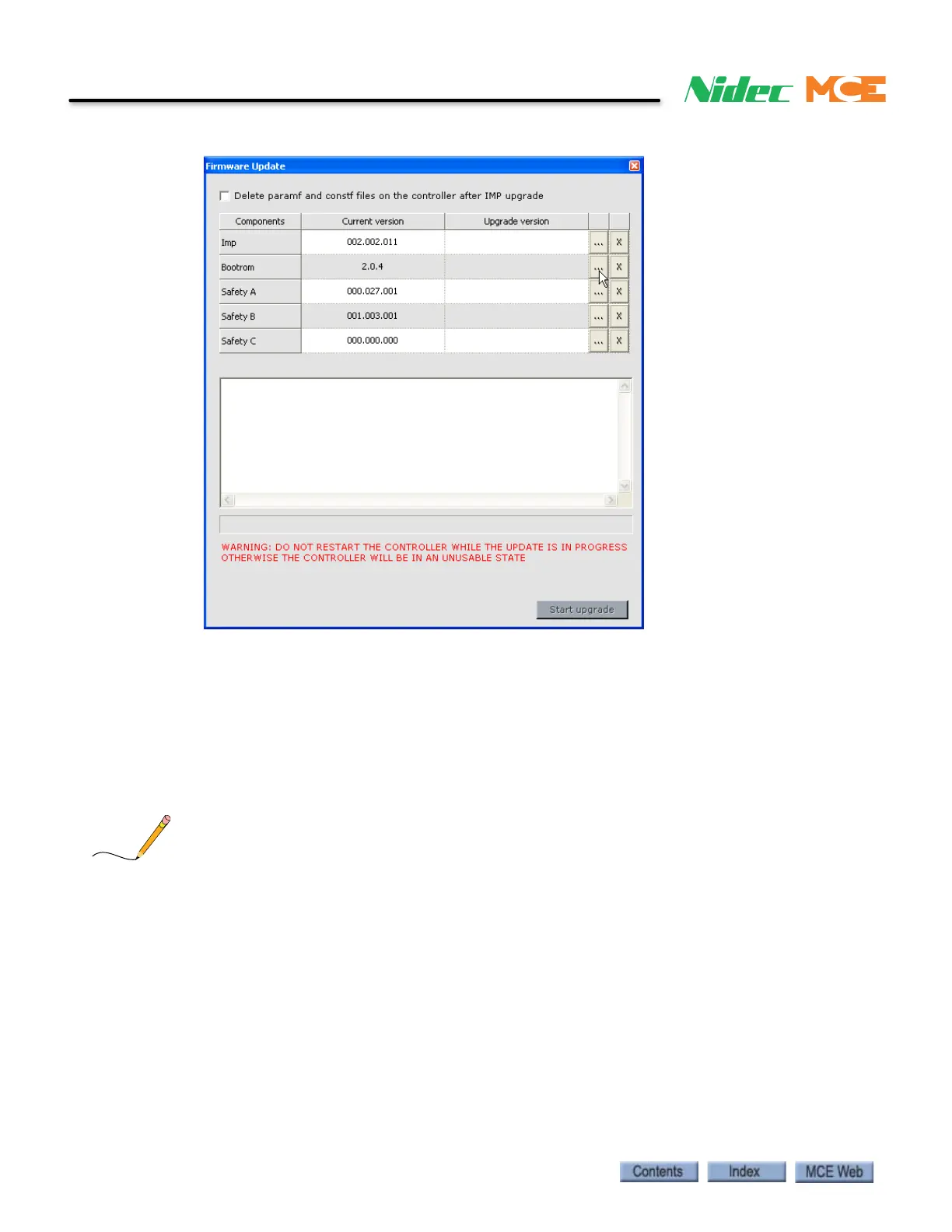
7. Update the Bootrom first. Double click the (…) in the Bootrom row.
8. Use the Open dialog to navigate to the computer’s Desktop and double click the
Bootrom.mce file. The bootrom file will load and the version will be indicated in the
Upgrade version column.
9. Click Start upgrade. The upgrade progress will be indicated in the text window. When
the upgrade is completed you will be instructed to close iView and press the iBox Com-
puter Reset button.
Note: If an FrmFtp Login dialog appears asking for a User and Password, click OK. The user name and
password are not used for this operation at this time.
10. Use iView to connect to the iBox when it finishes the re-boot.
11. Repeat steps 4, 5 and 6.
12. Click the check box to “Delete the paramf and constf files on the controller after IMP
upgrade”
13. Double click the (…) in the Imp row.
14. Use the Open dialog to navigate to the computer’s Desktop and double click the
vxworks.mce file. The IMP application file will load and the version will be indicated in
the Upgrade version column.



 To Next Page