Users Guide ValueJet 1614
50 AP-75790 Rev 1.4 -22/02/2011,
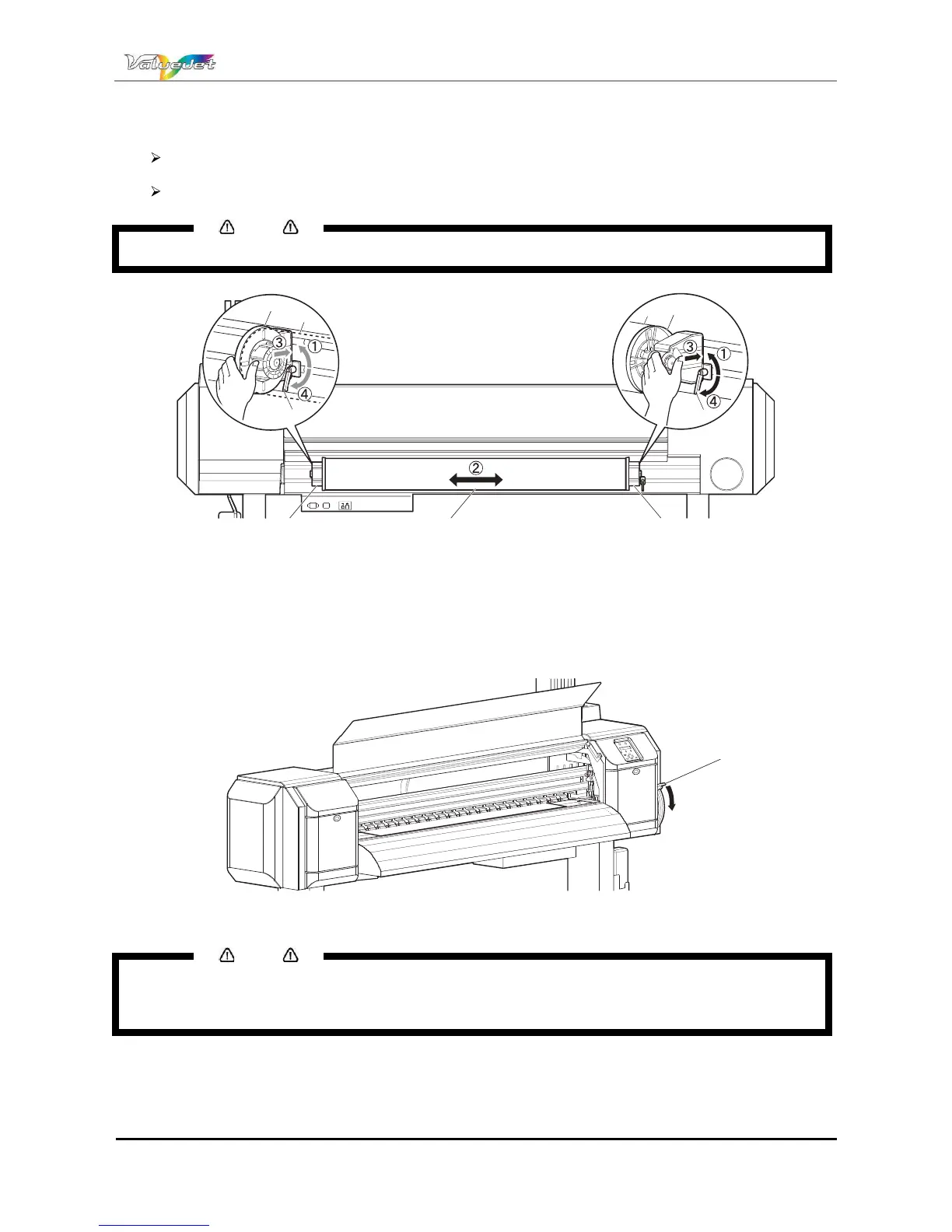
Step 7 : If the edge of the roll media is set less than 5 mm from the edge of the pressure roller, follow the
procedure below to adjust the position of the roll media.
Loosen the fixing levers of the right and left roll media holders, and move the roll media to left or
right.
After moving the roll media, fix it with fixing levers of the right and left roll media holders.
Notes
Fix the roll media holders by pressing the holders to the printer.
î
í
íï î
ï
í
ì
ì
N° Name
1 Roll media holder (Left)
2 Roll media holder (right)
3 Roll media
4 Fixing lever
Step 8 : Lower the media loading lever
ï
N° Name
1 Media loading lever
Notes
When loading the new roll media, cut the front edge of the media if it is not straight. Please refer to
Cutting media.
When loading media that does not feed well, lower the media loading lever further.















 To Next Page