4.3 Using Power Fluctuation Testing (Simulation) Function
DP Series/DP Series Type R
129
1.
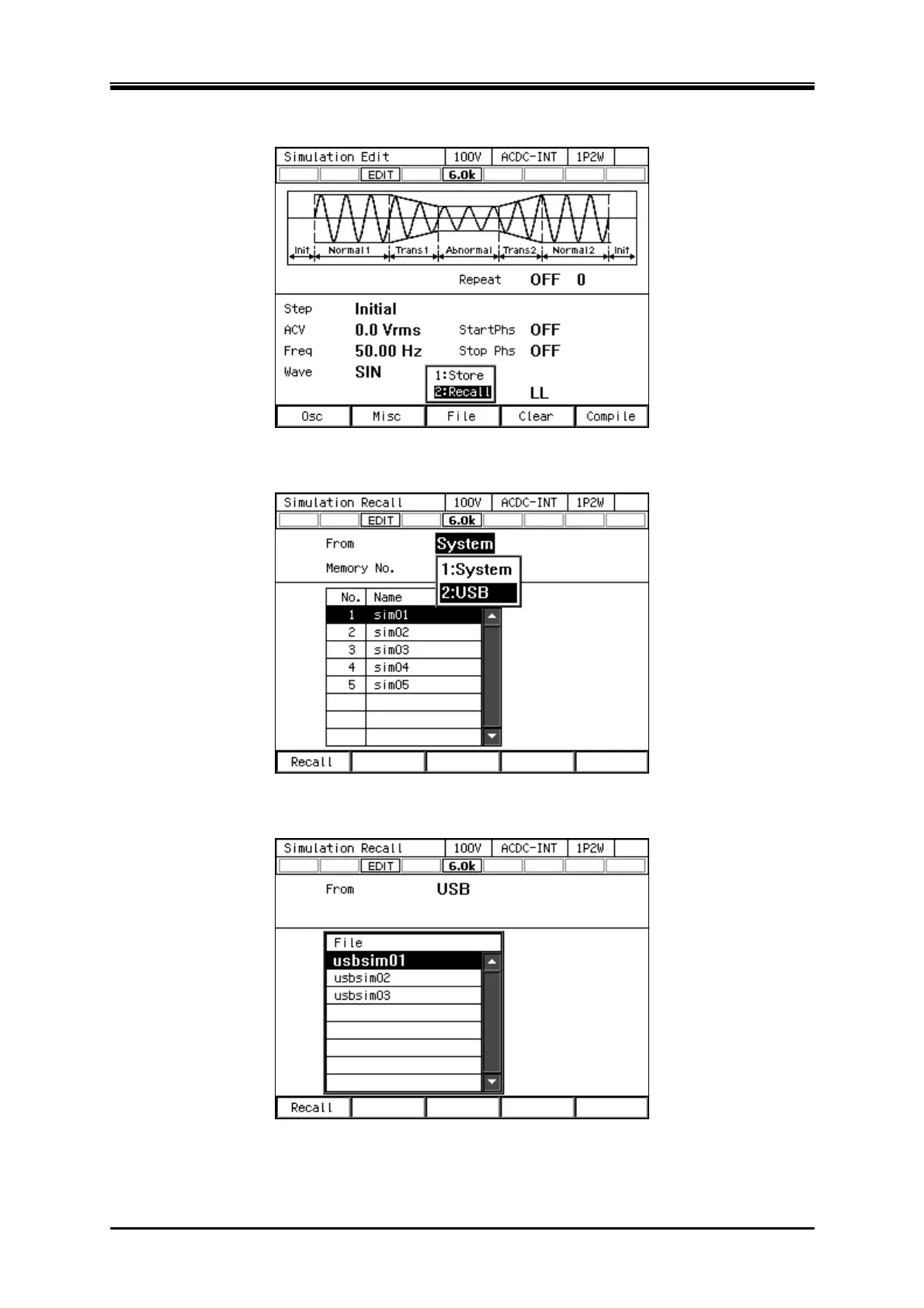
In Simulation Edit View, select [File] soft-key
[2: Recall]. The Simulation Recall View opens.
2.
In the [From] item, select [2: USB].
3.
In the data list box, select the simulation to load.



 To Next Page